Intro
This article explains how to set up Bring Your Own Model (BYOM).Import Your Model
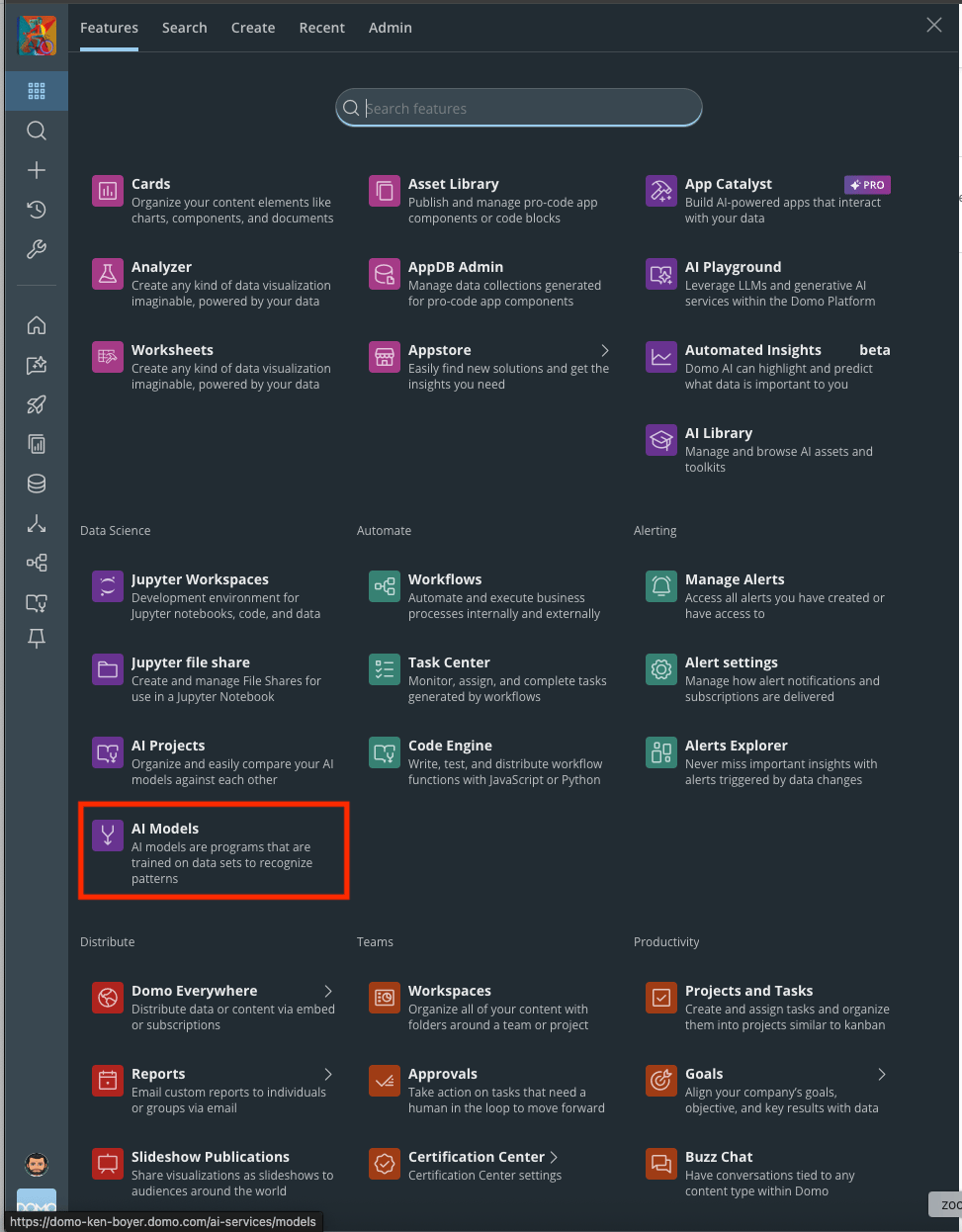
- Select AI Models from the main menu.
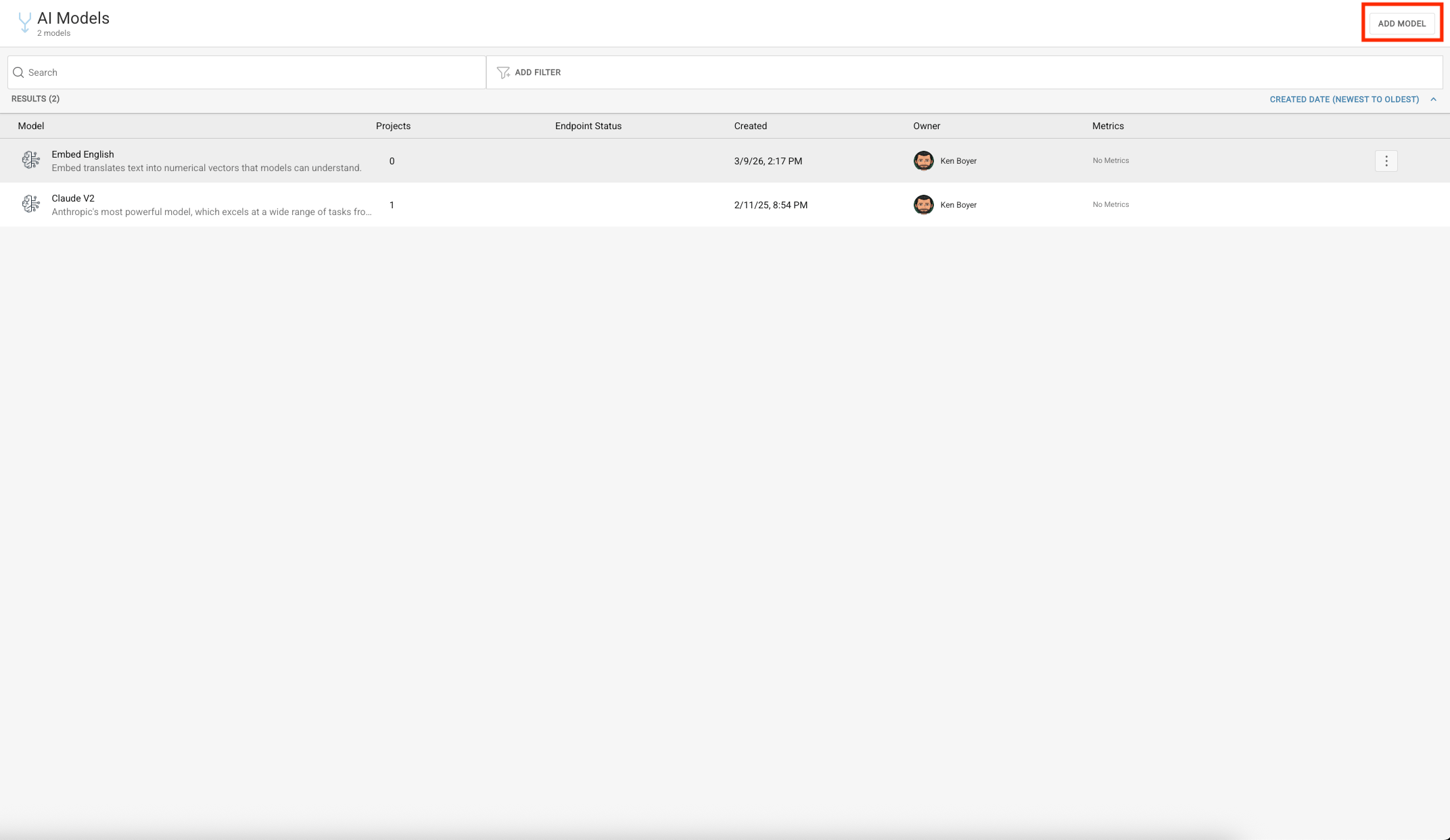
- Select Add Model.
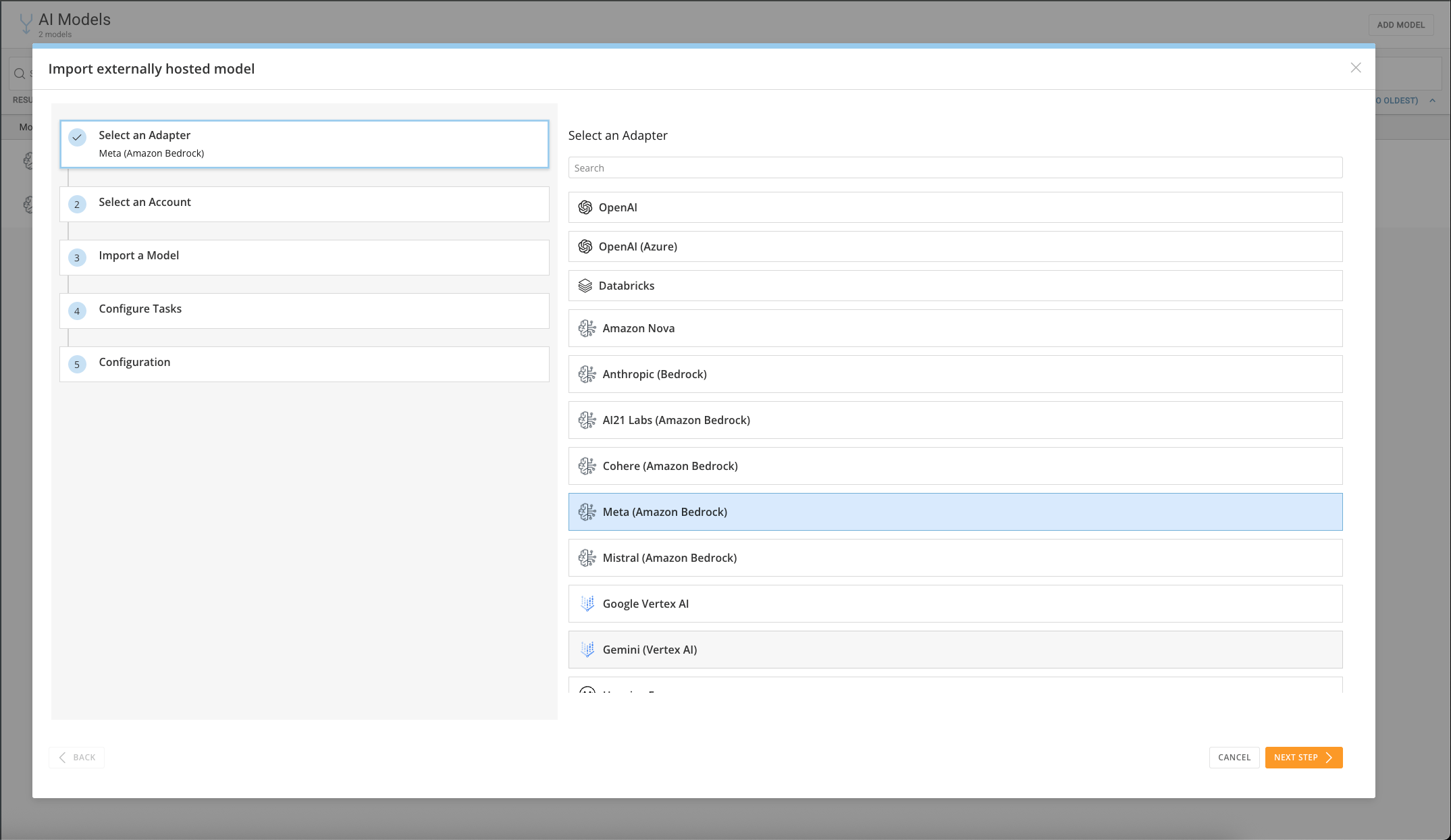
Select an Adapter
- For this example, select Meta (Amazon Bedrock), then select Next.
Select an Account
- Choose a corresponding account, or create a new one. For this example, select an Amazon Bedrock account.
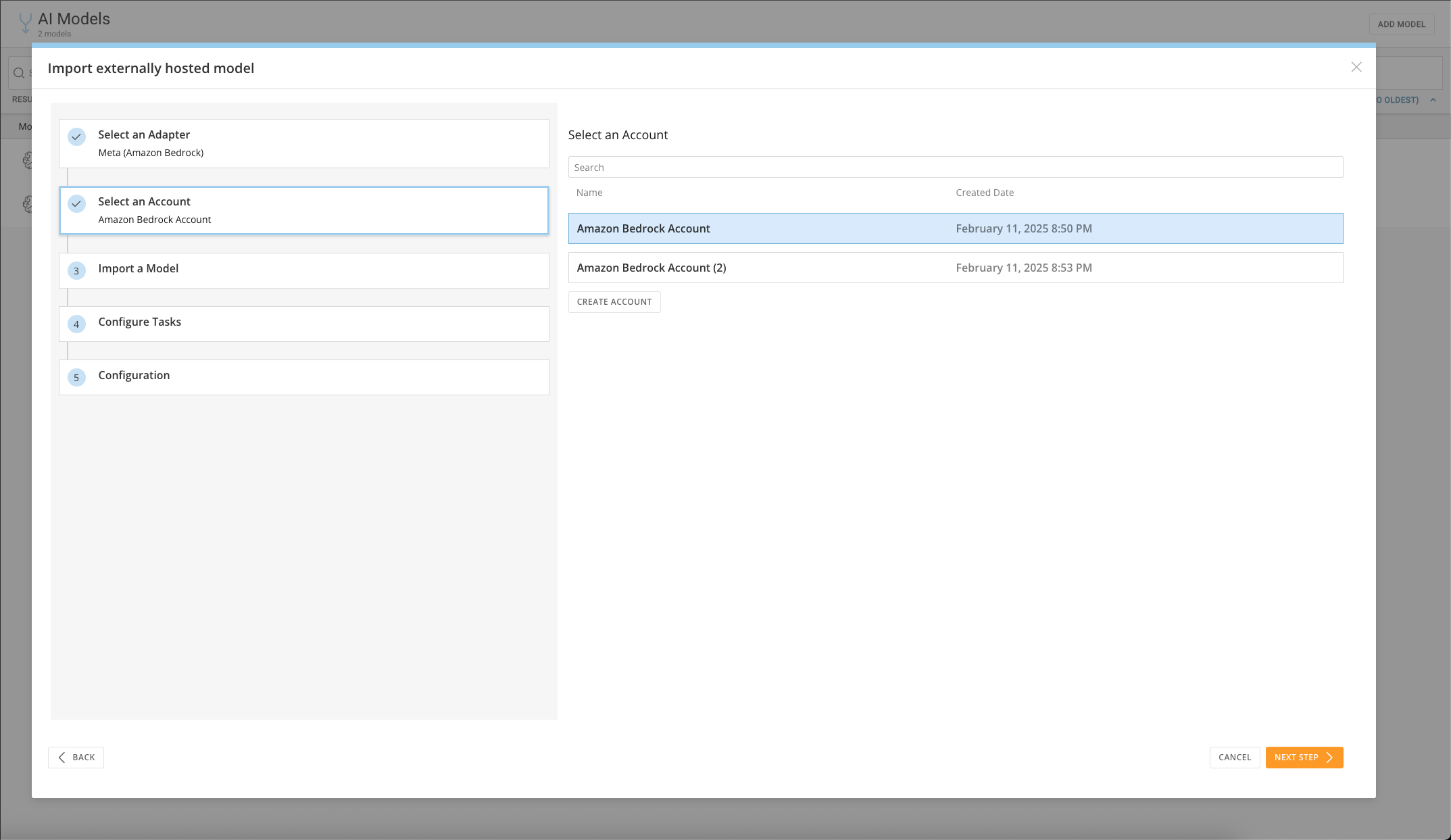
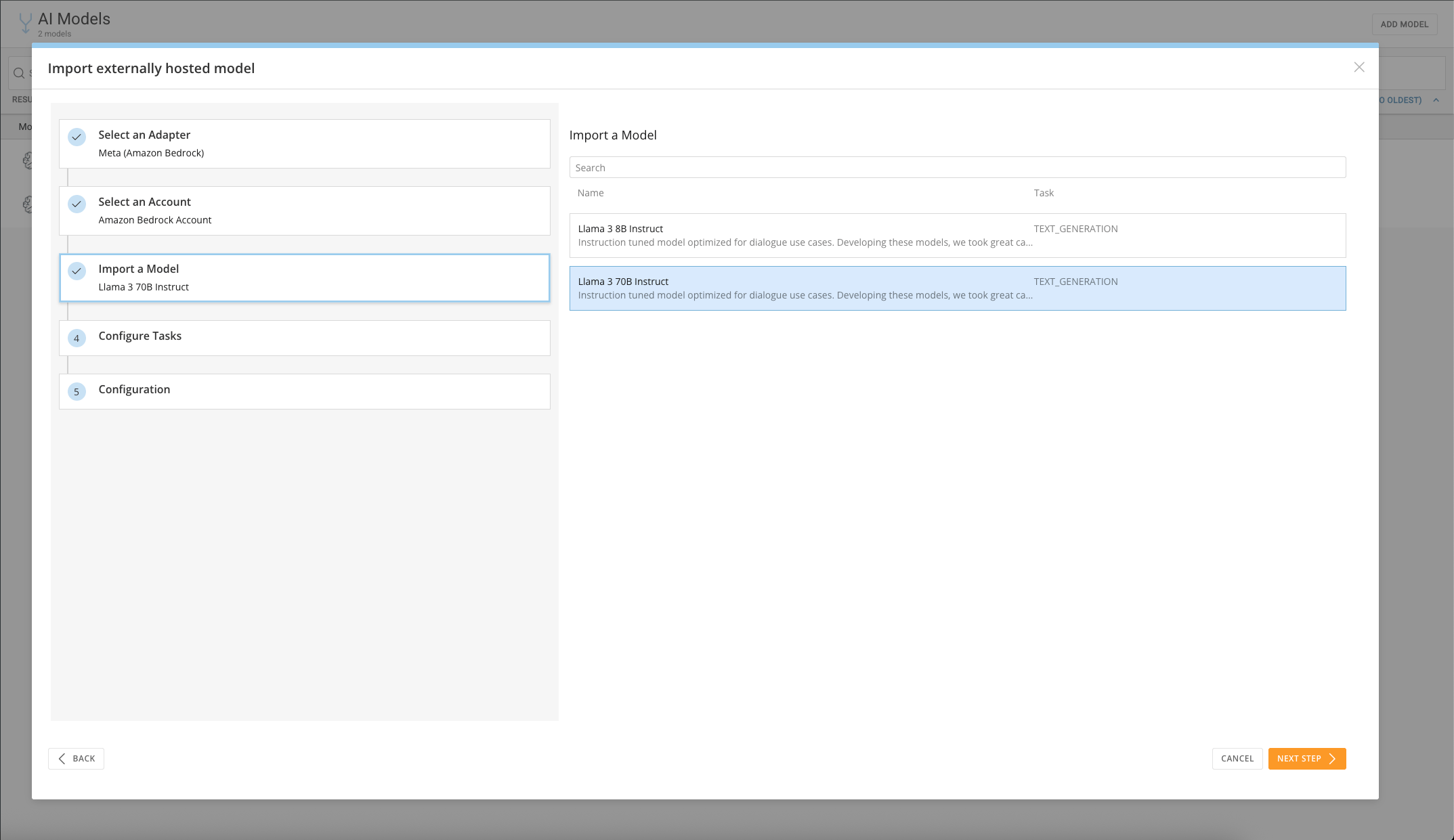
Import a Model
- Select the model to import. For this example, import the Llama 3 70B Instruct model.
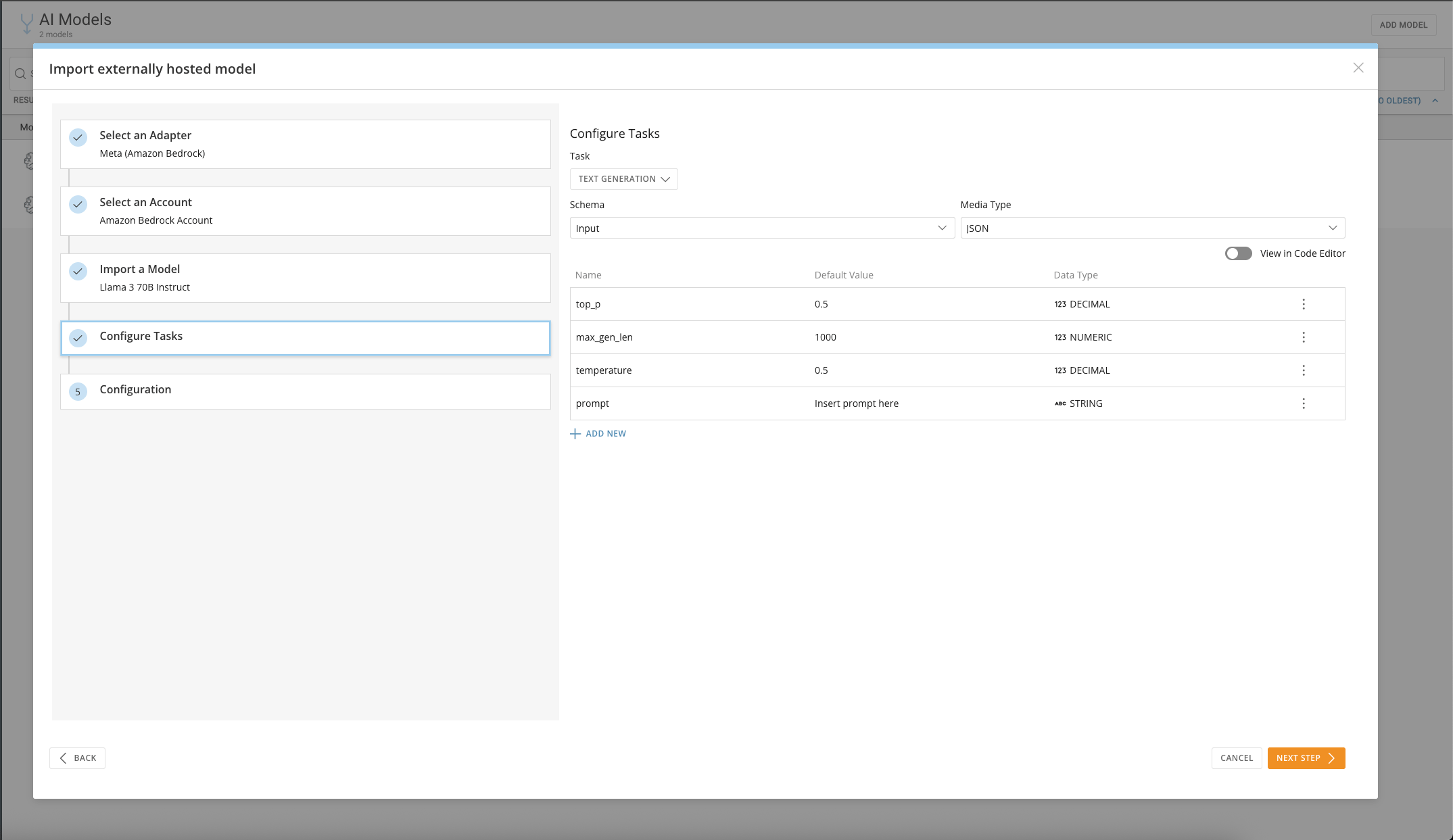
Configure Tasks
- Define the Task the model performs, including the input and output schemas.
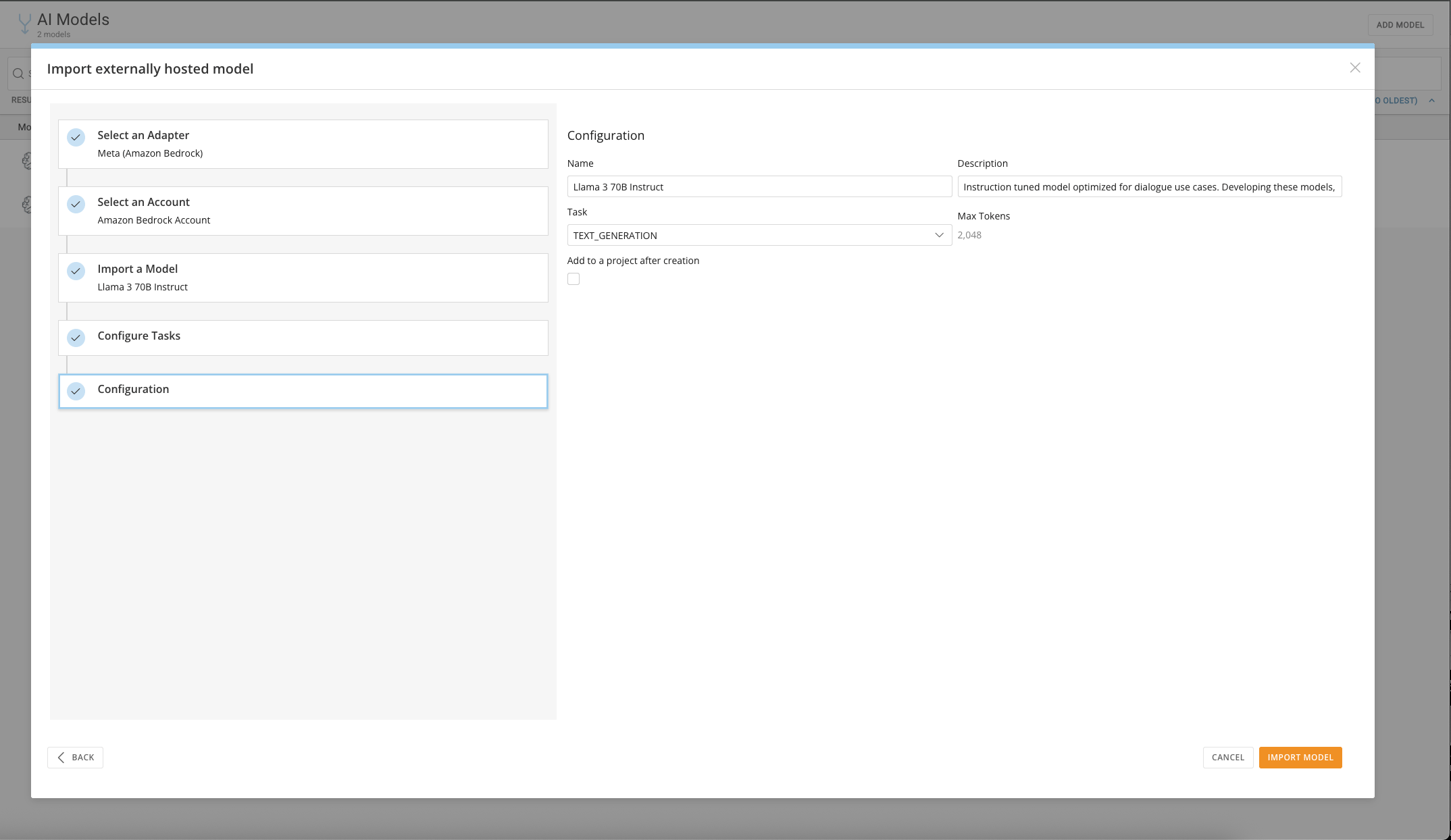
Configuration
- Fine-tune the setup, then select Import Model.
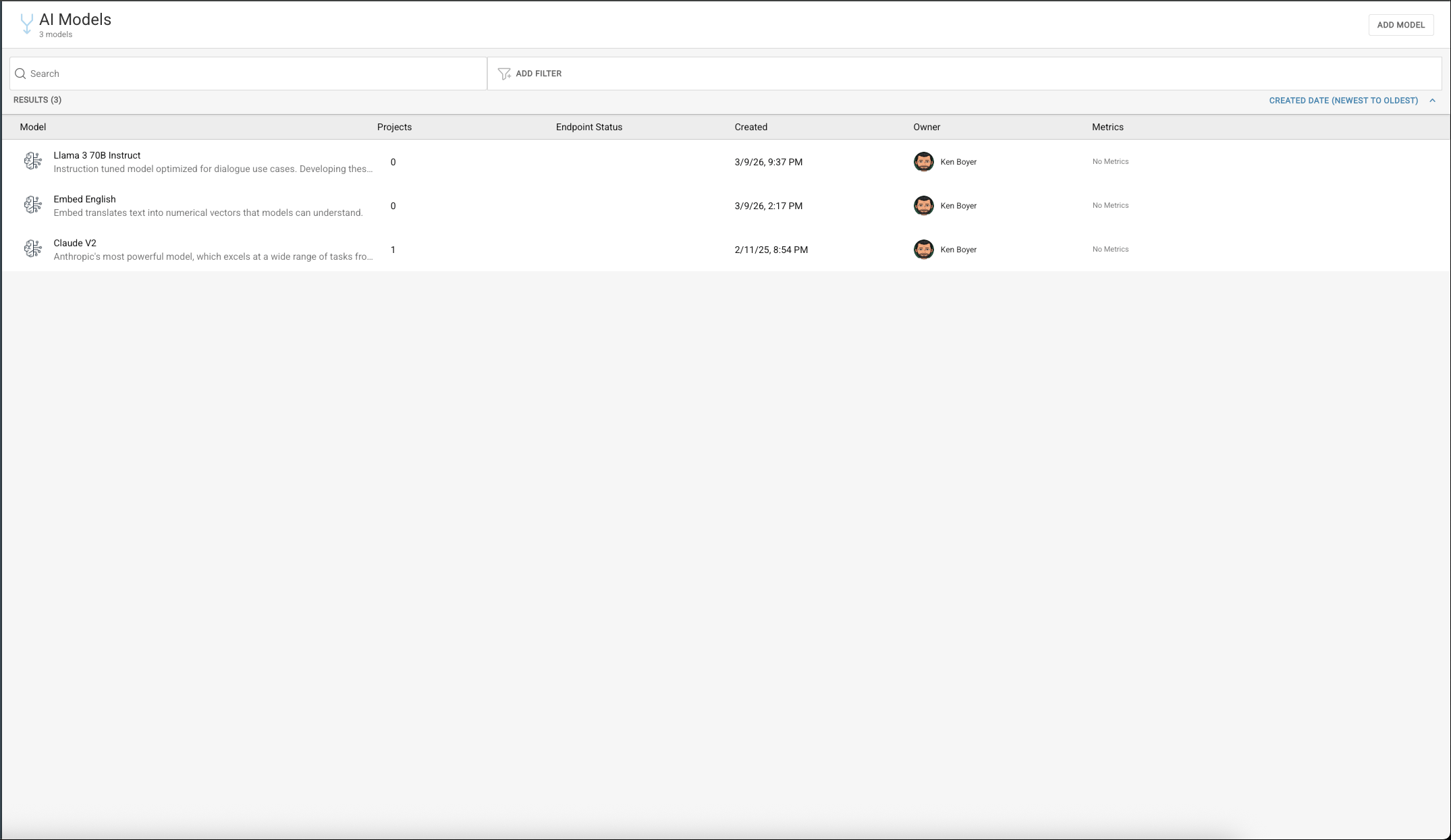
Configure Your Model
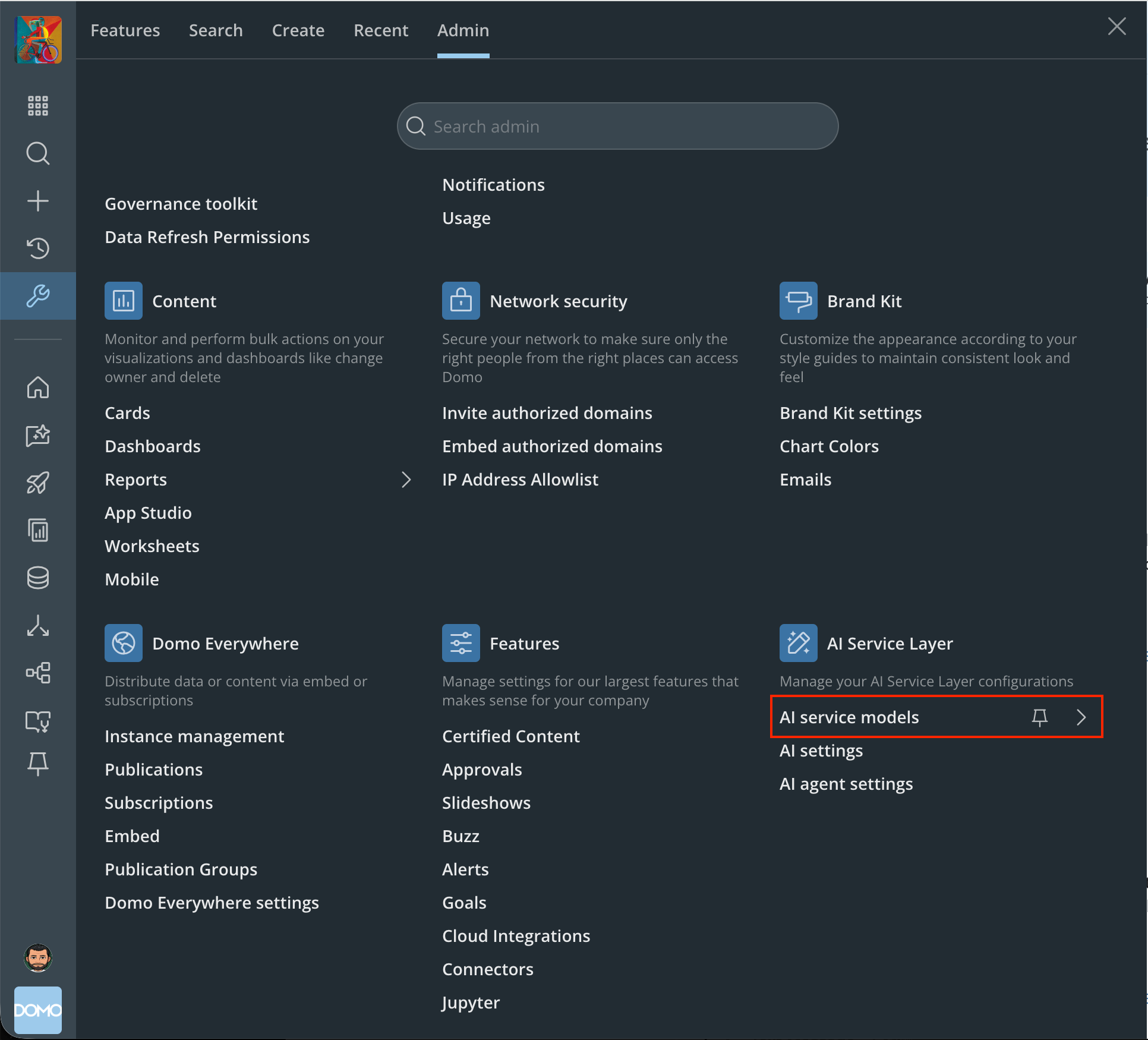
- Select the Text Generation service from the AI Service Models page in Admin Settings.
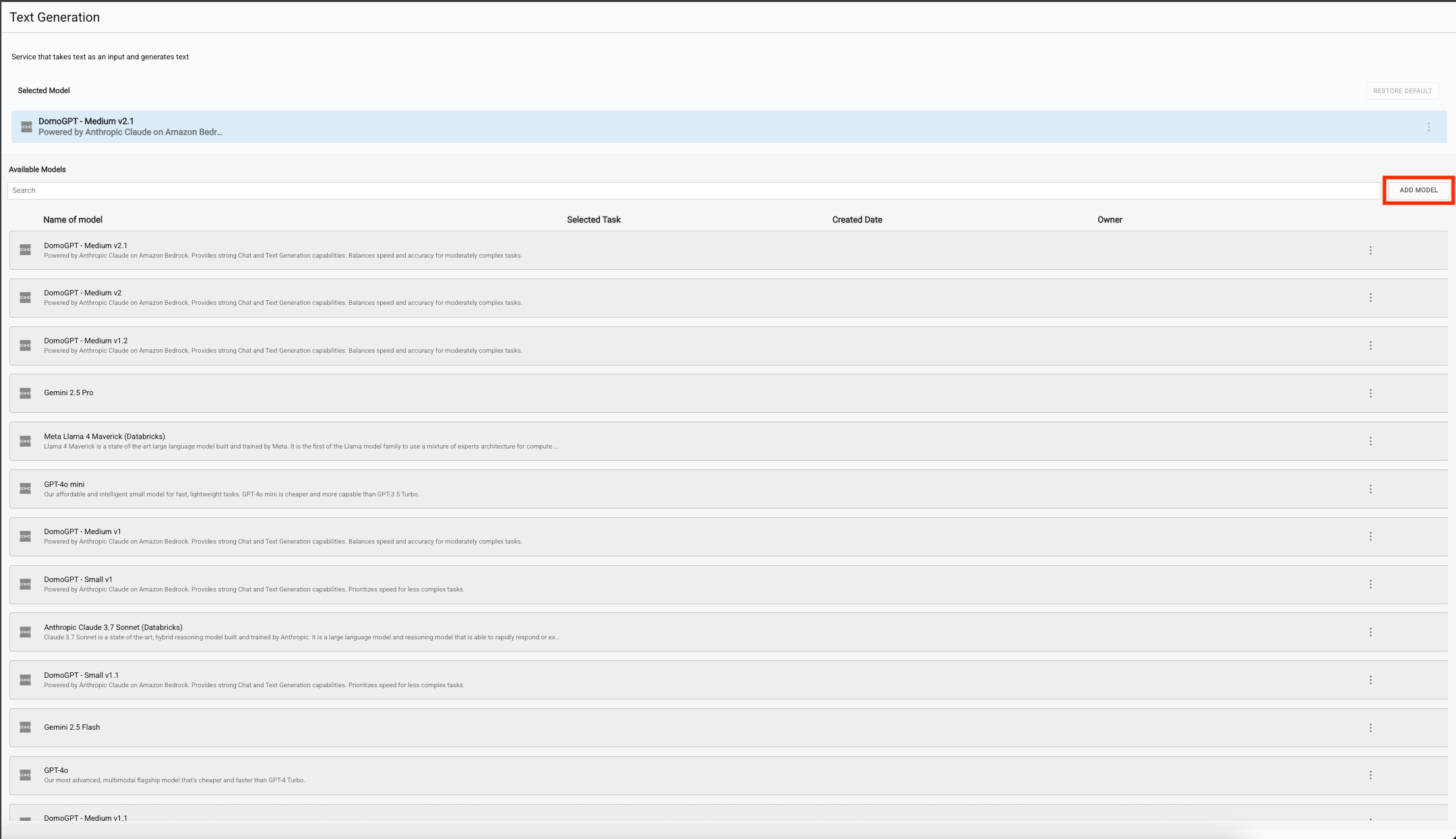
- Select Add Model.
- Select your newly imported model — in this case, Llama 3 70B Instruct.
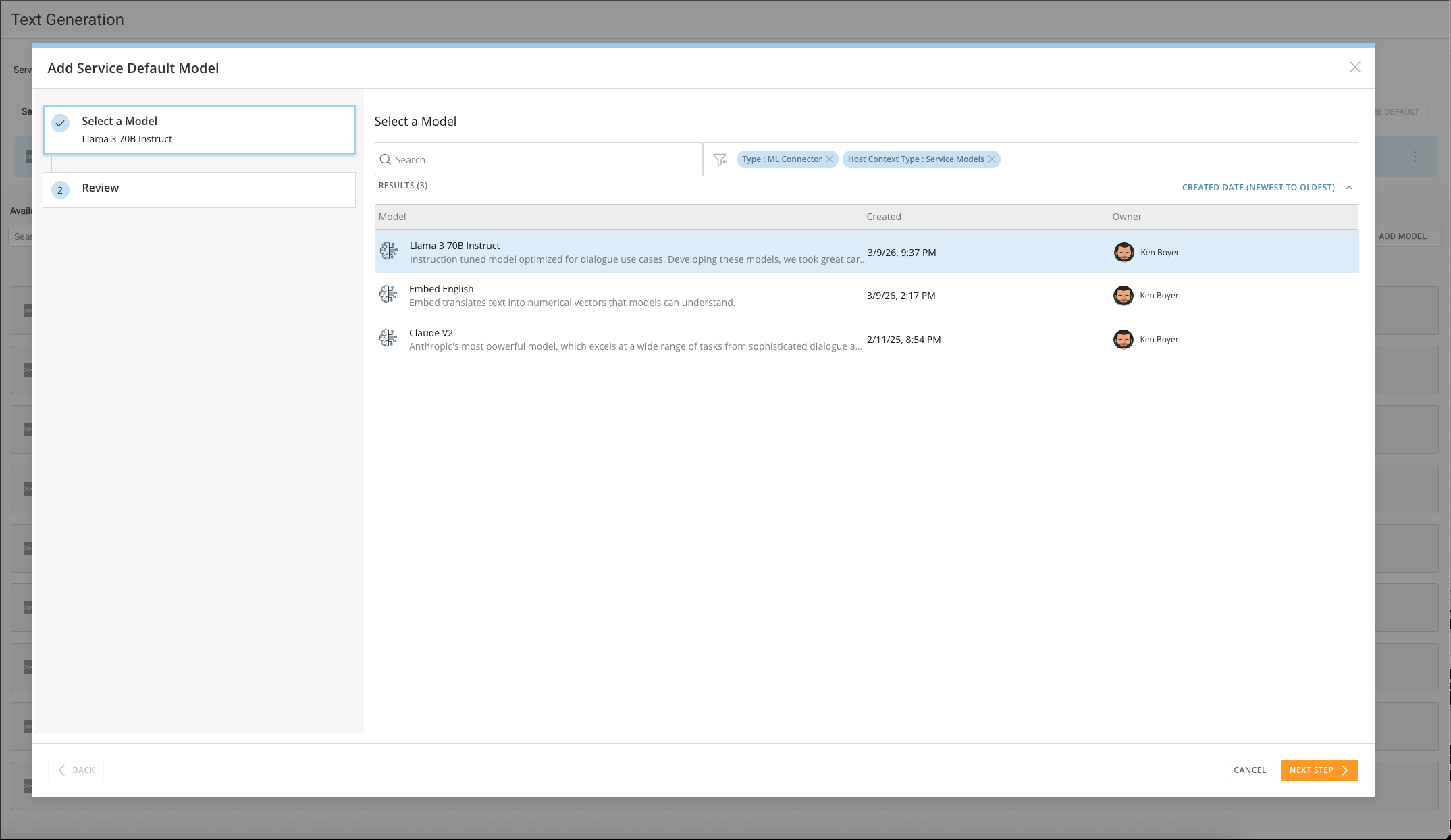
- The new model is now listed and available for use. Set it as the default model for this service, or leave it available for programmatic use only.
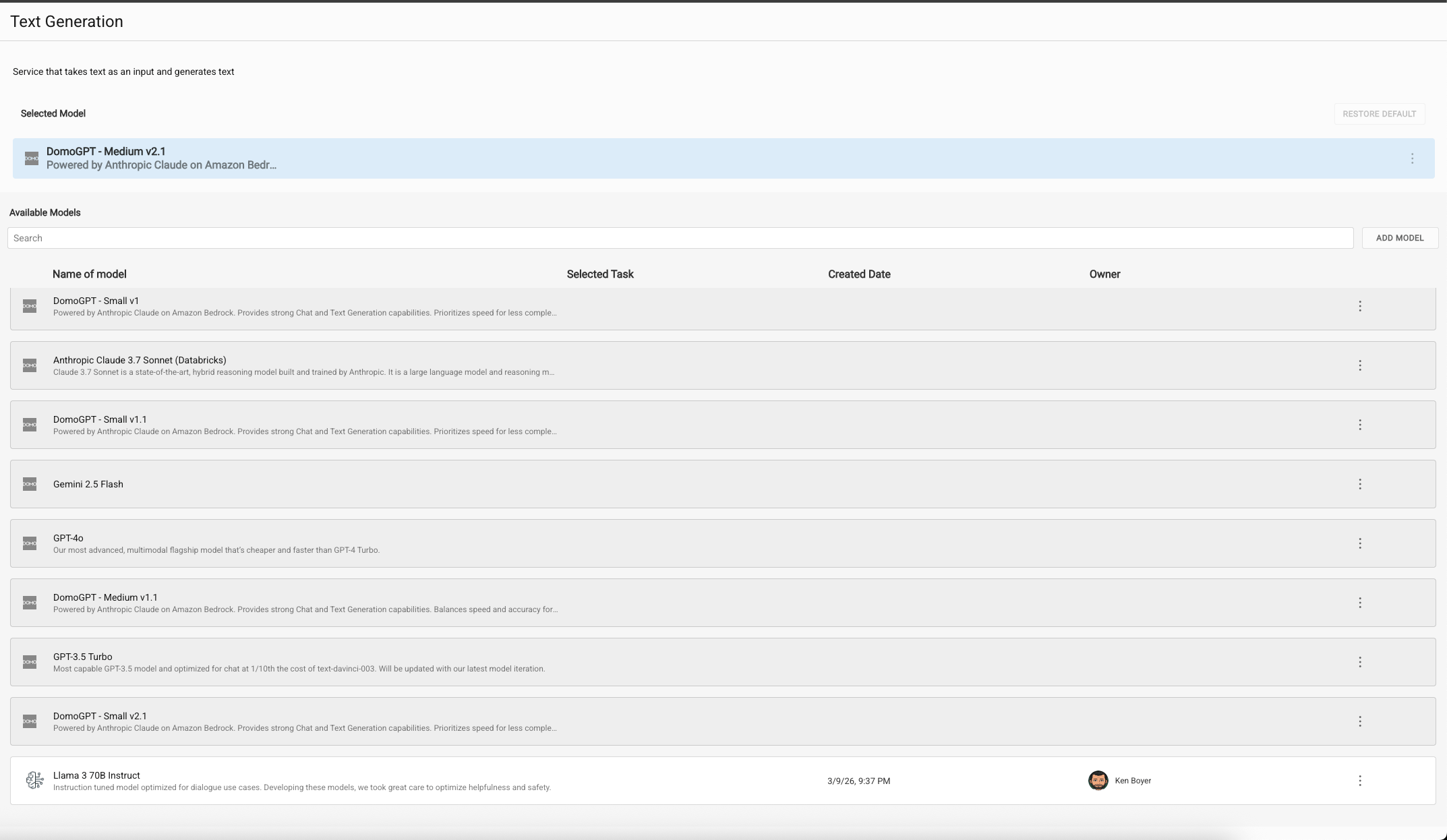
Use Your Model
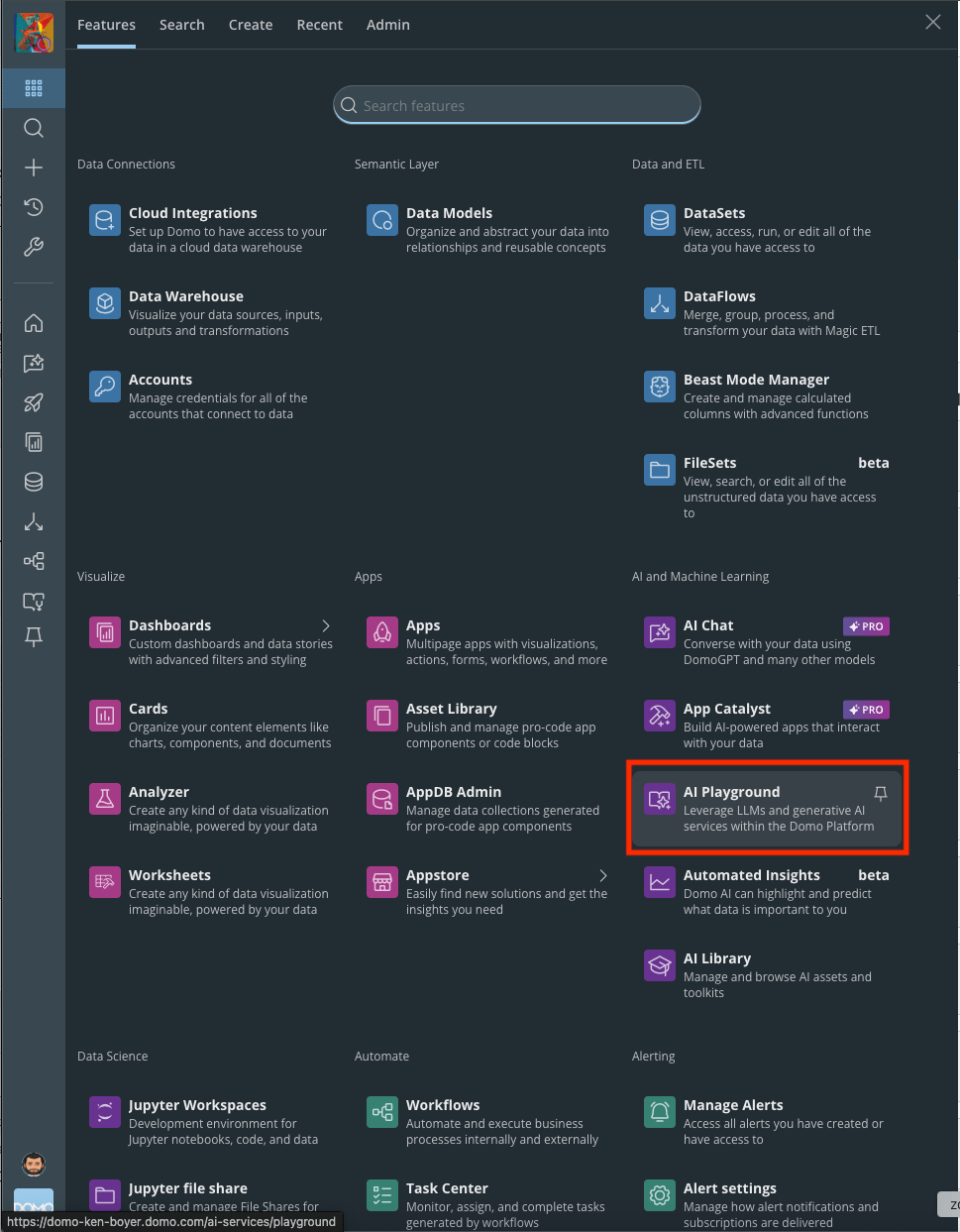
- Select AI Playground from the main menu.
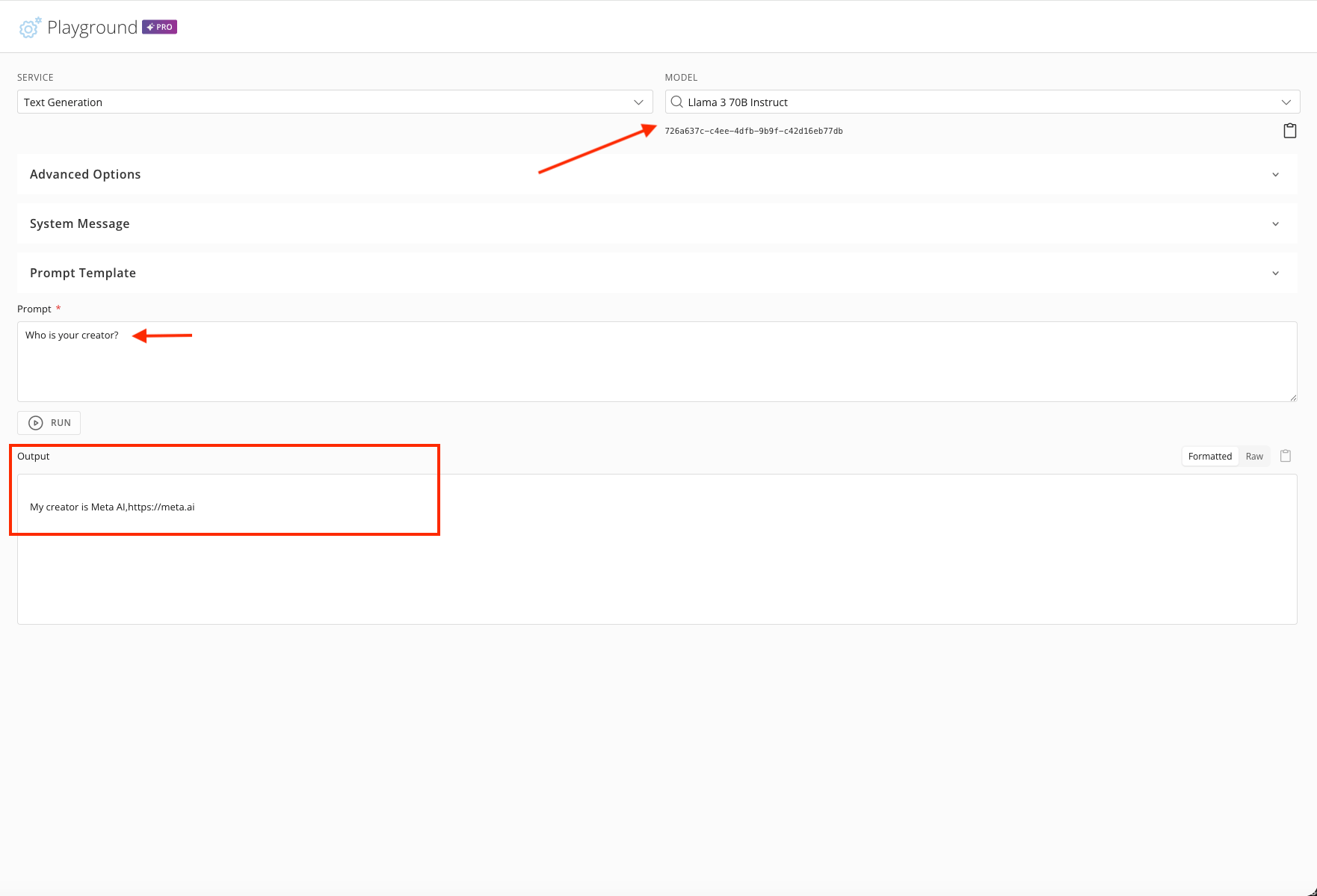
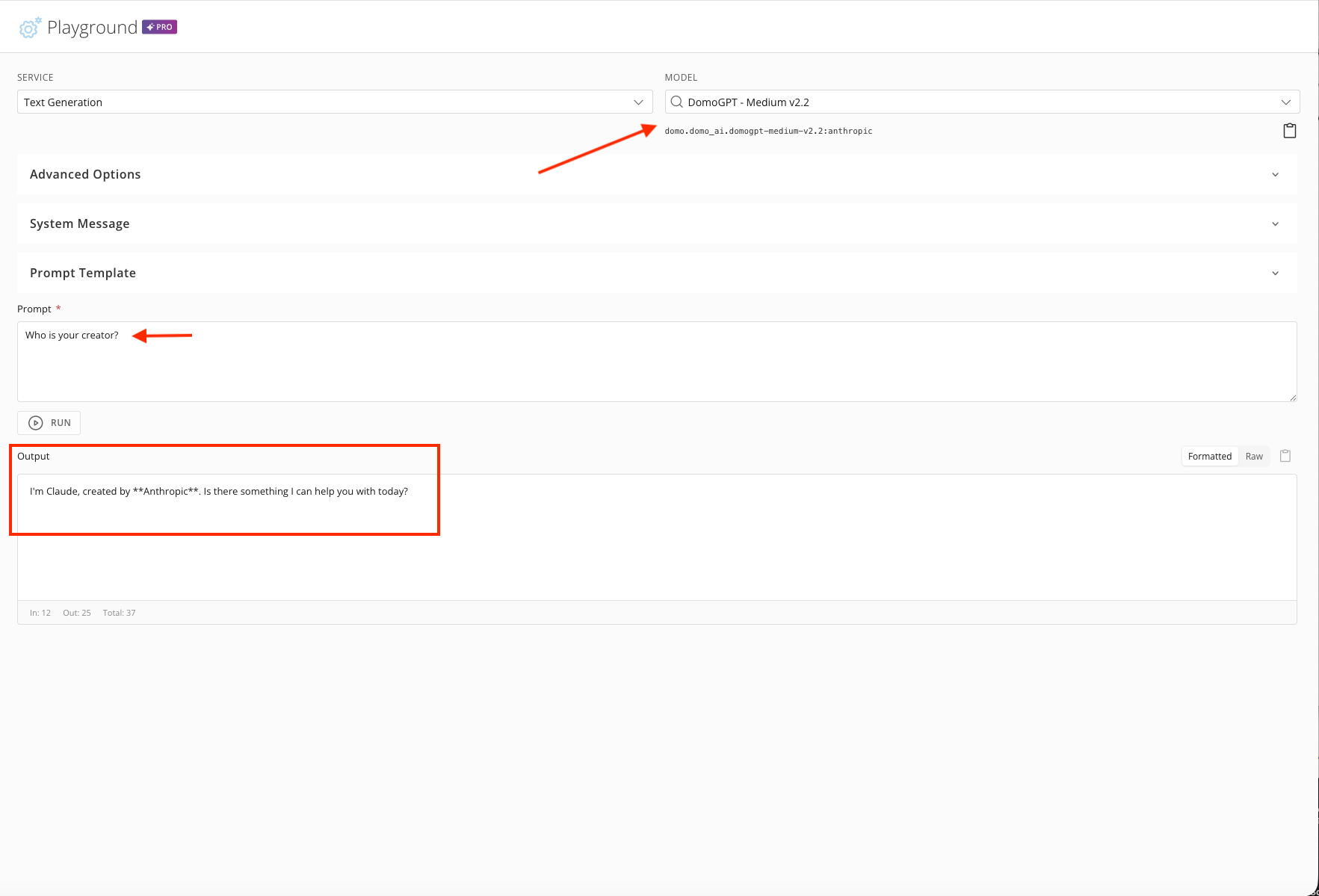
- Ask the model “Who is your creator?” to confirm which vendor it belongs to.
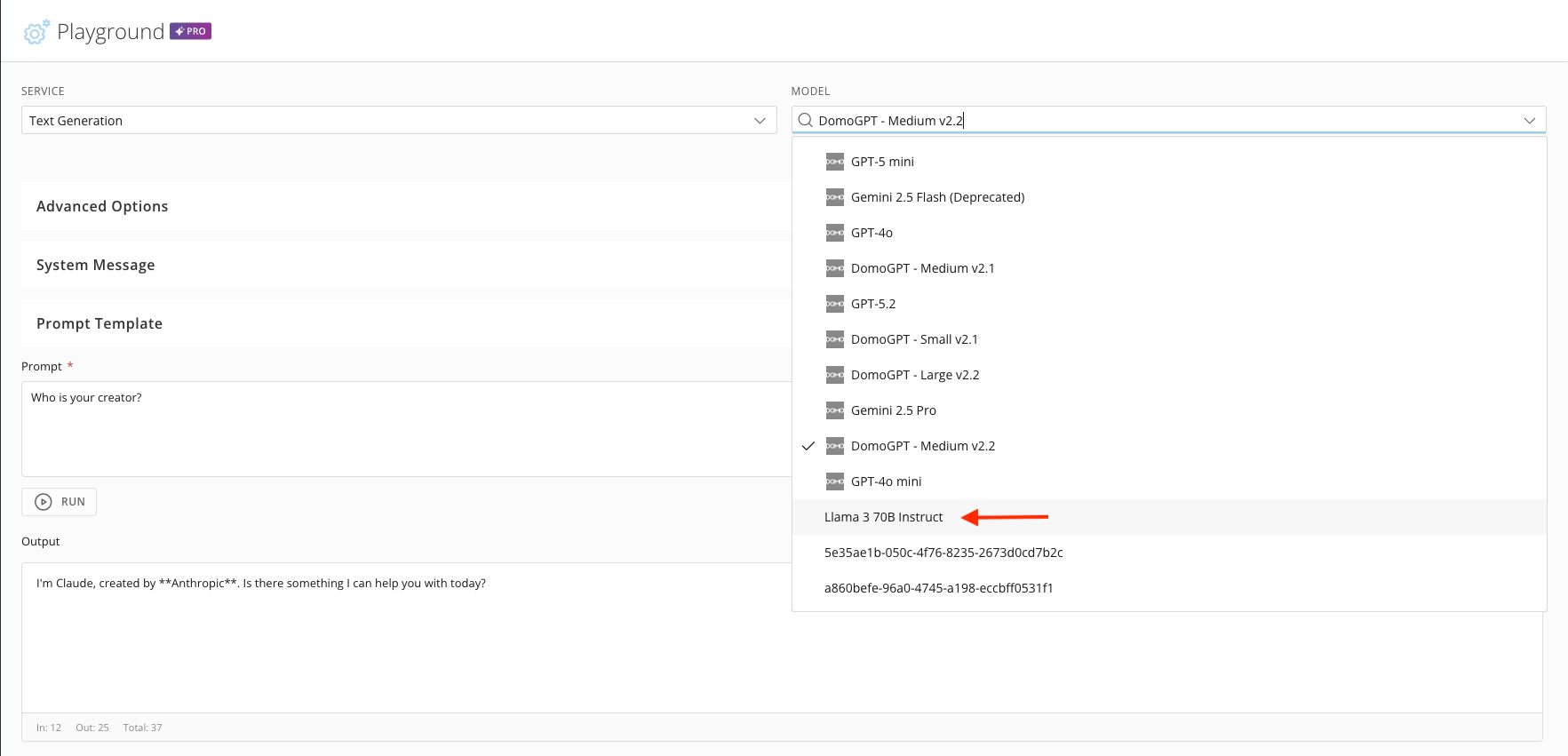
- Select Llama 3 70B Instruct from the Model dropdown.
- Ask this model “Who is your creator?”