

New Features and Enhancements
Domo Documents
The Domo Documents tool extracts and gathers structured information from images, documents, transcriptions, customer reviews, and other unstructured data to power visualizations and data products in Domo. Documents also help you automate document-driven business processes to streamline your business.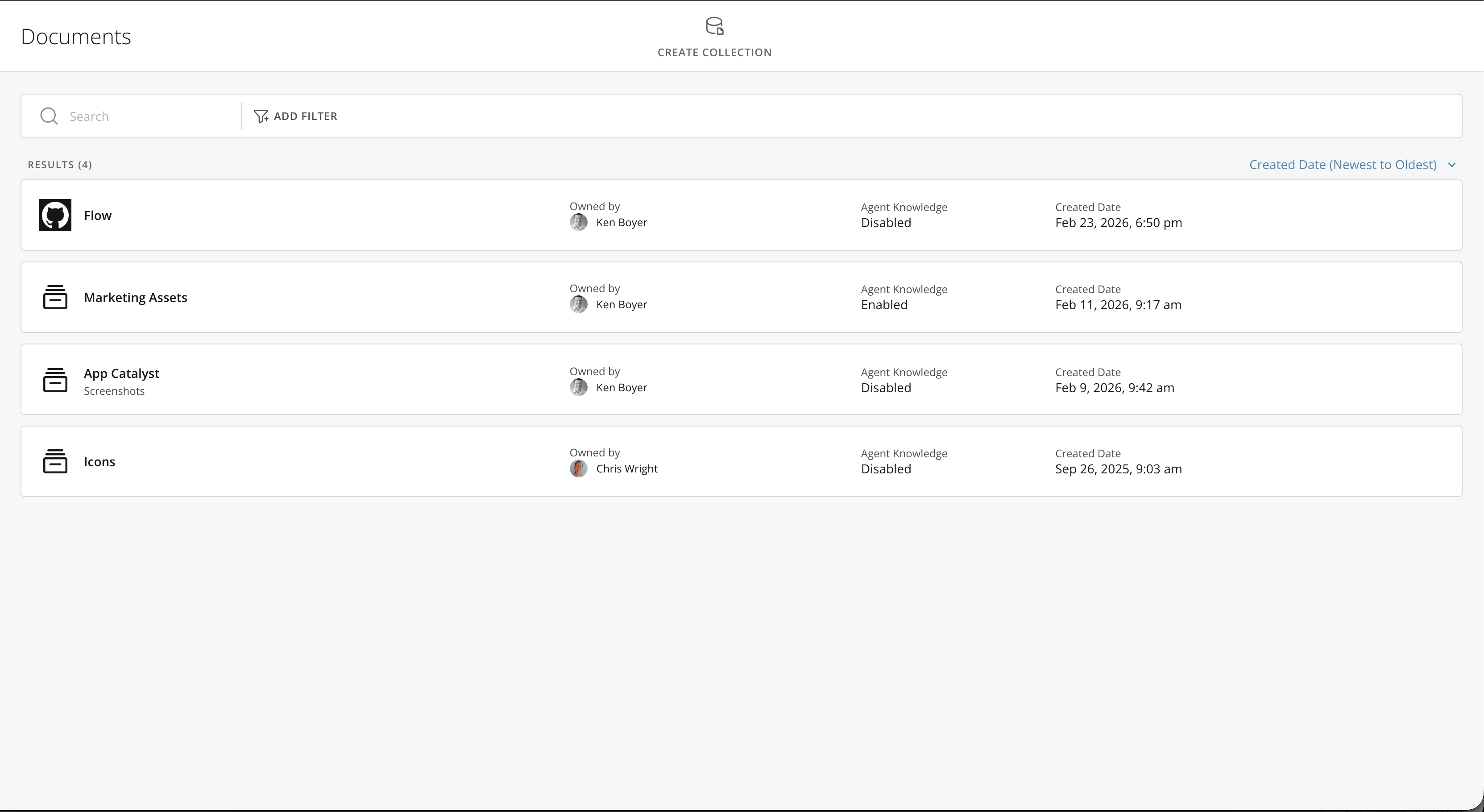
Domo Schema
Domo Schema lets you format fields, change their order, and include field descriptions and tags for downstream users. You can also access and turn on AI fields and add context and synonyms in the Schema tab.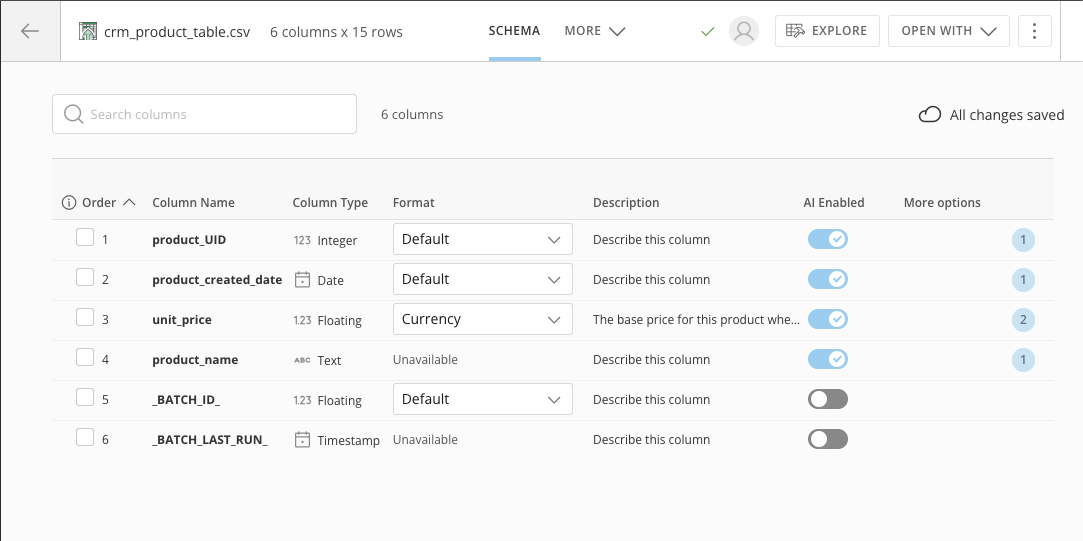
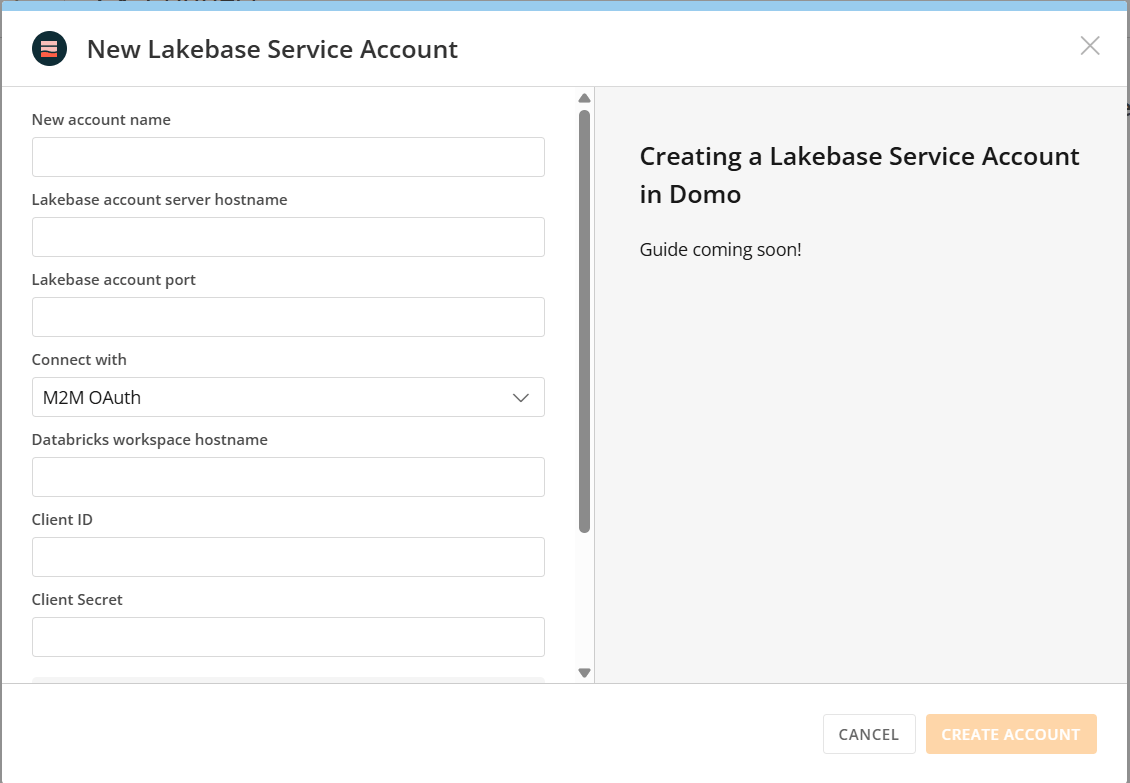
Enhancements to Databricks Authorization
With OAuth 2.0 M2M support, Domo uses the OAuth client credentials flow to authenticate Databricks and Lakebase connections on the service’s behalf. Domo handles the short-lived token generation automatically, meaning no static credentials are stored or passed. Set up the connection once using a client ID, client secret, and workspace hostname, and ensure your Databricks connections are connected smoothly. Benefits from this enhancement include:- Stronger security posture
- Reduced credential exposure
- Simplified credential management
Enhancements to Flex Table Card Type
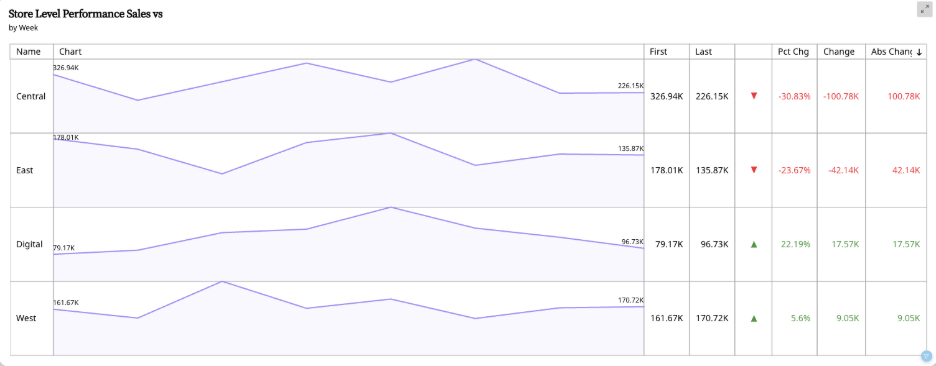
Flex Tables have been updated to include several new settings options that make them more interactive and focused on highlighting data value changes. These updates include:- Ability to change the sort values on a Flex Table in an App Studio app
- New options in the default sort to sort by the absolute value of change
- Ability to use scale abbreviation for data labels
- Flexibility on where to show graph data labels (first/last, min/max, etc.)
- Individual settings section for each column in a Flex Table, including the ability to set hover text and the addition of absolute value of change for column options
Model Deprecation Notice
The following models are entering the deprecation process:- DomoGPT - Small v1, DomoGPT - Small v1.1
- DomoGPT - Medium v1
- OpenAI gpt-3.5-turbo
- Domo Provided Databricks
- Domo Provided Snowflake
- DomoGPT - Small v2.1
- DomoGPT - Medium v2.2
- OpenAI GPT-4o
- Snowflake Claude Sonnet 4.6
- Databricks Claude Sonnet 4.6
Text Generation DataFlow Tile in Magic ETL
The AI Text Generation Magic ETL tile leverages the power of Domo AI to process text fields in your data. The tile allows you to analyze and gain further value from previously inaccessible information in your DataSets.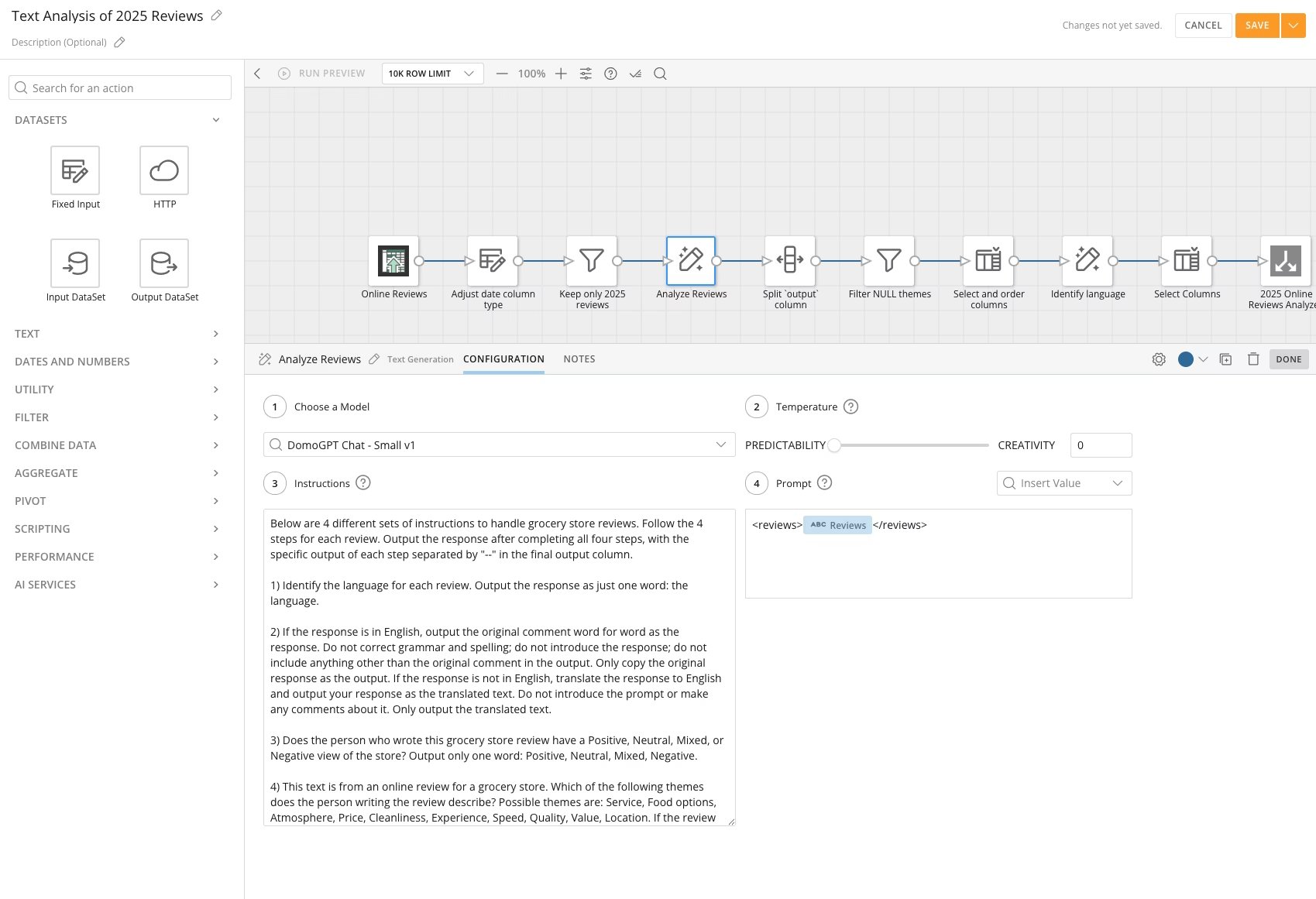
Workflows Updates
Queue Notification Controls
The new Admin Queue Notification Setting on the Manage Queues page in Task Center allows admins to enable or disable notifications for a specific queue. When this setting is enabled, you can customize your personal notification preferences for task events within that queue. When disabled, all queue notifications are turned off.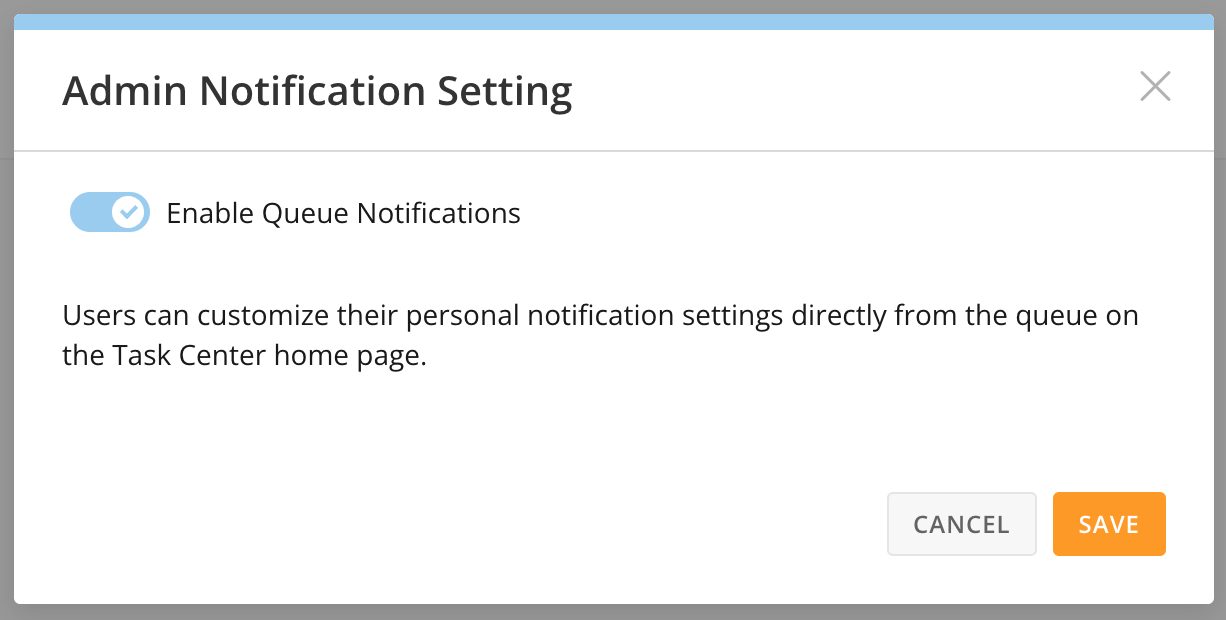
Workflow Event Triggering - Access Request
The new Access Request event-based trigger option in Workflows allows you to configure your workflows to initiate when someone requests access to a Card, Page, or App. This feature improves visibility into access requests and related workflows, better enabling you to create customizable workflows tailored to your organization’s needs.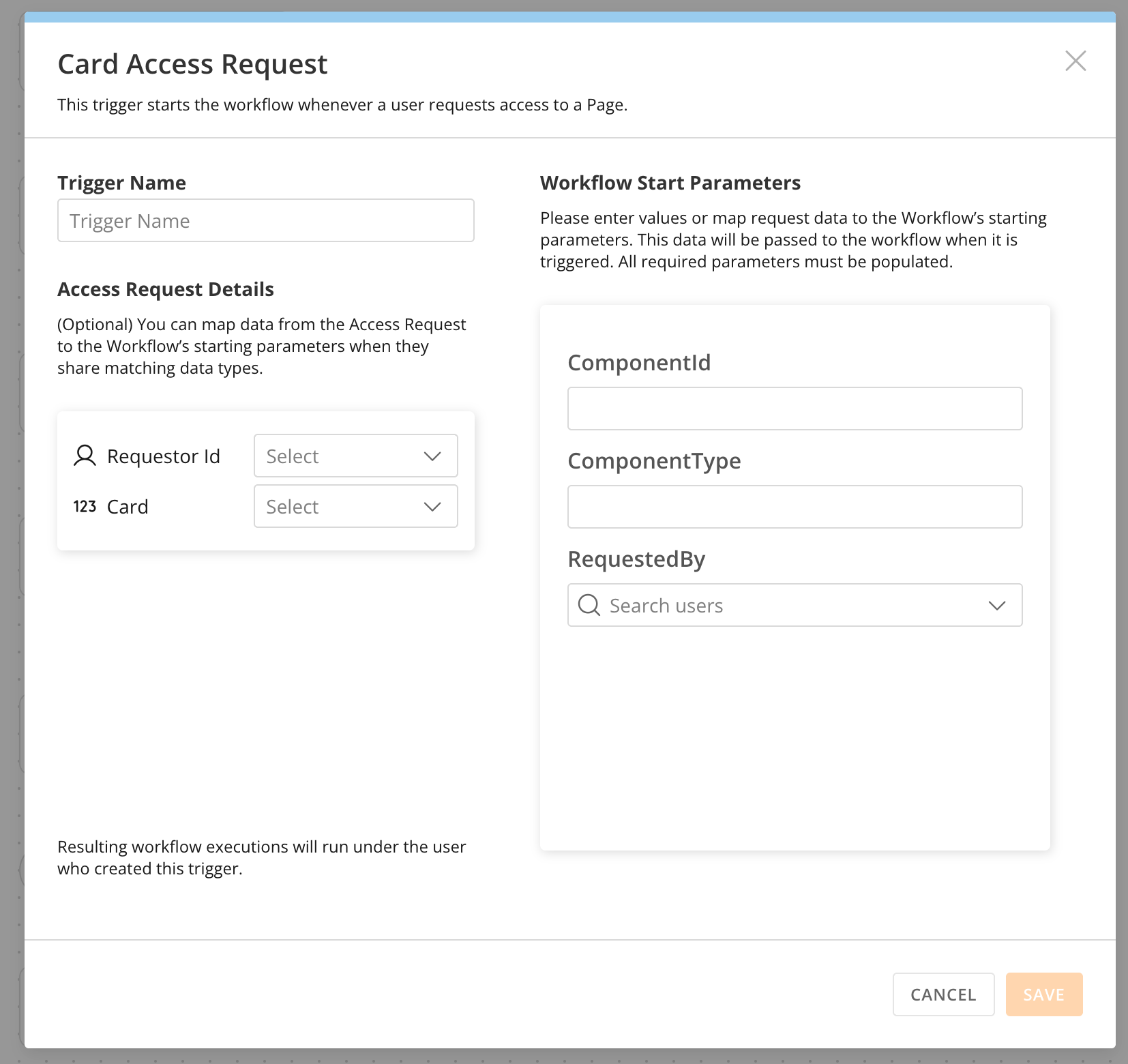
Workspaces (Mobile & Web)
Workspaces, now available on the web and mobile, provide a centralized location for organizing Domo objects, such as Cards, Dashboards, Apps, DataSets, DataFlows, Workflows, and Worksheets. Workspaces enable you to find relevant content more efficiently, support team and department-specific organization using folders and subfolders, and enhance the navigation experience on both web and mobile platforms. Additionally, Workspaces make it easy to control sharing the right content with the right people and also revoking access when needed.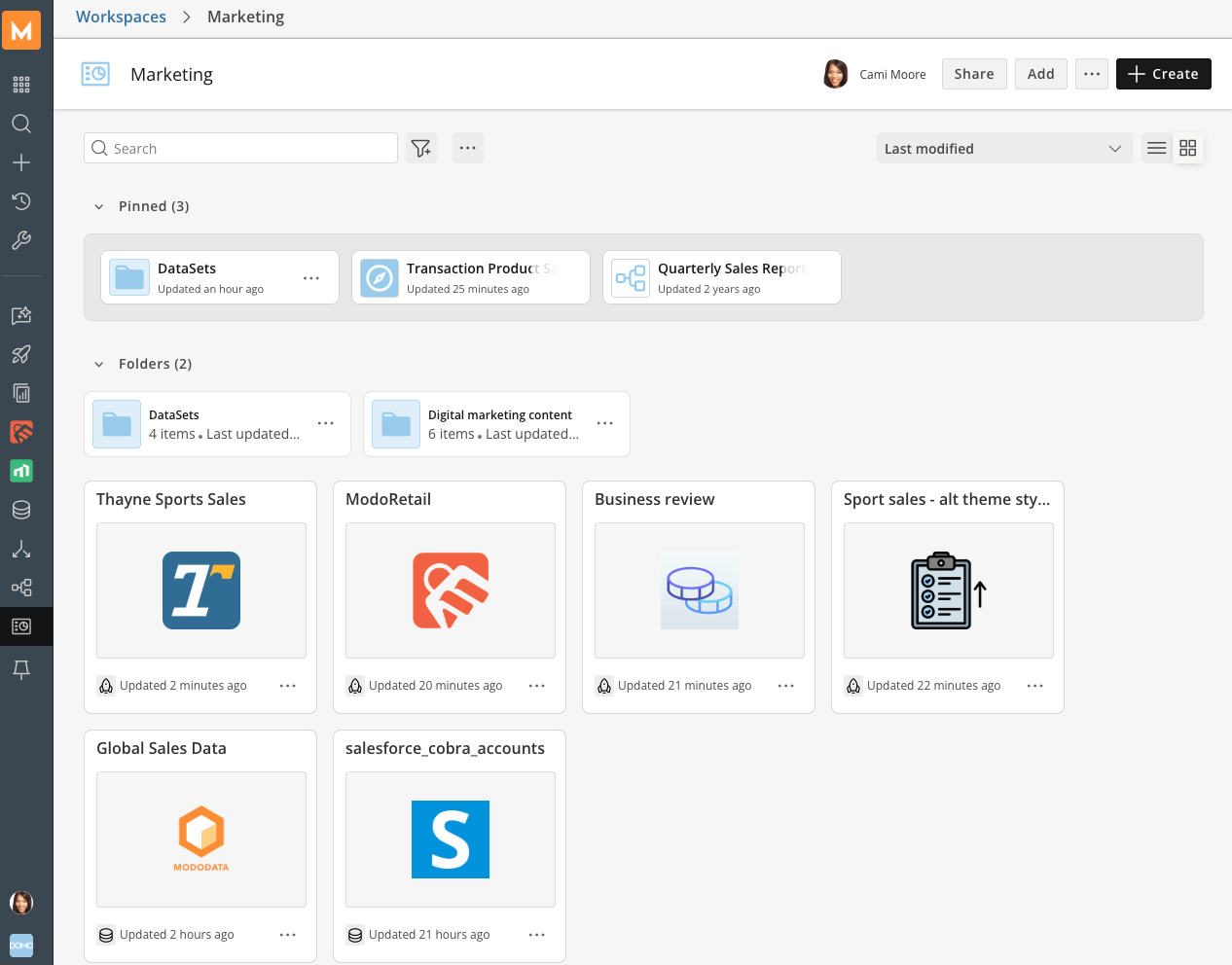
Beta Features
Additional Feature Management Tab
Admins can now configure connectors, Toolkits, and other features directly from their instance with Advanced Feature Management in Instances using the New Instance Template modal. Use this to enable or disable features available to your organization and maintain consistency across all managed instances.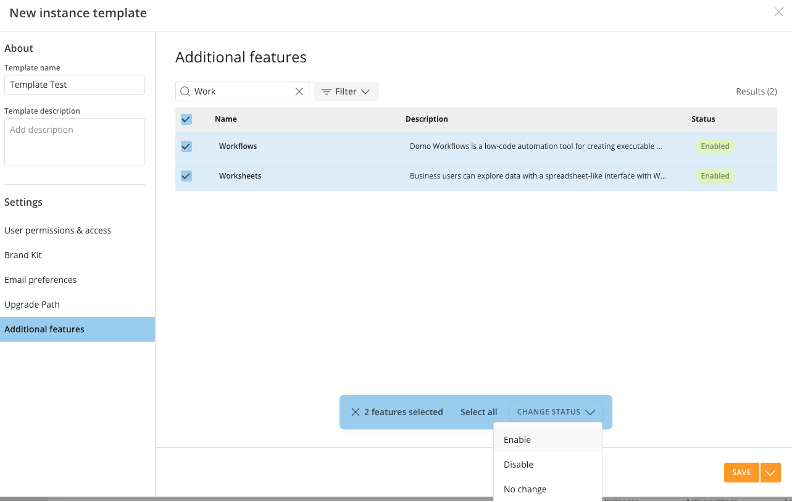
Column PDP - Alerts Compatibility
Alerts now function on DataSets where Column PDP is enabled, allowing masking to be enforced according to the Alert recipient’s policies. Usage of PDP-controlled columns in the Alert evaluation criteria applies restrictions to which users can subscribe to or receive an Alert by design to protect sensitive data. Learn more about PDP and Alerts.Connector Execution Details in History Tab
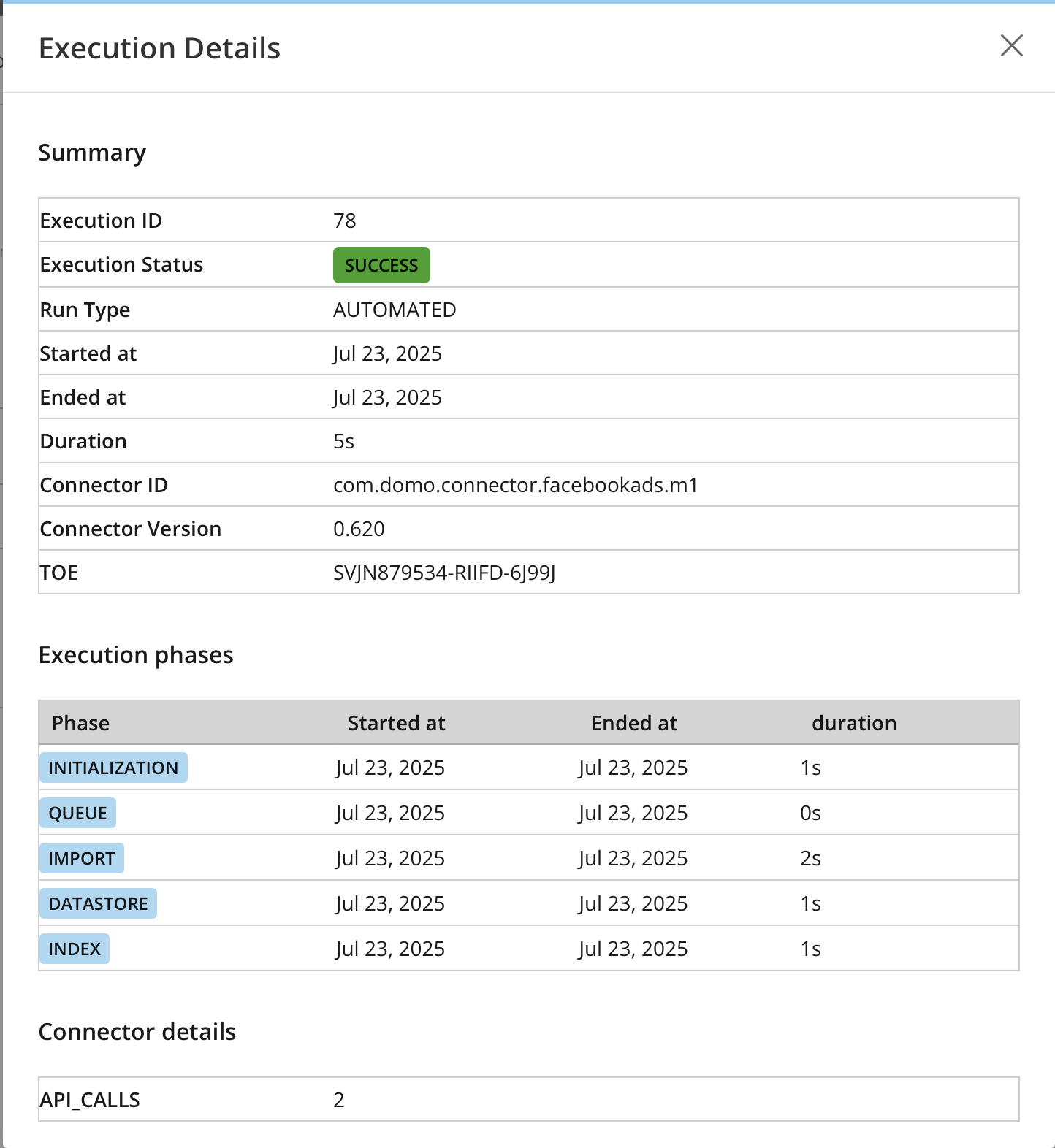
The Connector Execution Details modal provides more insight about a connector’s execution, so you can better self-serve on some of the more common questions that occur when a DataSet fails or runs long. The modal provides simple information on whether the connector version has changed, how many rows were processed, and how long each phase of the import took. This update reduces the amount of time it takes to resolve data pipeline issues and enables you to troubleshoot the problem yourself before reaching out to Support.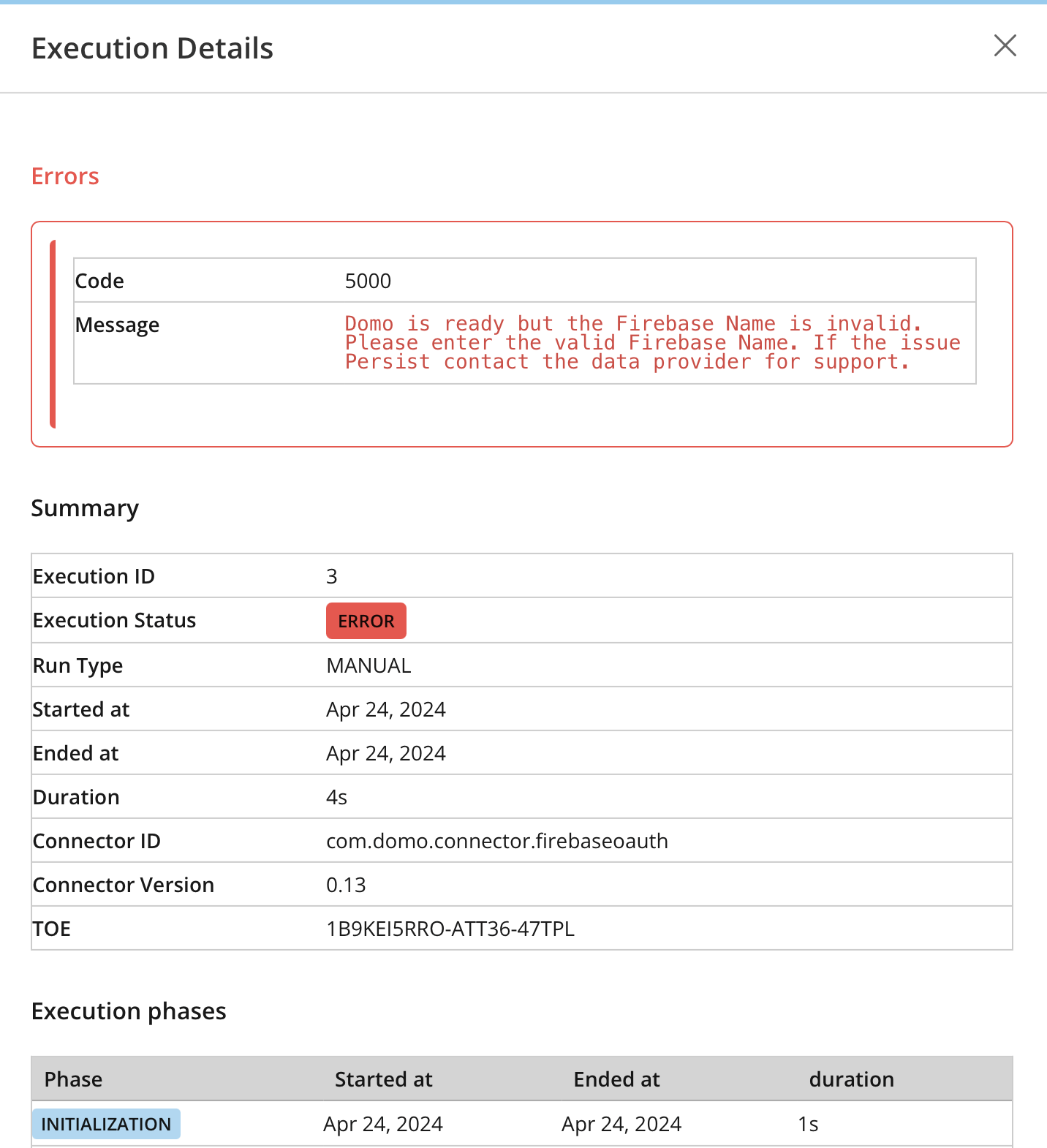
AI Agent: AI Library
Domo’s AI Library allows you to curate and manage AI solutions and provides a centralized environment for building and managing AI agents operating with your trusted, governed data. Within the AI Library, you can leverage Domo’s AI Agent Builder to create custom agents or agentic workflows tailored to specific use cases.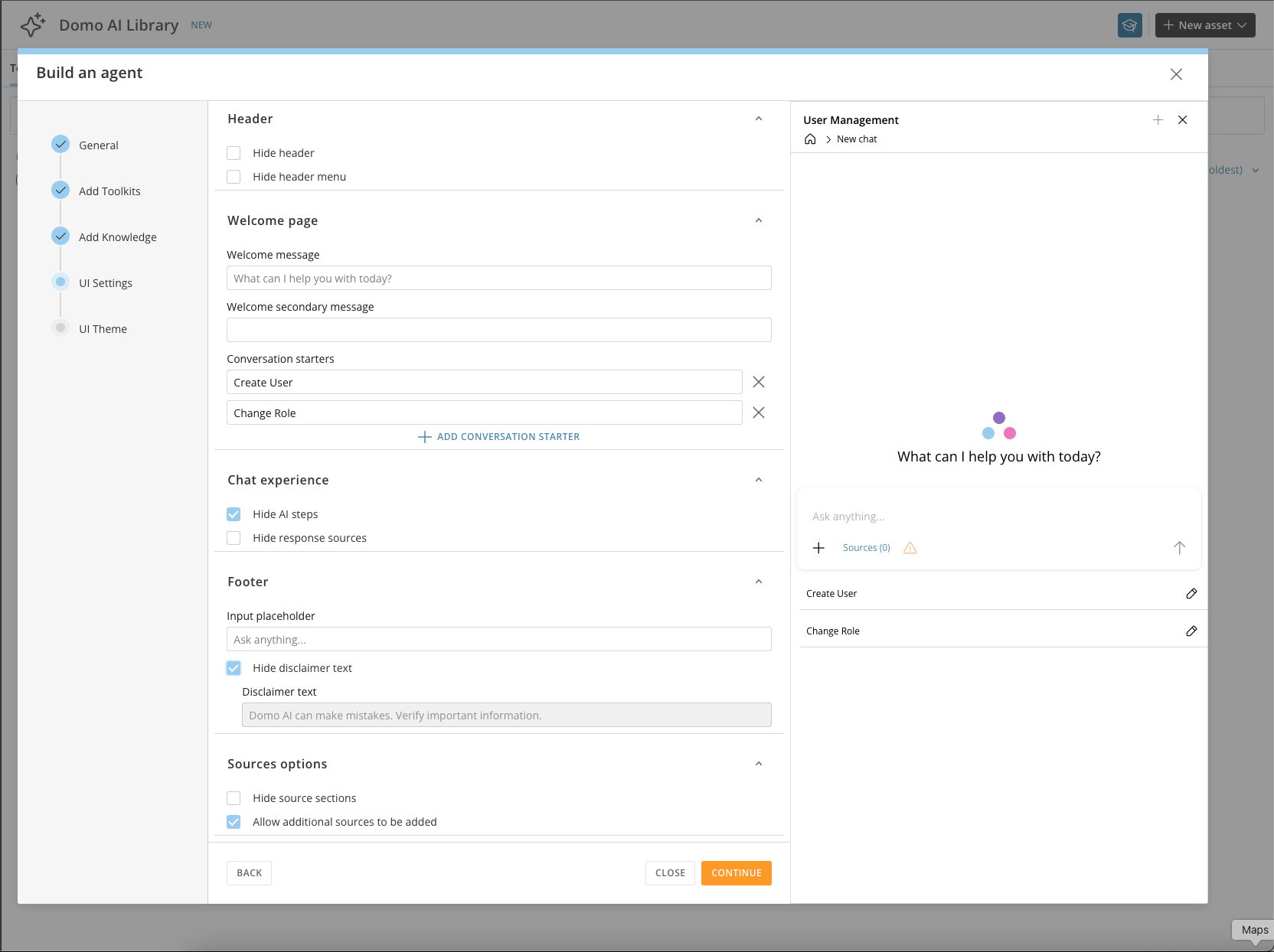
Domo Essentials MCP
Domo Essentials MCP is our hosted server that gives AI tools secure access to your Domo platform for actions like Query DataSet, Query Documents, and Search Domo. Now with Domo Essentials MCP, you can quickly trigger powerful actions all powered by the security and context of your live Domo instance.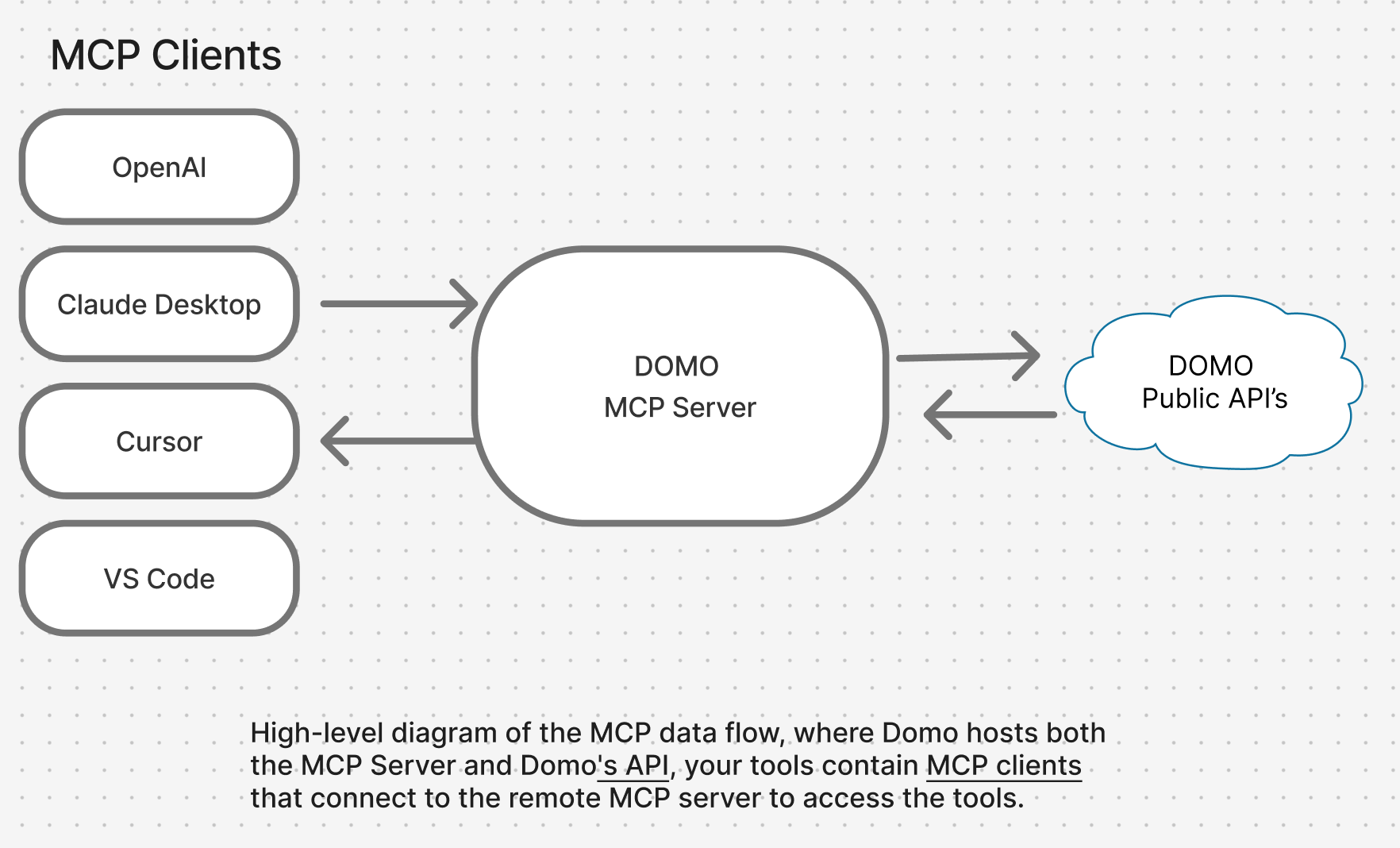
Magic ETL Enhancements
Classification Tile
The new AI Classification Tile in Magic ETL allows you to categorize your data, including text, images, and files, into pre-defined classes. The AI Classification tile lets you focus more on your classification entities and less on the actual configuration details.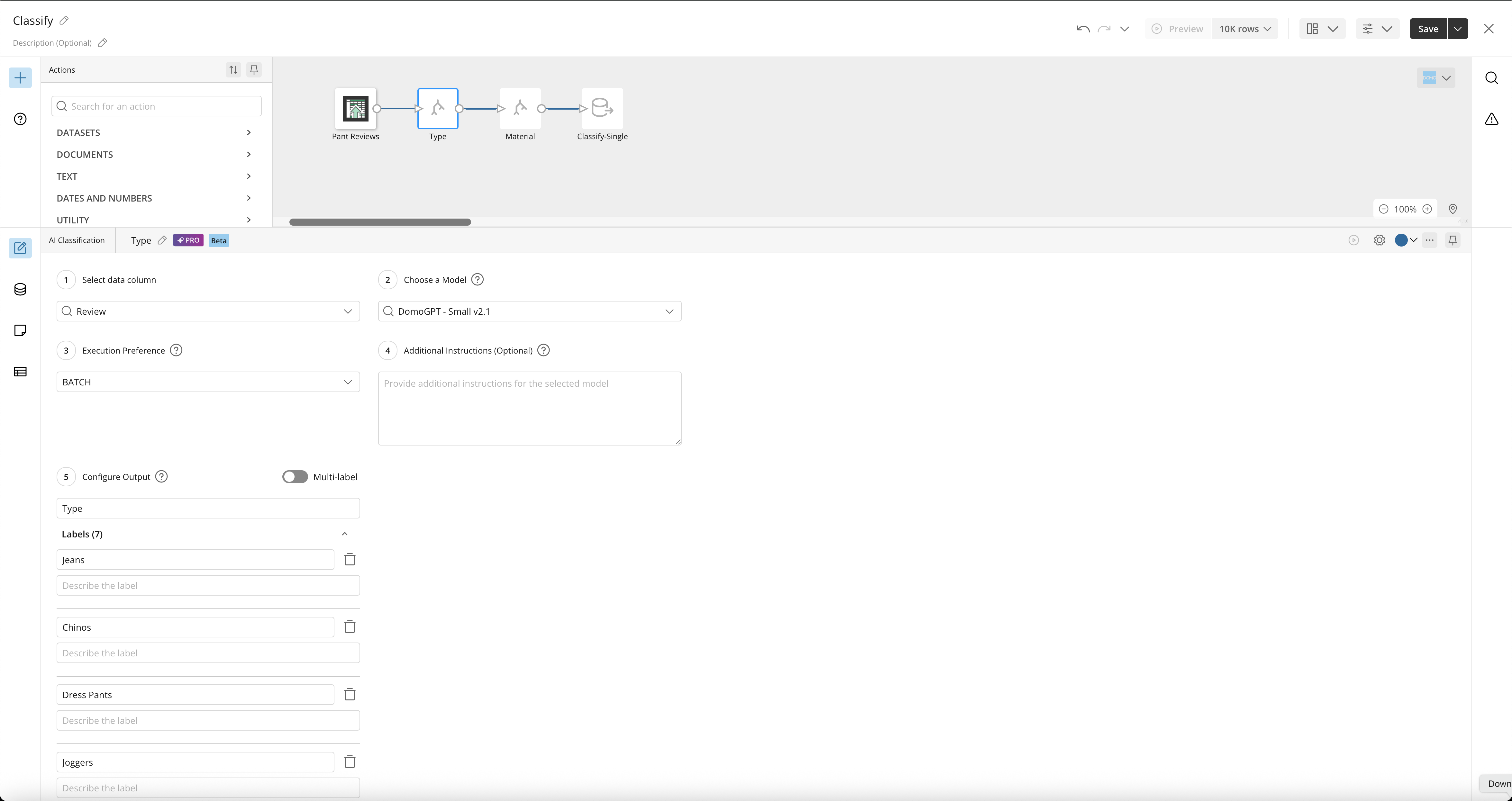
Multi-Statement SQL Tile
The new Multi-Statement SQL tile lets you write multiple SQL statements in a single tile and create multiple outputs. This functionality provides a higher-code feel and enables you to create interstitial tables that might not have any outputs associated with them as part of the total SQL Script.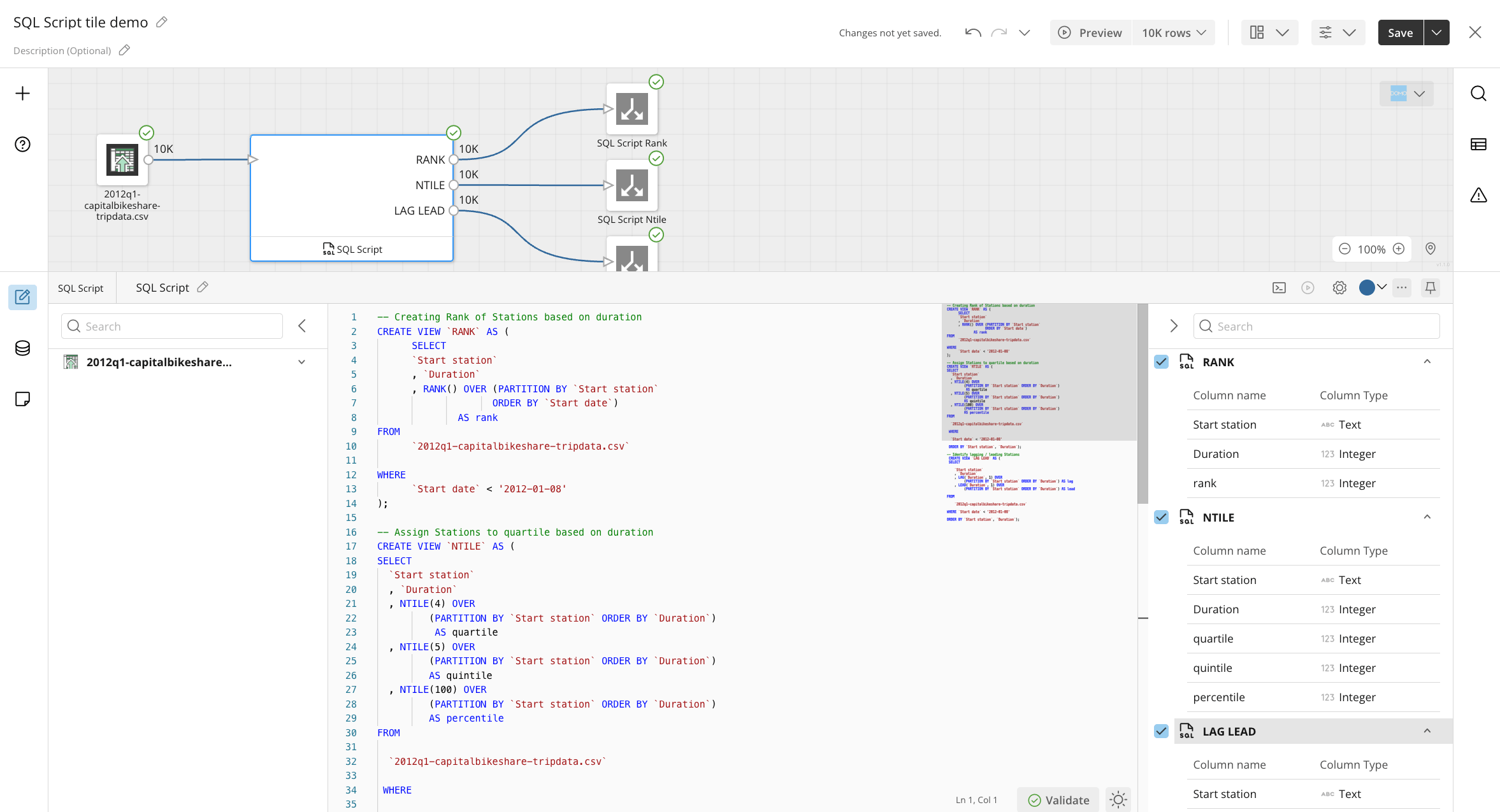
Sentiment Analysis tile
The new Sentiment Analysis tile allows you to automatically classify text like reviews, social media posts, and surveys as positive, negative, or neutral. This lets you easily monitor your brand reputation in real-time, giving you time to use your output data to improve customer service.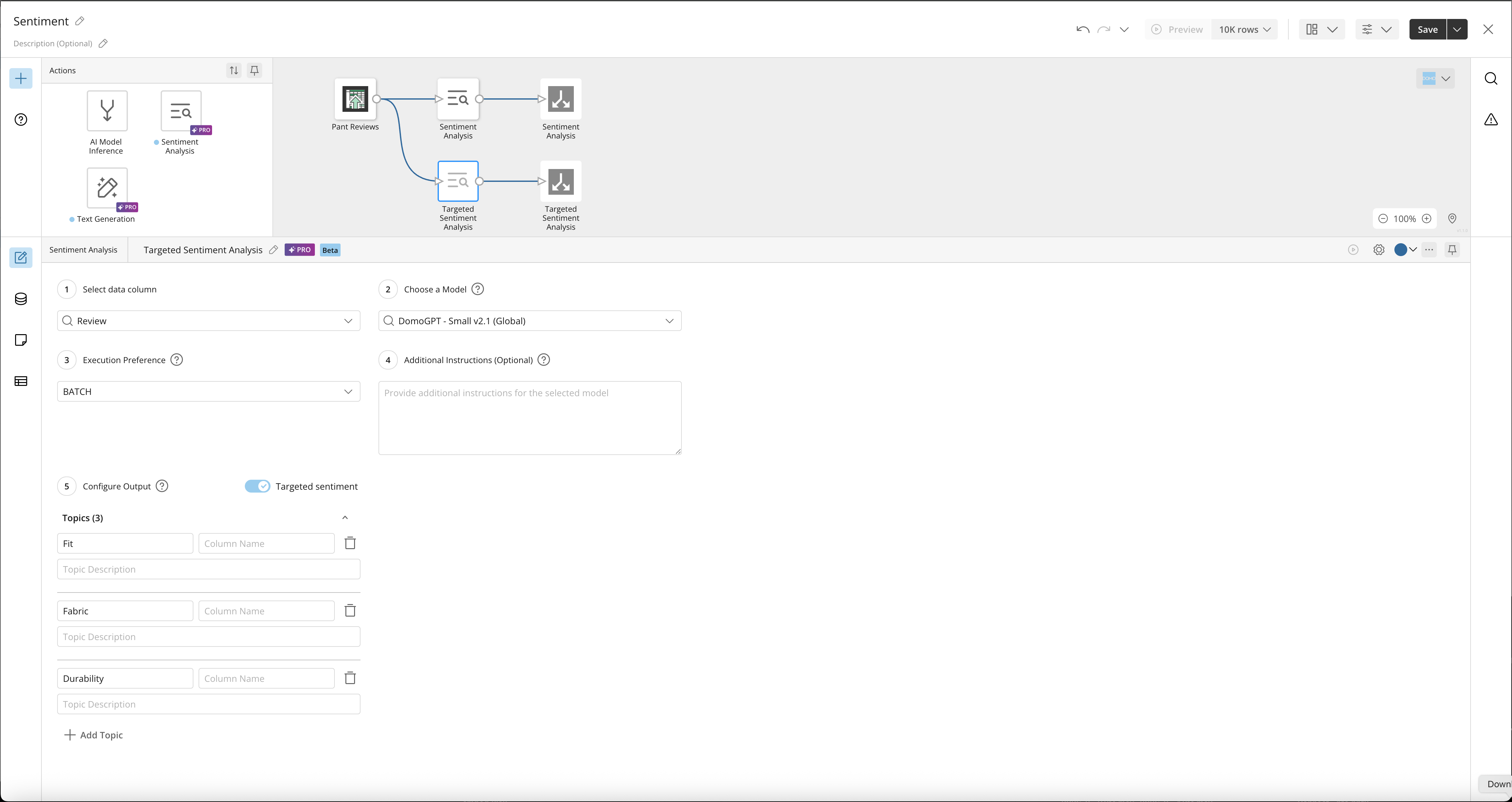
Report Builder PDF
Report Builder now supports PDF exports. With Report Builder PDF, you can create reports from scratch, from existing app pages, or from existing email reports. Customize headers and footers, including smart text; resize, remove, and adjust content; and apply filters to create different report views for downloading. Build branded, executive-level PDF reports directly from your app content with Report Builder PDF.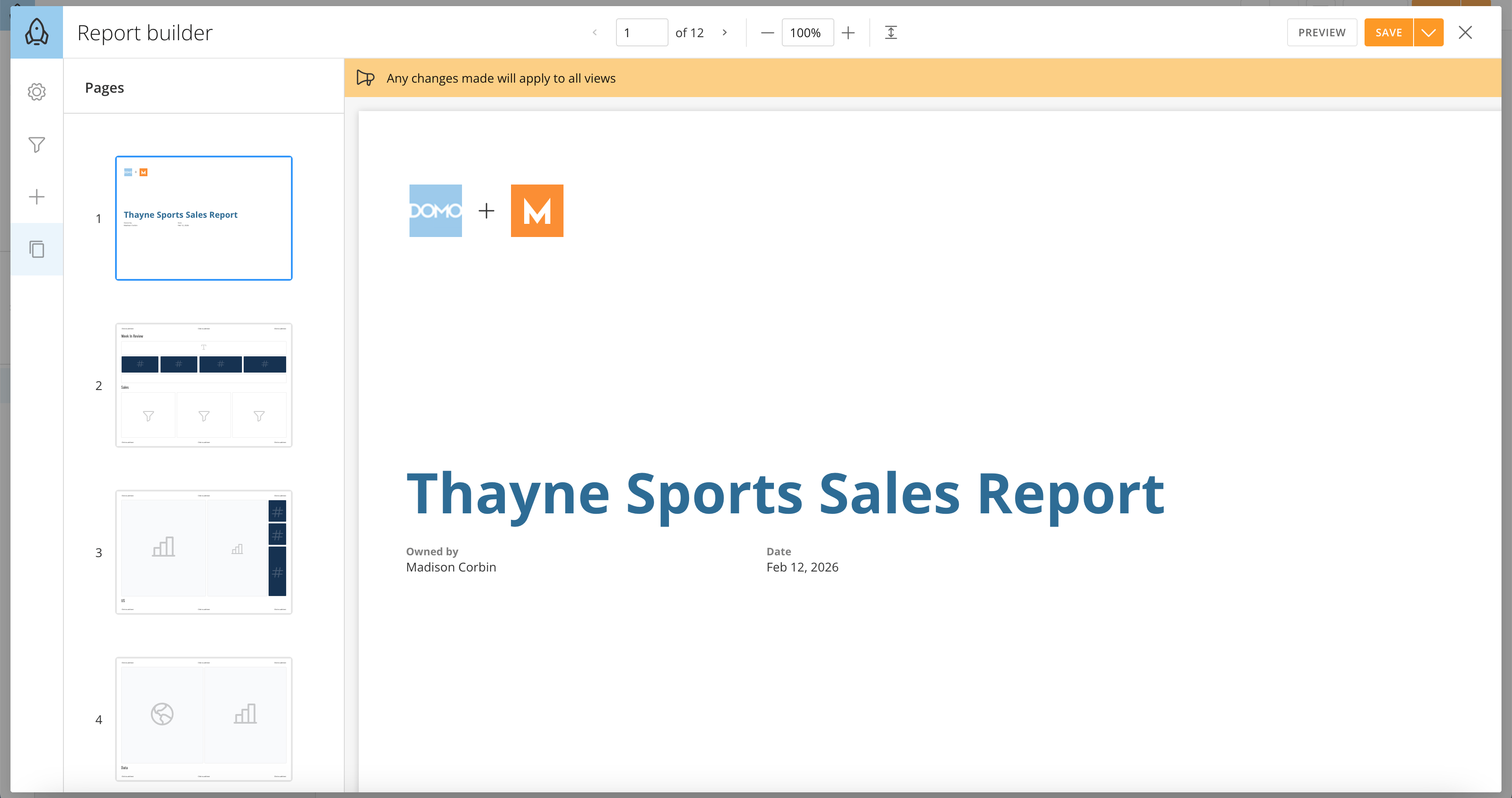
Sections Component in App Studio
Sections in App Studio are labeled containers that hold one or more cards. Sections can be expanded or collapsed by viewers, and app creators can add, name, reorder, and delete sections as needed. Sections are the modern replacement for Collections on Standard Pages in Domo.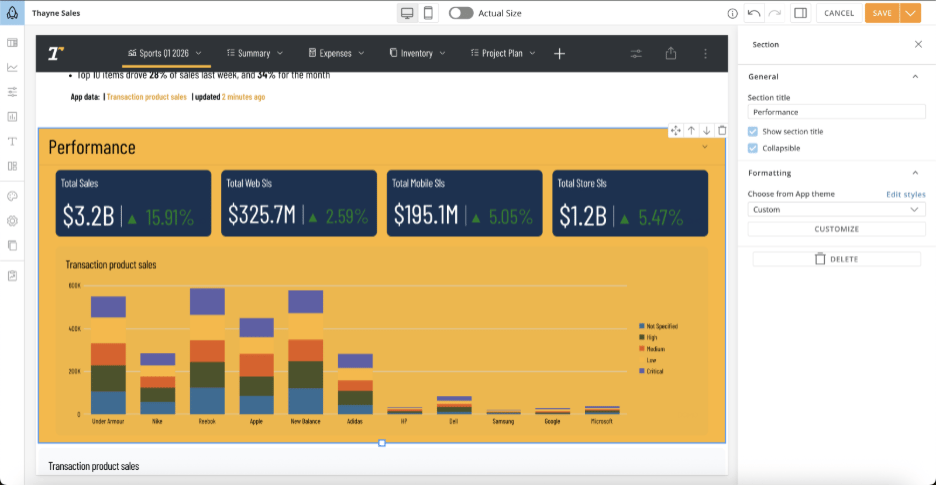
Self-Serve Access Token Create
Access Tokens in Domo are now governed by a new grant: Create Access Tokens. Any user with this grant can create an Access Token for themselves with no admin involvement required. This update also removes the ability to create a token on behalf of another user, including admins, but they can still view all tokens across an instance and remove any token.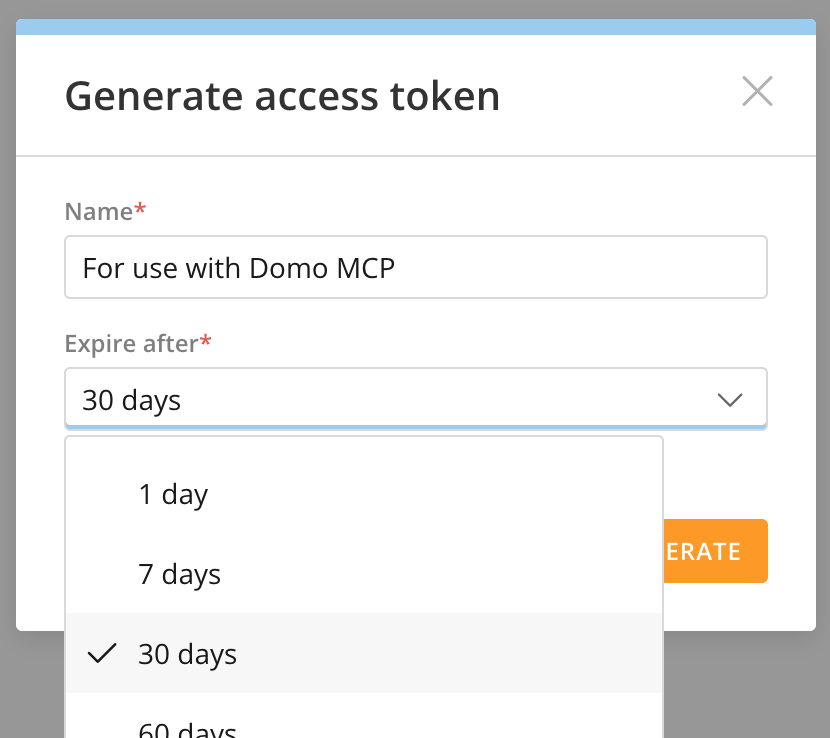
Support
Domo provides education, community answers, and technical support.- Search for a topic in the Help Center.
- Learn from Domo University.
- Search for training apps in the Appstore .
- Get answers in the Community Forums.
- Contact Technical Support by entering a help ticket in the Domo Support Portal.
- Reach out to your Domo account team.