

Administration and Governance | API Overview
Learn how the Domo API enables direct, automated communication between Domo and your other business tools without manual data exports or uploads. Discover how to generate an Access Token in the Domo Admin Center and understand how developers use developer.domo.com to authenticate and build connections. Explore real-world use cases showing how API integration eliminates repetitive data entry and reduces errors caused by manual handling.Added August 17, 2026
Administration and Governance | Consumption Considerations
Learn how to use Domo’s built-in administration tools to manage environment usage before it becomes a problem. Explore Data Refresh Permissions, the Credit Usage Quickstart Dashboard, DomoStats, and Dataset Alerts to set limits, track trends, and get notified automatically. Walk away knowing how these four tools work together to keep your Domo environment predictable and under control.Added August 13, 2026

AI Service Layer Overview
Learn how Domo’s AI Service Layer connects AI-powered tools to the models behind them, including Domo-provided and external models.Added August 5, 2026

App Studio Overview
Discover why App Studio apps are becoming Domo’s flagship data display tool. Learn about multiple pages, persistent filters, rich theming, and interactive components that dashboards lack. Explore the editor’s layout tools, controls, and powerful actions—filter, navigation, and URL actions—that create guided analytical experiences. Perfect for polished, multi-team applications requiring persistent filters across pages.Added June 11, 2026
Authenticating with OAuth2 for Domo Platform APIs
Learn how OAuth2 authentication works within Domo’s platform API framework. Understand the token-based authorization flow, including how to obtain and use access tokens to make authenticated API calls. Apply this pattern to enable secure programmatic access to Domo resources and data.Added June 17, 2026
Automate Magic ETL Dataflows using Triggers and Schedules
Learn how to configure triggers and schedules for Magic ETL data flows in Domo. Explore dataset update triggers with optional conditions and time-based schedules to control when data flows run. Understand how thoughtful scheduling helps manage execution credits based on your team’s data freshness needs.Added June 11, 2026
Automation Options Overview
Learn about the various options for automating processes in Domo.Added August 6, 2026
Azure App Setup
In this video we’ll walk through the process of setting up a Microsoft Azure app to enable the connection between Sharepoint and Domo.Added May 27, 2026

Build a What-If Calculator Using Domo Variables and Beast Mode
Learn how to combine Domo Variables with Beast Mode calculations to create dynamic what-if scenario calculators. Discover how to define and configure Variables that allow end users to adjust inputs and instantly see recalculated results in cards.Added May 27, 2026
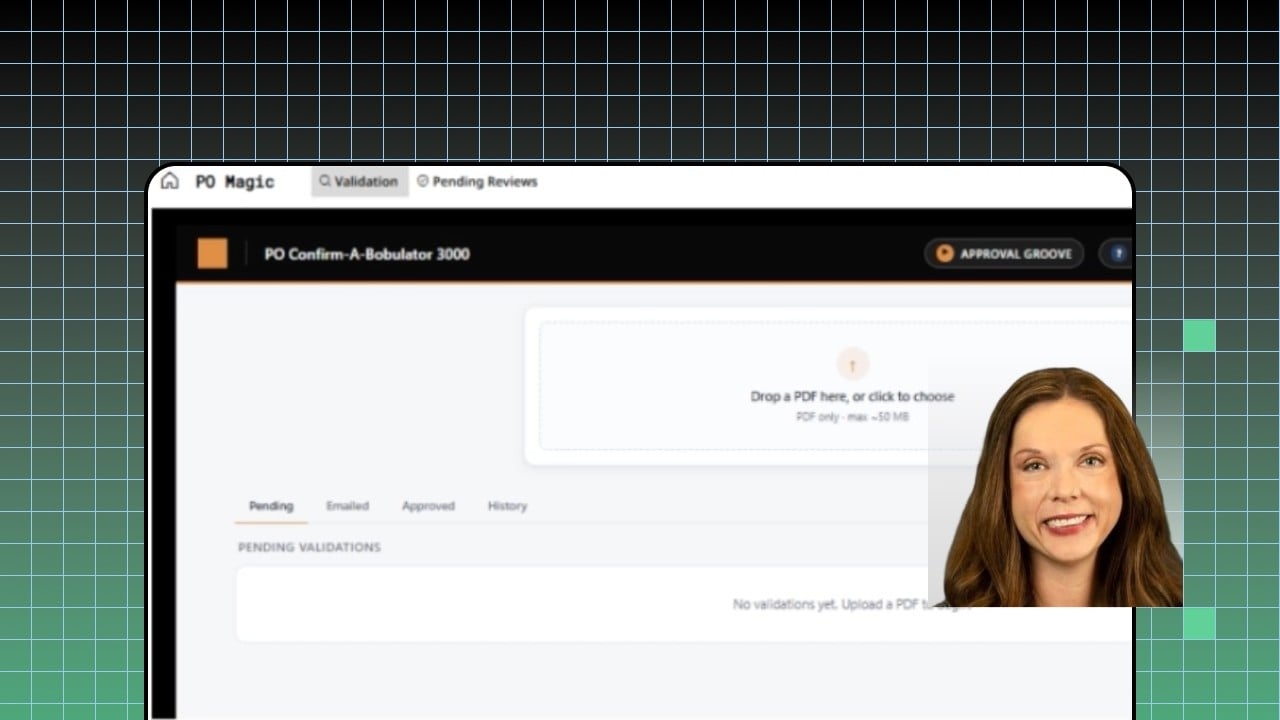
Build an AI Agent for PO Verification Using Domo Workflows and AI Library
Discover how Massman built a purchase order verification AI agent in a single 24-hour hackathon using Domo’s Pro-code framework, Workflows, AI Library, and AppDB. Learn how the agent ingests supplier PDFs, cross-references live NetSuite data, and surfaces discrepancies with severity ratings. See how human-in-the-loop design enables automated vendor outreach drafting while maintaining oversight and control.Added July 28, 2026

Building a Domo Center of Excellence (CoE)
Explore how to establish a Center of Excellence (CoE) for your Domo implementation, including centralized, decentralized, and hub-and-spoke organizational models. Learn how each model impacts ownership, accountability, and day-to-day operations across your Domo environment. Understand which governance responsibilities are typically managed by the CoE to drive consistency and scalability.Added June 5, 2026
Building Custom Data-Powered Apps with Domo’s Pro-Code Editor
Learn how to build, manage, and deploy custom data-powered applications using Domo’s Pro-Code Editor.In this video, you’ll see how Pro-Code app designs are managed in Domo’s Asset Library and how developers can use familiar web technologies to create interactive applications directly in the browser.You’ll also learn how to:
- Navigate the Pro-Code Editor workspace
- Edit HTML, JavaScript, CSS, and app configuration files
- Preview your application while you build
- Connect apps to Domo DataSets, collections, packages, and workflows
- Use resource aliases instead of hard-coding DataSet IDs
- Apply Domo permissions and PDP to custom application data
- Add custom layouts, interactions, and business logic
- Create and manage multiple application versions
- Update apps without interrupting business users
- Publish Pro-Code applications as reusable Domo cards
- Add custom apps to dashboards and App Studio experiences
Building Custom MCP Agents for Claude Desktop Workflows | Domo BUILD 2026
AI is only as powerful as the systems it can securely connect to. Domo Senior Director of Consulting Ed Engalan shows how to build custom MCP servers from scratch, deploy them as embedded AI agents, and connect them to Claude Desktop to trigger external tools and run complex cross-platform workflows. Walk away with a working blueprint for multiplying your operational impact without rebuilding your existing tech stack.Added July 28, 2026
Card and Dataset Alerts | Alert Actions
Explore the four types of alert actions available in Domo Alerts: webhooks, workflow automation, scheduled reports, and task assignments. Learn how to attach these actions to both card and dataset alerts to trigger external systems, run internal logic, deliver contextual reports, or assign follow-up tasks. Discover how to configure each action type and stack multiple actions on a single alert.Added September 9, 2026
Card and Dataset Alerts | Setting up Alerts
Learn how to build rule-based alerts in Domo to automatically monitor your data without manual oversight. This video walks through configuring alert rules, writing dynamic messages using macros, and sharing alerts with the right users for both Card Alerts and Dataset Alerts. Understand when to use each alert type and how to set conditions, thresholds, and notification cadences end-to-end.Added September 4, 2026
Card and Dataset Alerts | Subscribing to Alerts
Learn how to find and subscribe to existing alerts on Domo cards and datasets, selecting your preferred notification channels including email, text, push, and summary digests. Explore the alert information panel to review trigger rules, messages, and alert history before subscribing. Discover the Manage Alerts page as a central hub to audit and manage all alerts shared with you across your Domo environment.Added September 4, 2026

Code Engine Overview
Learn what Code Engine is, where to find it, and how it extends Domo with reusable Python or JavaScript functions. You’ll also see how those functions can add custom logic to Workflows and custom apps.Added July 30, 2026
Connect Claude & Gemini to Your Domo Data using Domo's MCP + Conversational Agents (Beta)
Bring AI directly into your Domo workflows with two powerful new capabilities (beta): Domo Essentials MCP and Conversational Agents in Domo’s AI Library. Together, they let external AI assistants take action inside your Domo instance and let you deploy specialized chat agents anywhere your business needs them.In this video you’ll see how to:
- Use Domo Essentials MCP as a secure gateway for external AI assistants like Anthropic’s Claude and Google’s Gemini.
- Query data, run workflows, and build content in Domo from your favorite AI assistant.
- Build specialized Conversational Agents tailored to a single business domain.
- Deploy agents inside App Studio apps, embedded dashboards, or your public website.
- Govern every agent on a foundation of trusted, secure data.

Consumption | Automation
Explore how different automation tools in Domo consume credits, including DataSets, DataFlows, Workflows, Code Engine, AI Agent Tasks, and Jupyter Workspaces. Learn how factors like schedule frequency, task count, loops, and compute tier affect overall credit usage. Discover how to monitor consumption using the Credit Utilization QuickStart dashboard powered by DomoStats.Added September 14, 2026
Consumption | Data Integration
Learn how data integration consumes Domo credits by exploring the two key drivers: storage and executions. Discover how connector schedules, update methods, and row counts impact monthly credit consumption through practical examples. Monitor your instance’s usage via the Admin panel’s Usage settings and the pre-built Credit Usage Report in the Domo Knowledge Base.Added August 17, 2026

Consumption | Domo AI
Learn how AI features consume credits in Domo, including AI Pro operations, model processing, Workflows, Magic ETL, Documents, and Agent Knowledge. See how to use the Rate Card and Credit Utilization tools to understand and monitor your AI consumption.Added August 26, 2026

Consumption | Domo Apps
Explore how Domo Apps contribute to credit usage based on the actions being performed by the app. Learn to identify which back-end Domo tools drive execution, storage, and AI credit consumption so you can design cost-effective Pro Code solutions. Discover how to monitor credit usage using the Credit Utilization dashboard and the Credit Quick Start Dashboard in Domo Admin settings.Added August 17, 2026

Consumption | Jupyter Workspaces
Learn how Jupyter Workspaces consumption is calculated based on workspace tier, runtime duration, and dataset writes. Explore how to configure the Timeout setting to prevent unnecessary credit usage and understand how scheduled notebook dataflows follow the same consumption model. Discover best practices for selecting the right tier, managing workspace runtime, and minimizing dataset write operations.Added August 18, 2026

Consumption| Distribution - Publish
Learn how credit consumption works within Domo’s Publish feature, including what does and does not incur charges. Discover how publisher-subscriber connections drive daily consumption costs, and understand the difference between multiple Publish jobs versus multiple subscriber relationships. Explore how child instance consumption rolls up to the parent instance for accurate usage monitoring.Added August 26, 2026
Create Custom Heat Map Charts in Domo
Learn how to build and upload custom heat map charts in Domo using SVG vector graphics and other supported file formats such as KML, GeoJSON, TopoJSON, and Shape files. Discover how to add custom charts through Admin Settings or Analyzer so they become available in the Custom Charts menu within the Chart Picker. Explore how the Custom Regions tool provides an alternative approach for users without XML knowledge.Added May 27, 2026

Create Custom Roles and Assign Grants in Domo
Learn how to create a new role in Domo’s Role Management interface and configure specific grants to limit user access to defined job functions. Explore how grant selections control the scope of what users can see and do within the platform. Understand best practices for applying role-based access control to support organizational governance requirements.Added June 15, 2026

Dashboards Overview
Learn how to build and organize Domo dashboards—the primary way to present cards to your team. Discover how to create dashboards, arrange components with drag-and-drop, configure card interactions and drill paths, apply filters, and use filter views. Explore sharing, scheduling, and publishing options. Perfect for organizing and presenting data to your audience.Added June 11, 2026
Data Management | Dataset Details
Discover the full range of information and tools available in Domo’s Dataset Details page by exploring each tab, including Overview, Schema, Lineage, History, and more. Learn how to inspect data, manage connector settings, configure Personalized Data Permissions, and prepare datasets for AI readiness. Understand how Dataset Details serves as a central hub for managing, monitoring, and governing your data.Added September 14, 2026
Data Management | Dataset Sharing
Learn how to share a Dataset in Domo and understand the differences between Co-Owner, Can Edit, and Can Share access levels. Explore how Personalized Data Permissions (PDP) interact with each access level and why Co-Owners are automatically added to the All Rows policy. Discover best practices for sharing with groups, managing existing access, and conducting periodic permission audits.Added September 14, 2026
Data Management | Personalized Data Permissions - Row Policies
Explore how Personalized Data Permissions (PDP) enables secure, customized data experiences in Domo through row and column policies. Learn the differences between Simple PDP and Dynamic PDP, and discover how managed attributes can drive flexible, attribute-based access control. Understand how OR and AND logic apply across multiple policies to fine-tune data visibility for users and groups.Added September 14, 2026
Data Managment | Consumption Considerations
Learn how Domo’s usage-based model works and how data source refreshes, transformations, and report views draw from your credit pool. Explore the Credit Utilization section in the Admin Center to track Used Credits, Credit Balance, and the Rate Card. Discover practical strategies to avoid unexpected usage spikes and ensure your resources are focused on high-value activity.Added August 17, 2026
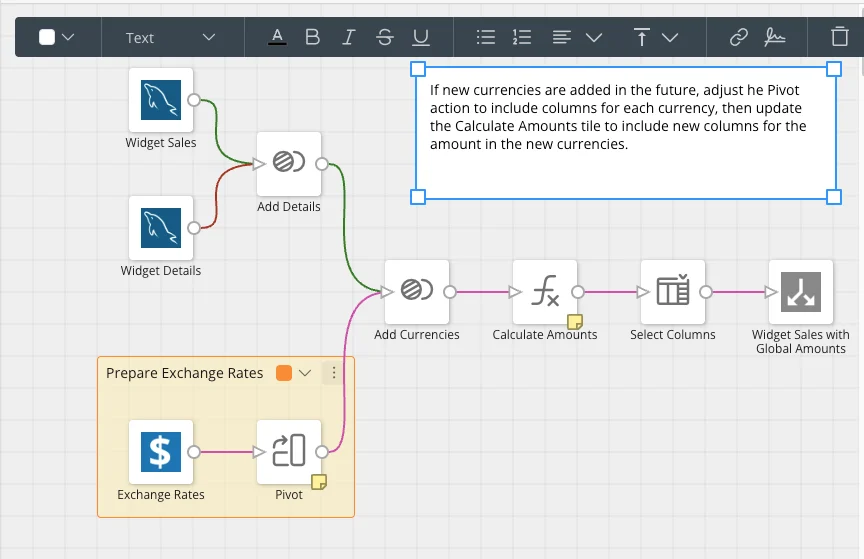
Documenting Magic ETL DataFlows with Notes, Sections, and Tile Naming
Learn how to use built-in documentation tools in Magic ETL to make your DataFlows easier to understand and maintain. Explore how to add notes, comments, and sections, and apply meaningful tile names to clarify the purpose and logic of each step. These practices help collaborators and your future self quickly interpret what a DataFlow does and why it was built that way.Added June 3, 2026

Domo Cards Overview
This video is an introductory video about Domo Cards: what they are, how to create them and some best practices around using them.Added June 5, 2026

Domo Everywhere: Embed Overview
This video describes the different types of Domo embed and walks through how to use Domo embed.Added June 12, 2026

Domo Publish Overview
Learn how Domo’s Publish feature enables controlled content distribution from a primary instance to multiple subscriber instances. Explore parent-child relationships, instance management, and publication setup in the Admin Center. Understand what transfers—dashboards, apps, datasets—and what doesn’t. Master Personalized Data Permissions (PDP) for secure client-facing deployments. Perfect for companies managing data for multiple clients.Added June 11, 2026
Domo Webforms DataSet Overview
Learn to add Webforms—DataSets in which you enter the data manually in an Excel-like spreadsheet.Added June 26, 2026
Domo Workflows Overview: Build and Automate Business Processes
Learn how Domo Workflows help teams move from insight to action by automating business processes inside and outside of Domo.In this video, you’ll get a guided overview of the Workflow canvas and see how to build a simple workflow from start to finish.You’ll learn how to:
- Start with a blank workflow or use a template
- Add automated tasks, user tasks, flow controls, and AI agents
- Create and use workflow variables
- Map inputs and outputs between workflow steps
- Send an email using free-form text or variable values
- Add start and stop steps
- Validate a workflow and review configuration warnings
- Save, deploy, and manually run a workflow
- Add triggers from App Studio, custom code, DataSet Alerts, and other sources
Domo x Snowflake: 3 Ways to Turn Cortex AI Into Instant Dashboards
Your Snowflake data just got an AI-powered upgrade.This demo walks through three ways to connect Domo and Snowflake’s Cortex AI: building agents in Cortex Code (Coco), running natural-language queries with Snowflake Cowork, and asking Domo’s AI chat to build dashboards straight from your Snowflake data.Watch data transform into governed, published apps and Cortex-powered insights in minutes, no manual dashboard-building required.This is the Intelligent Enterprise, powered by Domo and Snowflake.Added July 30, 2026
Domo's Data Transformation Tools - Beast Mode
Learn how to create Beast Mode transformations in Domo to calculate dynamic fields directly at the card level without modifying your underlying dataset. Discover how to use the Beast Mode editor to write SQL-style formulas, reference existing dataset columns, and validate your calculations. Explore how to save reusable Beast Mode calculations to a dataset and apply them across multiple cards.Added June 11, 2026
Domo's Data Transformation Tools - Dataset Views
Learn how to use Dataset Views in Domo’s Data Center to build focused lenses on your existing datasets without materializing new data. Discover how to filter, group, aggregate, sort, and limit rows using the Views Explorer’s Table-Based Editor. Explore how to save targeted views to share with specific users or teams while maintaining governance over the full underlying dataset.Added June 11, 2026
Domo's Data Transformation Tools - Magic ETL
Learn how to configure a Magic ETL dataflow using the tile-based editor in Domo. Discover how to configure transformation tiles, connect input and output datasets, name your data flow, and validate your results with a preview. Explore how to automate your data flow using data update triggers or schedule-based triggers, and how to manually run data flows from the Data Flows section.Added June 11, 2026
Domo's Data Transformation Tools - Overview
Explore the three core data transformation tools in Domo: Magic ETL, Dataset Views, and Beast Mode. Learn the purpose of each tool, including when to use Magic ETL for complex transformations, Dataset Views for lightweight data preparation, and Beast Mode for card-level calculations. Discover where to access each tool within the Domo interface, from the Data Sets menu to the Analyzer.Added June 11, 2026

Explore AI Playground: Test and Iterate on AI Features in Domo
Discover how to use Domo’s AI Playground to experiment with and refine AI-powered functionality directly within the Domo platform. Learn how to configure, test, and iterate on AI models and prompts to evaluate their performance before deploying them in production. Gain hands-on experience navigating the AI Playground interface to accelerate your AI development workflow.Added May 27, 2026
Explore Data Integration Options in Domo
Discover the key methods for bringing data into Domo, including Connectors, Cloud Data Warehouses, Jupyter Workspaces, APIs, and Workbench. Learn how each integration approach works and when to use it based on your data environment and requirements. Walk away with a clear framework for choosing the right integration strategy for your use case.Added June 12, 2026
Explore Data Using Domo Worksheets
Discover how to use Domo’s Worksheets feature to explore and analyze data in a familiar spreadsheet-style interface. Learn how to navigate table-based views to simplify data exploration without requiring advanced technical skills. This video demonstrates how Worksheets brings accessible, intuitive data interaction directly within Domo.Added May 22, 2026

Explore New Features Released at Domopalooza 2026
Discover the features released at Domopalooza 2026 that are now live in your Domo instance. Explore enhancements across key areas including AI integration, data transformation, visualization, and automation. Get a comprehensive overview of what’s new and how these capabilities can improve your workflows and analytics.Added June 2, 2026
Exporting Domo Data
Learn how to export data from Domo cards and DataSets to Excel or CSV files for offline access. Discover the key differences between exporting a card versus a DataSet, including how filters, aggregations, and column selections affect exported data. Understand row limits, file format trade-offs, and the access permissions required to export data from Domo.Added May 27, 2026
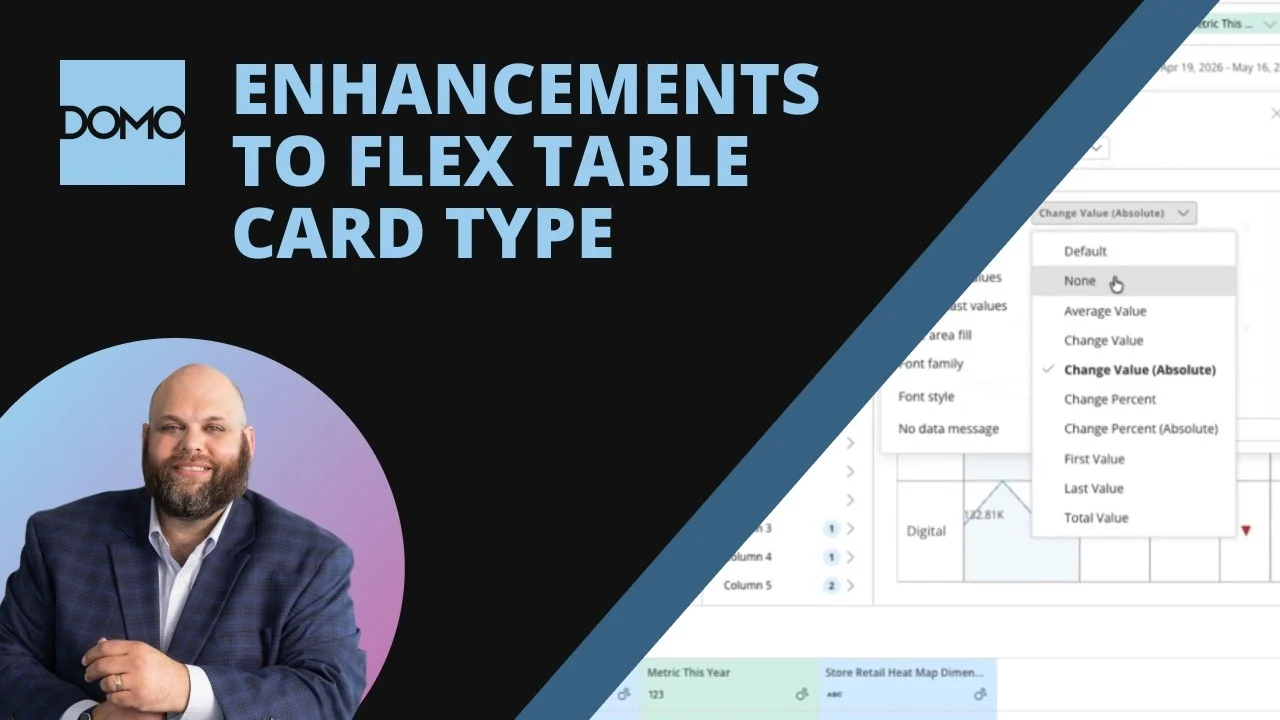
Flex Table Card Enhancements
Flex tables are one of the most powerful ways to highlight change over time across multiple values, but they’ve come with limitations on user interaction and setup flexibility. This release brings a wave of new options that make Flex Table cards more interactive, more focused, and easier to read at a glance.In this video you’ll see how to:
- Let users change sort values on a Flex Table directly inside an App Studio App.
- Use new default sort options to sort by absolute value of change and quickly spot the biggest shifts, positive or negative.
- Apply scale abbreviation to data labels for cleaner, more readable values.
- Control where graph data labels appear (first/last, min/max, etc.) to avoid crowded visuals.
- Configure individual column settings, including hover text and the Absolute Value of change column option.
Getting Started with Alerts in Domo
Learn how to create, edit, and share Alerts in Domo to stay informed when your data meets important thresholds or criteria. Explore how Alerts can automatically notify you and your team of meaningful changes in your data. Discover best practices for configuring and managing Alerts across your Domo instance.Added May 22, 2026
Govern Data Access with Row- and Column-based PDP
Learn how to control data visibility using Personalized Data Permissions (PDP) in Domo, covering both row-based and column-based access controls. Explore the key differences between the two PDP types and how each can be configured to restrict data at a granular level.Added June 15, 2026
Govern Domo Everywhere Instances at Scale
Learn how to manage and govern features across multiple Domo Everywhere instances using the new scaled governance capabilities in beta. Discover how administrators can apply consistent governance policies and controls across embedded deployments. Explore tools that streamline oversight and configuration management for large-scale Domo Everywhere environments.Added May 22, 2026
Govern User Access in Domo with Roles, SSO, and Automation
Explore the core principles of user governance in Domo and how roles, grants, and automation work together to ensure the right people have the right access. Learn how Single Sign-On integrates with your corporate directory to automate provisioning, while roles and grants define precise permissions for data stewards, analysts, and consumers. Discover how the Instance Management tool centralizes oversight across environments to enforce consistent governance at scale.Added June 16, 2026
Governance Toolkit: User Management
This video walks you though the use cases of the user management toolkit and demos how to set up a user management job to update user attributes and add custom attributes to a users profile.Added June 19, 2026
Governance | Automation
Learn how to establish governance across all automated processes in Domo, including DataFlows, Workflows, Alerts, Scheduled Reports, and Governance Toolkit processes. Discover how to use DomoStats to centralize reporting on ownership, execution history, and failures across your instance without opening each automation individually. Understand how roles, permissions, the Activity Log, and regular lifecycle reviews keep your automation environment intentional and reliable.Added September 10, 2026
Governance | Data Integration
Learn how to gain complete visibility into your Domo instance’s data footprint using three native tools: the Data Warehouse view, the DomoStats connector, and the DomoStats Datasets and Dataflows pre-built dashboard. Discover how to track row counts, connector usage, dataset ownership, and execution schedules to prevent data duplication and reduce unnecessary costs. Walk away with a clear governance strategy for keeping your Domo instance clean and performant.Added August 13, 2026
Governance | Distribution Methods
Explore governance controls for Domo’s three primary distribution methods: Publish, Embed, and Programmatic Filtering. Learn about key permission grants like Manage Publications and Embed Content, how to monitor activity using DomoStats and the Embed section of Domo Everywhere, and information on subscriber instances. Understand how governance responsibilities extend into external applications when using Programmatic Filtering.Added August 18, 2026

Governance | Domo AI
Learn how to manage AI access and monitor AI activity in Domo using roles, grants, and DomoStats.Added August 26, 2026

Governance | Domo Apps
Explore how to use Domo’s Asset Library to view all custom apps in your instance, understand which cards reference each app design, and identify connected resources such as datasets, collections, Code Engine packages, and workflows. Learn how to review app versions, inspect the Manifest.json file, and use the Data tab to see which resources are linked to individual card instances. This video also covers best practices for versioning app code and locating additional documentation in the Domo Knowledge Base.Added August 13, 2026

Governance | Jupyter Workspaces
Learn how to control access to Jupyter Workspaces using Domo roles and grants, including the Create and Manage Jupyter Workspace permissions. Explore how workspace sharing grants co-ownership and exposes datasets, accounts, and credentials, and how to configure account settings to allow credential access in notebook code. Discover how DomoStats reports can help administrators monitor and audit Jupyter Workspace usage across their instance.Added August 17, 2026
Groups in Domo: Types, Use Cases, and Creation
Explore the four group types in Domo (directory, open, closed, and dynamic) and learn when to use each for optimal organization. Understand the benefits of groups for managing user access and collaboration within your Domo environment.Added June 5, 2026
How Domo and Databricks Work Together: AI Agents, Cross-Sell Intelligence & Warehouse Optimization
Four quick demos showing how Domo and Databricks work together — from AI agent skills to sales intelligence to warehouse optimization.🔹 Agent Skills (Databricks + Domo) — combining Databricks’ Agent Skills repo with Domo’s own skills library to build sample data in Databricks, connect it to Domo via cloud integration (without the data ever leaving Databricks), and auto-generate a full dashboard with AI-powered insights in minutes.🔹 Sales & Marketing Intelligence — a cross-sell/upsell solution shown at the Databricks conference. Databricks handles the foundational data platform, machine learning, and model serving; Domo acts as the interoperability and UX layer, running live cross-sell/upsell analysis on a customer account and returning an AI-generated executive summary, ranked product recommendations, and talking points.🔹 Sales Ops Agent — an agent built on Databricks that aggregates Salesforce data, call transcripts, and emails into one place, summarizes deal status, flags milestones and risk (like negative sentiment), coaches reps ahead of their next call, and writes updates back to the CRM.🔹 Warehouse Optimization App — an app that rebalances inventory across warehouse lanes using an AI-driven optimizer, auto-optimizing distribution (shown improving from 40% to 86% balanced), with manual override controls, live reporting, and move logs.Added July 30, 2026
How Domo Powers Gemini Enterprise with 1,000+ BigQuery Connectors
See how Domo and Google Cloud work together to turn any business data into a governed, AI-ready foundation for Gemini Enterprise.With 1,000+ Domo connectors, you can land data from SaaS apps, on-prem databases, files, and APIs directly into BigQuery — building a single source of truth for your AI agents. From there, Gemini Enterprise can activate that data safely and in a governed way, whether through built-in Google agents, custom agents built on Google’s ADK, or Domo’s own OAuth MCP server.In this demo, we walk through:🔹 Landing business data (Salesforce, NetSuite, marketing analytics, and more) into BigQuery using Domo connectors🔹 Adding a brand-new data source live (Meta/Facebook) in just a few clicks🔹 A custom Domo Query Agent built on Google’s ADK answering questions directly from BigQuery data🔹 Domo’s OAuth MCP server enabling governed, permissioned access to BigQuery data — with a live sales and profit analysisAdded July 30, 2026
How to build and launch an AI Agent in Domo
See how to build an AI agent in Domo, from naming the agent to launching it across the business.This walkthrough follows the three steps every intelligent enterprise needs to make AI useful in production.First, build the data foundation by connecting the agent to governed business data.Second, activate that data by configuring the agent with the context, instructions, tools, and workflows it needs to answer questions and take action.Third, distribute the agent securely to the right audience so employees, teams, or customers can use it where work happens.Domo brings these steps together in one governed platform, helping companies move from AI experiments to AI-powered apps and agents that can actually run inside the business.Added June 17, 2026
Introduction to AI in Domo
Explore how AI is built throughout the Domo platform, from preparing governed business data to building AI-powered applications.In this video, you’ll see how Domo’s AI tools work together and how organizations can use AI while maintaining their existing data permissions and governance.You’ll learn how to:
- Prepare DataSets for AI by using descriptions and synonyms for AI Readiness
- Control which columns AI can access and query
- Ask questions about dashboards and DataSets using AI Chat
- Generate Beast Modes from plain-English instructions
- Test prompts and AI functionality in the AI Playground
- Connect and select different AI models
- Use text generation inside Magic ETL
- Create structured outputs for classification, risk analysis, and summarization
- Build custom data-powered apps with App Catalyst
- Refine and publish AI-generated Pro-Code applications without writing code
- Use AI Agents to automate workflow steps and business processes
Introduction to Domo's DataSet API for Uploading Data
Explore Domo’s DataSet API and learn how it enables programmatic uploading of relatively small data files into Domo. Understand the strengths and limitations of this API approach compared to other data integration methods.Added June 17, 2026
Join Two DataSets Using Magic ETL
Learn how to combine two DataSets into one using a Join tile in Magic ETL. This video walks through a simple, practical example of configuring a join to merge data from multiple sources. Viewers will gain a foundational understanding of how joins work within Magic ETL dataflows.Added May 27, 2026
Magic ETL Dataflows - The 'History' and 'Version' tabs
Explore the Magic ETL History and Versions tabs to monitor DataFlow run performance, diagnose failures, and identify problematic version changes. Learn how to interpret execution details including duration, input/output data volume, run initiation method, and tile-level breakdowns. Discover how to revert to a previous DataFlow version to quickly restore successful performance.Added June 11, 2026
Magic ETL | Settings
Explore the full range of Magic ETL Dataflow settings available from the ETL canvas, including scheduling, update triggers, and transform options like Time Zone, Locale, Collation mode, and Date Format. Learn how to lock a dataflow to restrict unauthorized edits and how to opt out of Utilization Optimization to protect critical-but-infrequently-run Dataflows. Understand where each setting lives and how configuring them correctly leads to more robust, predictable, and secure data pipelines.Added August 20, 2026
Magic ETL | Utility Actions
Explore all 13 Magic ETL Utility tiles and learn what each one does, including Add Formula, Value Mapper, Alter Columns, JSON Expander, and SQL. Walk through a real retail data pipeline that uses these tiles to fix data types, map values, calculate subtotals, and expand JSON objects. Build confidence shaping and cleaning data efficiently using some of Magic ETL’s most essential tools.Added August 24, 2026
Managing Dataflows | Dataflow Details
Discover the key information available on the Dataflow Details page in Domo, including scheduling, data inputs and outputs, and execution history. Learn what information is available through the Settings, Data Sets, Lineage, History, and Versions tabs to monitor and understand your Dataflow’s performance and structure.Added August 26, 2026
Managing DataFlows | DataFlow History
Explore the Magic ETL data flow History tab to monitor performance, diagnose failures, and optimize execution. Learn how to interpret the overview metrics, run history columns, and tile-level action summaries to identify bottlenecks like slow Python script tiles or misconfigured joins. Use execution details to pinpoint exact failure points and error messages for faster troubleshooting.Added August 26, 2026
Managing Dataflows | Dataflow Versions
Learn how to navigate the Versions tab in Domo Dataflows to review the full save history of any Dataflow. Explore the details each version entry provides, including save time, editor, dataset counts, and run statistics. Discover how to use the ‘Make Version Current’ feature to non-destructively revert to a prior working version when edits produce incorrect or failed results.Added August 24, 2026
Managing Dataflows | Disabling and Deleting Dataflows
Learn how to safely take data flows out of service by disabling or deleting them in Domo. Discover how to use the Lineage tab and dataset Overview page to identify downstream dependencies including DataSets, views, and cards before making any changes. Understand when to disable for a reversible pause versus delete for permanent removal, and how to perform both actions in bulk.Added August 25, 2026
Managing Dataflows | Naming and Tagging
Learn how to apply consistent naming conventions and prefix systems to data flows and DataSets to communicate data pipeline lineage at a glance in Domo. Discover how to use tags in the Data Center to create flexible, cross-cutting groupings that make filtering and surfacing related content faster and easier.Added August 28, 2026
Managing Dataflows | Overview
Explore the full toolkit for managing Dataflows in Domo, including the Settings, Datasets, Lineage, History, and Versions tabs. Learn how to use tags for organization, roll back to previous versions after a failed edit, and analyze execution history to optimize performance. Discover sharing, disabling, copying, and deletion options to keep your Dataflows running reliably.Added September 9, 2026
Managing Dataflows | Scheduling and Triggering Dataflows
Learn how to configure automatic DataFlow triggers in Domo using dataset update triggers and time-based schedules. Discover how to layer conditions on triggers to control exactly when a DataFlow runs, including restricting runs to specific days or requiring all input datasets to refresh first. Understand how to set up multiple triggers per DataFlow and configure the correct time zone to ensure accurate scheduling.Added August 27, 2026
Managing Dataflows | Sharing Dataflows
Learn how to share a Magic ETL data flow with collaborators and understand how connected input and output DataSets are automatically shared in the process. Discover how to adjust DataSet access levels individually after sharing. Understand the critical impact of Personalized Data Permissions (PDP) policies on shared data flows and how to ensure collaborators have the necessary all-rows access to prevent failures.Added August 28, 2026

Managing Jupyter Workspaces in Domo
Learn how to create, configure, and manage Jupyter Workspaces within the Domo platform. Explore how to set up workspace environments, manage kernels, and connect to Domo DataSets for advanced analytics and custom code execution. Understand best practices for organizing and maintaining Jupyter Workspaces to support data science workflows.Added May 22, 2026
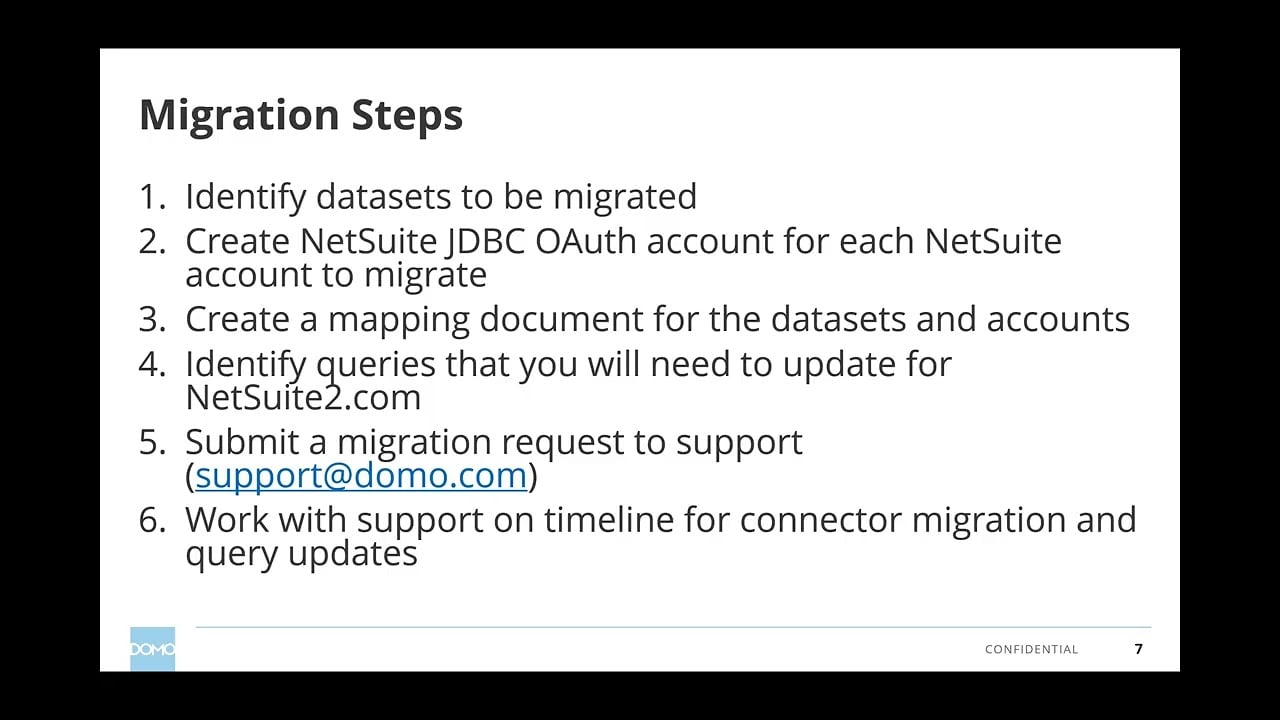
Migrate NetSuite Connectors to JDBC OAuth in Domo
Learn how to migrate existing NetSuite JDBC connectors to the new NetSuite JDBC OAuth connector in Domo, preserving DataSet IDs, DataFlows, and cards without rebuilding from scratch. Discover how to use Domo Stats DataSets and the Views explorer to build a mapping document for Domo Support. Understand how to manually update queries to align with the NetSuite2.com schema by replacing record and field IDs while aliasing columns to protect downstream assets.Added June 17, 2026
Monitor Credit Usage Reporting in Domo
Explore how to access and interpret Credit Usage Reporting in Domo to track consumption across your organization. Learn where to find usage data, understand how credits are allocated, and identify key metrics to help manage and optimize your Domo environment. This video helps administrators maintain visibility and control over platform resource usage.Added May 22, 2026
Monitor Your Domo Instance with DomoStats
Explore DomoStats, Domo’s built-in observability layer, and learn how to use the DomoStats connector and QuickStart apps to gain instant visibility into your instance. Discover how to track user adoption, DataSet and DataFlow health, governance, and project execution using 90+ pre-built administrative reports. Install one of four QuickStart apps (Activity Log, DataSets and DataFlows, People, or Projects and Tasks) to access ready-made dashboards without building cards from scratch.Added June 16, 2026
Organize Domo Content with Workspaces
Discover how to use Domo’s new Workspaces feature to organize and centralize your content across both web and mobile platforms. Learn how Workspaces help you group Dashboards, Cards, and other Domo assets into a single, accessible location. Explore how this May 2026 update streamlines navigation and improves team Collaboration within Domo.Added May 22, 2026

Overview | Cloud Integrations
Learn how Domo Cloud Integrations natively connects to cloud data warehouses like Snowflake, Databricks, BigQuery, and Redshift without duplicating data. Discover how to configure and manage integrations directly within Domo’s Data Connection settings, enabling Magic ETL transformations, card visualizations, dashboards, and alerts on your existing data. Explore key benefits including reduced storage costs, flexible governance with OAuth pass-through, and leveraging the combined power of your warehouse and Domo’s full platform.Added August 3, 2026
Overview | Collaboration Tools - Approvals
Discover how Domo Approvals enables organizations to create and manage structured approval workflows without relying on emails or spreadsheets. Learn how to navigate to the Approvals feature, understand the role of request templates, and explore how administrators and users interact with the approval process. See how centralized approvals improve visibility, accountability, and repeatability across business processes.Added August 7, 2026

Overview | Connectors
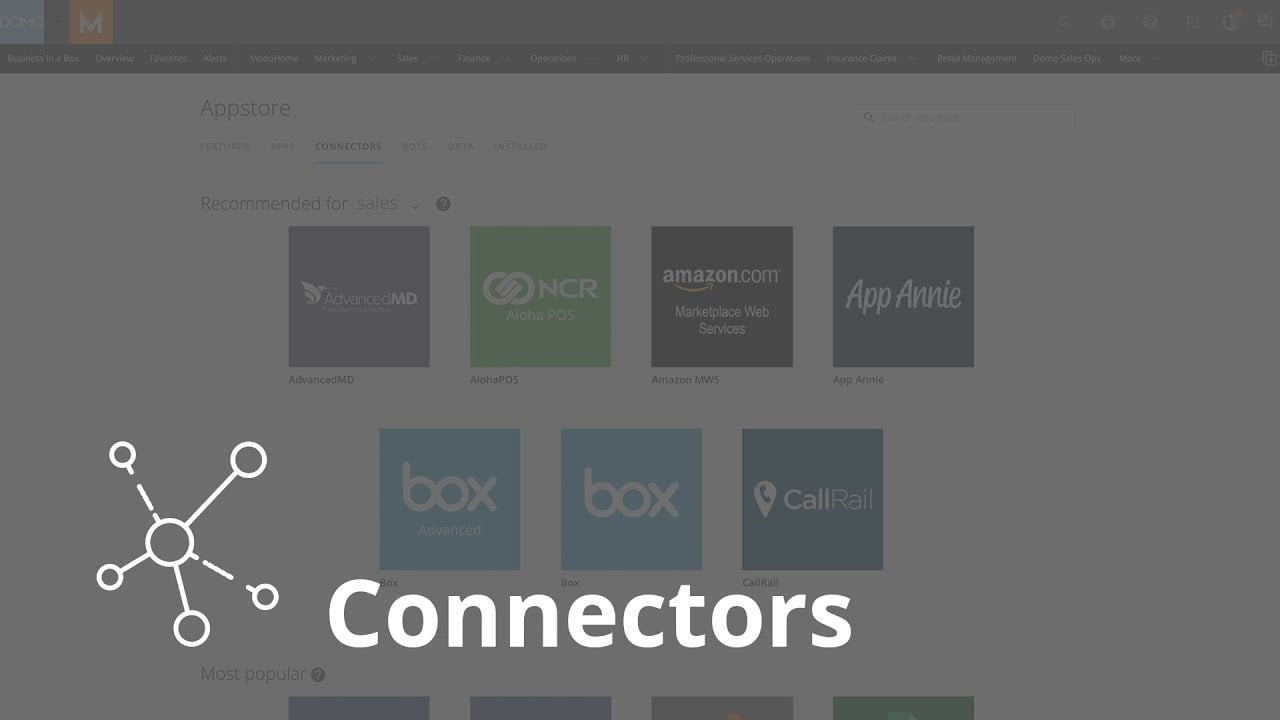
Learn how Domo Connectors bring data from external systems like Salesforce, Google Ads, and MySQL into a single centralized location. Discover how to find, configure, and schedule connectors in the Domo Data Center, including setting up credentials, defining data queries, and automating refresh schedules. Explore how to access connector documentation and the Domo Knowledge Base to support your setup.Added July 31, 2026
Overview | Data Integration
Explore the full range of data integration tools available in Domo, including pre-built Connectors, Cloud Data Warehouses integrations, Domo Workbench, file uploads, and API developer tools. Learn how to navigate to the Data Center, Tool Downloads, and the Domo Developer Portal to configure and manage your data connections. Discover how automated data refresh schedules create a single source of truth across your CRM, ERP, marketing platforms, and internal databases.Added July 30, 2026
Overview | Data Management
Discover how Domo’s Data Management tools bring all your data into one connected, reliable space. Explore the Data Warehouse, DataSets, and DataFlows to understand where your data comes from, how it has been transformed, and who owns it. Learn how centralized data management reduces manual errors and helps your team find answers faster.Added August 6, 2026
Overview | Data Management Governance: Lineage, Certification, and Ownership in Domo
Learn how Domo’s data governance tools help your organization identify trusted data at a glance. Explore the Lineage tab to trace data origins and downstream dependencies, use Certification to mark approved datasets, and assign Ownership to keep data accountable. See real-world examples of how these features eliminate reporting conflicts and speed up troubleshooting.Added August 17, 2026
Overview | DataSets
Discover what Datasets are in Domo and how they power every chart, card, and dashboard in your environment. Learn how to navigate to the DataSets tab, preview data, check refresh timestamps, and review row counts to troubleshoot reporting issues fast. Explore best practices for reusing existing Datasets to maintain consistent, trustworthy reporting across your team.Added August 6, 2026
Overview | Distribution Methods
Explore Domo’s core distribution methods and learn when to use each one to share analytics securely. Discover how Publish shares content across Domo instances, Embed integrates dashboards and apps into external websites or portals, and Programmatic Filtering delivers personalized analytics to large audiences without requiring individual Domo accounts. Understand where to access distribution settings across Domo Everywhere, App Studio, and developer tools.Added August 7, 2026
Overview | Domo Admin Center
Discover how to locate and use the Domo Admin Center to manage your entire Domo instance from one centralized control panel. Learn how to access key sections like People, Governance, Company Settings, and Authentication to handle user permissions and environment configuration. Explore real-world use cases including faster onboarding and offboarding and centralized control over your company’s Domo environment.Added August 7, 2026

Overview | Domo Apps
Explore how to build custom Domo apps using HTML, CSS, and JavaScript to create highly flexible visualizations beyond standard card limitations. Learn how to access the Pro Code Editor through the Asset Library and leverage AI-powered App Catalyst to generate apps with guided prompts. Discover key use cases including interactive data collection, writeback functionality, and bespoke interfaces tailored to specialized audiences.Added July 29, 2026
Overview | Domo Governance Toolkit
Discover how the Domo Governance Toolkit automates repetitive admin tasks like adding users to groups, assigning permissions, and removing access when roles change. Learn where to find the Toolkit in the Admin panel, how to configure a new automation job using your own data rules, and why automating these processes reduces manual effort and access errors. Walk away ready to set up your first job and explore additional Governance Toolkit categories.Added August 7, 2026

Overview | Domo Sandbox
Learn how Domo Sandbox provides a private workspace to build, test, and refine dashboards, data flows, and apps before they reach your live environment. Discover how to navigate to Sandbox via the Admin panel, work with repositories, and use the Commit and Promote options to deploy finished work confidently. Explore real-world use cases showing how Sandbox reduces production errors and enables team collaboration without risk.Added August 6, 2026

Overview | Embed
Learn how to use Domo Embed to display cards, dashboards, and App Studio apps in external websites, portals, and applications. Explore the difference between public and private embed options, including authentication and security settings. Discover common use cases such as customer-facing portals and reducing manual reporting processes.Added August 7, 2026

Overview | Jupyter Workspaces
Explore Jupyter Workspaces in Domo and learn how to write and run Python or R scripts directly within your data environment. Discover common use cases including custom data ingestion via API, advanced transformations, and machine learning workflows using Domo datasets. Learn how to schedule notebooks for automation and where to find additional resources in the Domo Knowledge Base and Domo University.Added August 7, 2026

Overview | Programmatic Filtering
Learn how Programmatic Filtering enables secure, personalized embedded Domo dashboards and cards without requiring individual Domo user accounts. Discover how your application uses the Embed ID and Domo Embed APIs to request an embed token and apply data filters server-side before content is displayed. Explore common use cases including customer portals and organizations with existing security models that need to pass filtering rules directly to Domo.Added August 7, 2026

Overview | Publish
Learn how Publications in Domo Everywhere enable secure, controlled sharing of dashboards, App Studio apps, and Datasets between Domo organizations through a subscription model. Discover how to create and manage publications, apply data filters so each subscriber receives only relevant data, and ensure consistency across multiple organizations from a single trusted source. Explore common use cases such as distributing standardized content to franchise locations, regional offices, or customers.Added August 7, 2026
PDP Automation with Attributes
This video walks you though how to set up the Governance Toolkit job for PDP automation. It covers how to use standard and custom attributes to dynamically update PDP rules based on user attributes.Added June 19, 2026
Perform Text Analysis Using AI Tools in Domo Workflows
Explore how to leverage Domo Workflow’s built-in AI tools to perform text analysis directly within a Workflow. Learn how to configure AI-powered steps that process and interpret text data as part of an automated workflow process. Understand how these capabilities integrate with broader Workflow logic to enable intelligent, automated decision-making.Added May 28, 2026
Redirect Magic ETL Output to an Existing Dataset Using the Domo CLI
Learn how to use the Domo CLI tool to update a Magic ETL dataflow’s output tile to point to an existing dataset instead of a newly created one. This video walks through extracting a dataflow definition as JSON, editing the dataset ID references, and pushing the updated definition back using CLI commands. By the end, you will have a single consolidated dataflow producing multiple outputs tied to their original dataset IDs, preserving all existing cards and content.Added May 27, 2026
Review and Manage DataSet History in Domo
Explore the DataSet History tab to monitor update activity and statuses for your Domo DataSets. Learn how to use built-in tools to Preview, Download, Delete, or Revert individual DataSet updates. Gain confidence in managing DataSet versions to maintain data accuracy and control.Added June 3, 2026
Run Hugging Face ML Models in Domo Jupyter Workspaces with Python Transformers
Learn how to set up and run Hugging Face machine learning models inside a Domo Jupyter Workspace using the Python Transformers package. Discover how to configure key settings including model selection, input and output DataSets, and batch processing for efficient text analysis. See a working example using a Twitter RoBERTa sentiment analysis model applied to a product reviews DataSet.Added May 28, 2026
Schedule a DataFlow Using Triggers and Conditions in Domo
Learn how to configure scheduling options for a DataFlow in Domo to ensure your data stays current and accurate. Explore how to set up triggers and conditions that automatically run your DataFlow based on specific events or time intervals. Understand how these scheduling features fit into your broader data pipeline management strategy.Added May 27, 2026
Sentiment Analysis in Magic ETL Using Python and VADER
Learn how to use the Python scripting tile in Magic ETL to run sentiment analysis on text data such as tweets or customer reviews directly in Domo. Discover how to integrate the VADER Python package within a Python Scripting tile to score and classify text sentiment at scale. Walk away with a reusable ETL pipeline that applies machine learning-style text analysis without leaving the Domo platform.Added May 28, 2026
Set Up and Manage Alerts in Domo
Learn how to configure Alerts in Domo to monitor critical changes in your Cards and DataSets. Explore how to define alert conditions, set thresholds, and customize notification settings to stay informed when data reaches key values. Discover how to edit, share, and organize Alerts to keep your team proactively notified.Added May 27, 2026
Setting up Scheduled Reports
Learn how to automatically email dashboard snapshots to internal and external recipients using Scheduled Reports in Domo.In this video, you’ll see how to:
- Send a dashboard report immediately
- Schedule reports daily, weekly, or monthly
- Customize the email subject and recipient list
- Set an end date for report delivery
- Control whether Personalized Data Permissions are applied
- View scheduled reports and delivery history in Admin settings
- Use an alert to trigger a dashboard report when something important happens
SQL-Based Dataflows | Using the SQL Dataflow Interface
Learn how to build a SQL Data Flow in Domo by configuring input datasets, writing table transforms using MySQL, and defining an output dataset. Explore key features including processing engine selection, SQL autocomplete, easy indexing, and join-based transformations to combine multiple data sources. Discover how to configure automation triggers, strict mode, and governance settings to manage your data flow effectively.Added September 1, 2026
SQL-Based Dataflows | When to Use Adrenaline Dataflows
Learn how Domo’s Adrenaline engine eliminates data movement overhead to dramatically accelerate transformations on datasets with hundreds of millions or billions of rows. Discover when to choose Adrenaline over MySQL and Magic ETL, and how to apply a hybrid transformation pattern using Adrenaline for initial aggregation followed by secondary row-level processing. Understand key constraints including credit costs, supported data types, execution timeouts, and the Edit Adrenaline Dataflow grant required for non-admin users.Added September 2, 2026
Troubleshoot Magic ETL DataFlows Using Run History
Learn how to access and interpret the run history of a Magic ETL DataFlow to identify errors and diagnose failures. Discover how to audit DataFlow performance over time by reviewing execution logs and status details. Use this information to resolve issues and optimize your data transformation processes in Domo.Added May 27, 2026
Troubleshooting Beast Mode Calculations in Domo
Learn how to identify and resolve common errors in Beast Mode calculations within Domo. Explore techniques for debugging formula syntax and validating calculation logic. Walk away with practical strategies to ensure your Beast Mode expressions return accurate and reliable results.Added May 27, 2026
Understanding Accounts for Secure Credential Storage and Sharing
An introduction to Domo Accounts. Learn how Domo Accounts centralize credential management for connecting to external systems like Salesforce, Snowflake, and Google Analytics. Explore how accounts are used across various features in the Domo platform to securely authenticate without exposing sensitive credentials. Understand how administrators can share accounts and control permissions to enable team collaboration while maintaining strong security practices.Added June 15, 2026

Understanding Domo's AI Architecture: From Models to Agentic Solutions
Explore the architecture behind AI in Domo, including how Models and the Domo AI Service Layer work together to power intelligent solutions. Learn how this foundation enables both traditional prompt-and-response AI interactions and advanced agentic AI workflows. Gain a clear understanding of how Domo’s AI infrastructure supports scalable, flexible AI-driven experiences across the platform. Also learn best practices for when to use agentic solutions and how to get started finding good AI use cases.Added June 11, 2026
Understanding Pro-Code App File Structure and Resources
Explore the standard files included in a Pro-Code app, including index.html, app.css, app.js, manifest.json, and thumbnail.png. Learn the purpose of each file within the Pro-Code Editor environment. Discover the different types of resources that can be attached to and managed within a Pro-Code app.Added May 28, 2026
Understanding the Anatomy of an API Request
Explore the core components of an API request, including methods, endpoints, parameters, and body structure. Domo Connectors leverage these elements to retrieve data from third-party systems. Gain foundational knowledge to confidently work with Domo’s own API endpoints for programmatic access.Added June 17, 2026
Understanding Update Methods in Domo: Replace, Append, Upsert, and Partition
Learn how Domo’s four update methods—Replace, Append, Upsert, and Partition—control how incoming data is incorporated into your Domo DataSets. Explore the key differences between each method, including how Upsert uses primary keys for row-level merging and how Partition manages grouped data buckets. Discover where these update methods are applied across Domo tools including Connectors, Magic ETL, and Jupyter Workspaces.Added June 12, 2026

User Attributes Overview
This video walks through the Domo user attributes and how to set them up and what they are used for.Added June 19, 2026
Using AI Service Layer in Jupyter Workspaces: Sentiment Analysis
Explore how to access Domo’s AI Service Layer using Python within Domo’s Jupyter Workspaces integration. Learn how to build a sentiment analysis workflow by connecting to Domo AI capabilities directly from a Jupyter notebook environment. Walk away understanding how to leverage AI and machine learning models programmatically inside Domo.Added May 28, 2026

Using Domo's AI Playground
Discover how to use Domo’s AI Playground to test and experiment with AI tasks available through the Domo AI Service Layer. Learn how to interact with built-in AI capabilities to evaluate model outputs and understand how AI tasks can be applied within your Domo environment. Gain hands-on familiarity with the AI Playground interface before integrating AI features into your workflows.Added May 22, 2026
Using Domo's Microsoft Office Add-Ons
Learn how to use Domo’s Microsoft Office Add-Ons to access Domo data and cards directly within Excel, Word, PowerPoint, and Outlook. Discover how to embed live Domo content into your Office documents for seamless reporting and analysis. This video covers setup and practical usage of the add-on across all supported Office applications.Added May 27, 2026

Using Save As for Cards in Domo
Learn how to use the Save As feature to duplicate and save existing Cards in Domo. Discover how to preserve your original Card while creating customized versions for different use cases or audiences. This video walks through the step-by-step process of saving a Card under a new name and location.Added May 27, 2026
Using the Workflow Event Trigger
Stop manually handling content access requests in Domo. The new “Access Request” event trigger for Workflows kicks off a custom workflow the moment a user clicks “Request Access” on a Card, Page, or App — replacing manual follow-ups with a governed, automated process tailored to your organization.In this video you’ll see how to:
- Trigger a Workflow automatically when a user requests access to a Card, Page, or App.
- Design multi-step approval workflows that match your governance needs.
- Route notifications to the correct content owners.
- Build a complete audit trail for every access request.
- Ensure the right people get the right access in a timely, consistent way.
Using Versioning in Magic ETL to Track and Revert DataFlow Changes
Learn how to use the Versioning feature in Magic ETL to document and track changes made to your DataFlows over time. Discover how to add version notes to capture the purpose of each update and maintain a clear change history. Explore how to revert a DataFlow to a previous version when needed to recover from errors or unintended modifications.Added May 27, 2026
Variables Example: Switching Between Fahrenheit and Celsius on a Dashboard
Learn how to use Variables in Beast Mode to build a dynamic Fahrenheit to Celsius temperature converter on a Domo dashboard. Explore how Variables enable interactive, user-driven inputs that update card calculations in real time. Walk away with a practical example of combining Beast Mode formulas and Variables to create flexible, dynamic dashboard experiences.Added May 27, 2026
Workbench 5 Overview
Workbench allows enterprises to access and upload on-premise data (e.g. ODBC, XML, Excel, JIRA, QuickBooks, etc.) so that it can be analyzed and assessed to help improve your business.Added June 26, 2026
Working with Time Zones in Domo
Learn how Domo handles time zone settings across your data and instance configuration. Discover best practices for ensuring your data appears in the correct time zone as defined by your Domo instance administrator. Understand the relationship between data time zones and Domo’s instance-level time zone settings to avoid common display discrepancies.Added May 27, 2026