
Intro

This article explains the AI Agent settings available in the Admin Settings, including how to set the default model provider, enable AI Chat search ability, choose the global chat agent, and manage AI Chat DataSet restrictions.

Access AI Agent Settings

Go to the Admin tab in the left navigation, then select AI Service Layer > AI Agent Settings.
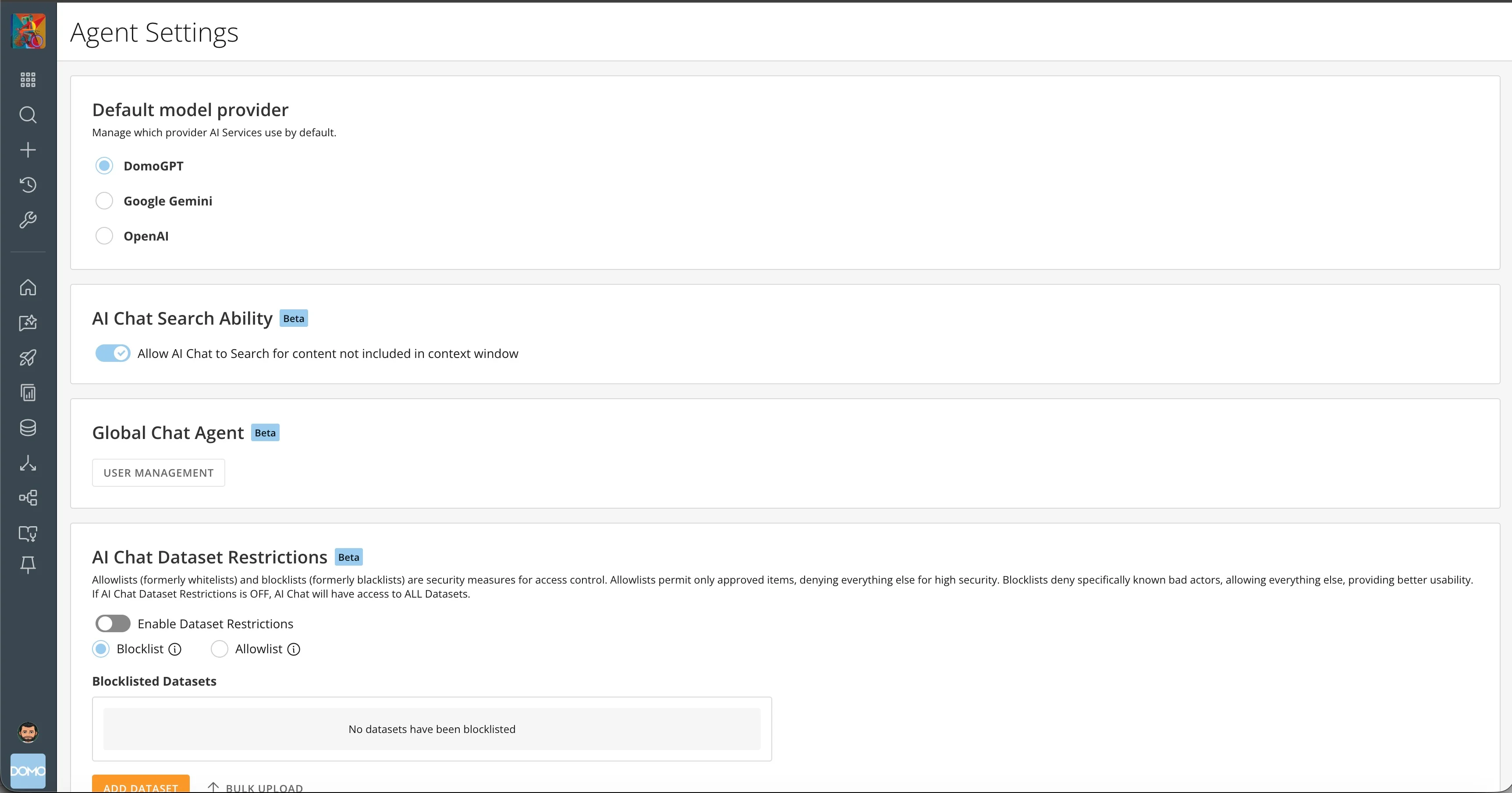
AI Agent Settings page in the Admin Settings

Default Model Provider

Manage which provider AI Services use by default.

AI Chat Search Ability Beta

Allow AI Chat to search for content not included in the context window.

Global Chat Agent Beta

Choose which agent is displayed.

AI Chat DataSet Restrictions Beta

Allowlists (formerly whitelists) and blocklists (formerly blacklists) are security measures for access control. Learn more about DataSet Restrictions.