

New Features and Enhancements
AI Consumption Rate Table
The AI Consumption Rate card lists SKUs for your Domo’s AI feature usage and the associated credit rates. This table enables you to better understand how your usage of Domo’s AI features contributes to your overall credit consumption. Learn more about the AI Consumption Rate Table.PDP: Column Masking
PDP: Column Masking in DataSets allows you to hide sensitive information, such as PII and PHI. You can define column masking policies to redact entire values or hide a certain number of characters in a given field. You can configure column masking in the PDP section of DataSet Details screen.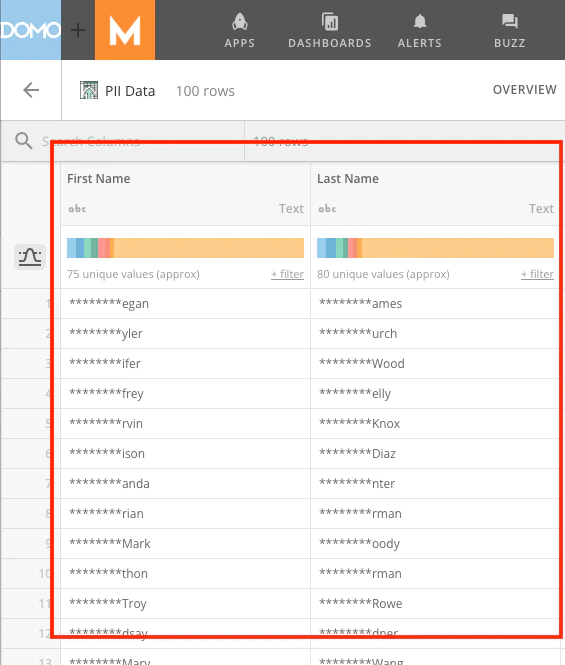
Window Functions in SQL Tile
Window functions in the SQL tile allow you to use complex analytical functions in your Magic ETL DataFlows without resorting to a Redshift DataFlow or creating multiple datastreams in Magic ETL. Perform calculations like running totals, rankings, moving averages, and cumulative statistics from within your SQL tile.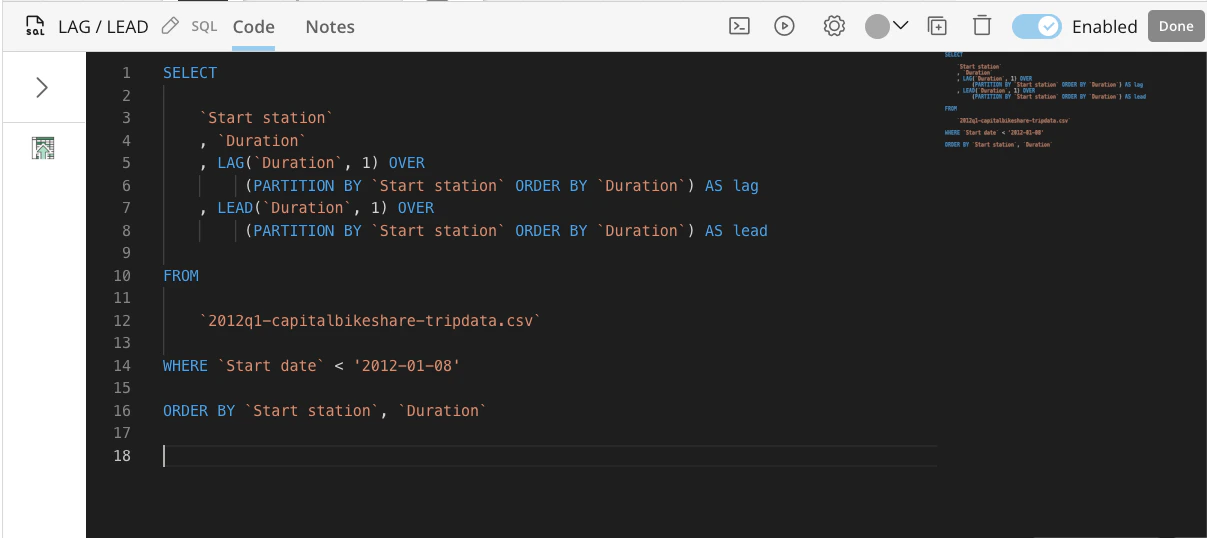
Beta Features
To join a beta, contact your Domo account team. If you do not have contact information for your account team, you can email Domo Support at support@domo.comApp Studio
App Studio Editor Updates
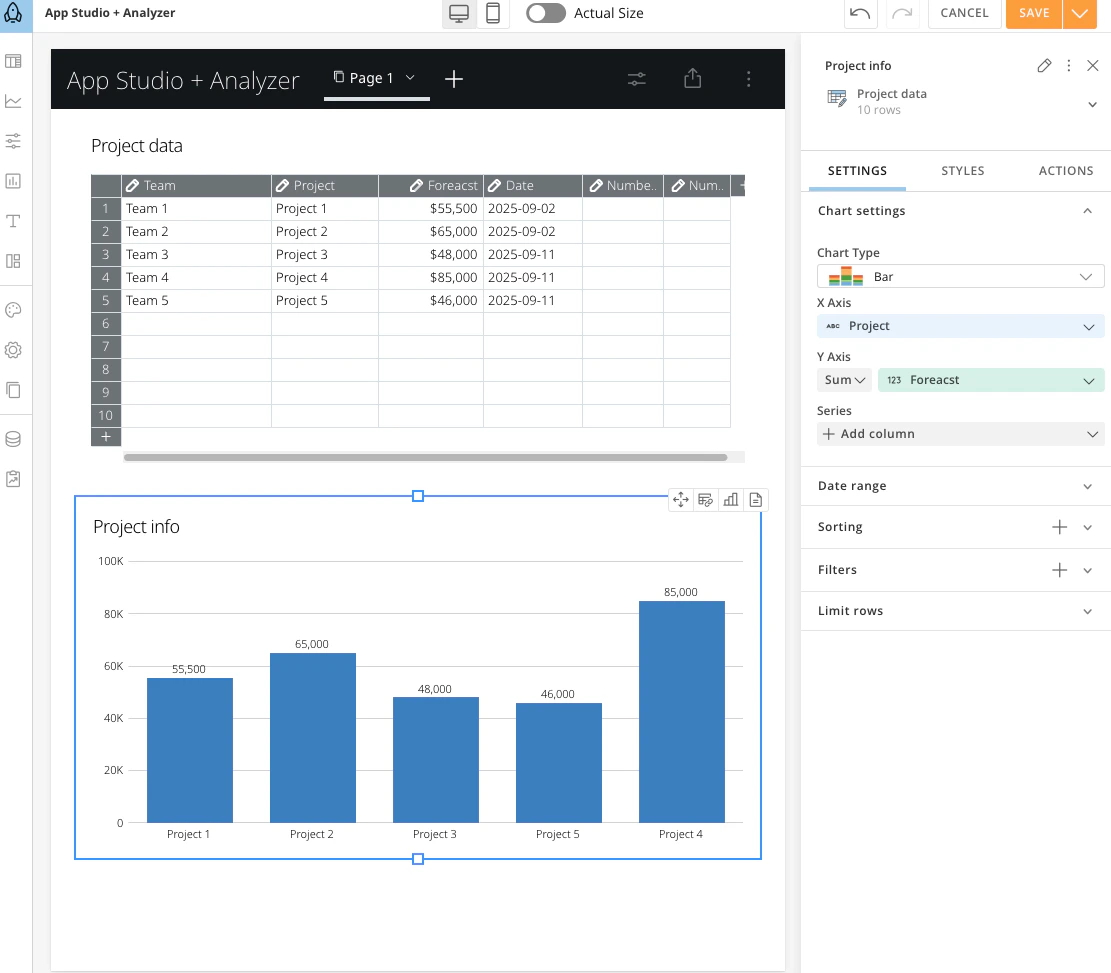
Use App Studio to automatically generate charts and tables using your data in just a few steps, with no initial setup required. Build what you need using the following tools and options:- Select your column, add calculations, adjust date ranges, and apply filters
- Choose from and build using four different table types: regular, editable, linked, and pivot tables
- Pick from dozens of chart options like bar, line, pie, heat map, world map, and scatter plots
Magic ETL
Disable Tiles
The ability to disable or “comment out” tiles in DataFlows is now available in Magic ETL. This feature allows you to select one or multiple tiles to disable, and have these tiles not be considered for execution during the Dataflow run. Along with disabling tiles, you can also highlight all upstream or downstream tiles from a selected tile and disable them individually from their configuration panels.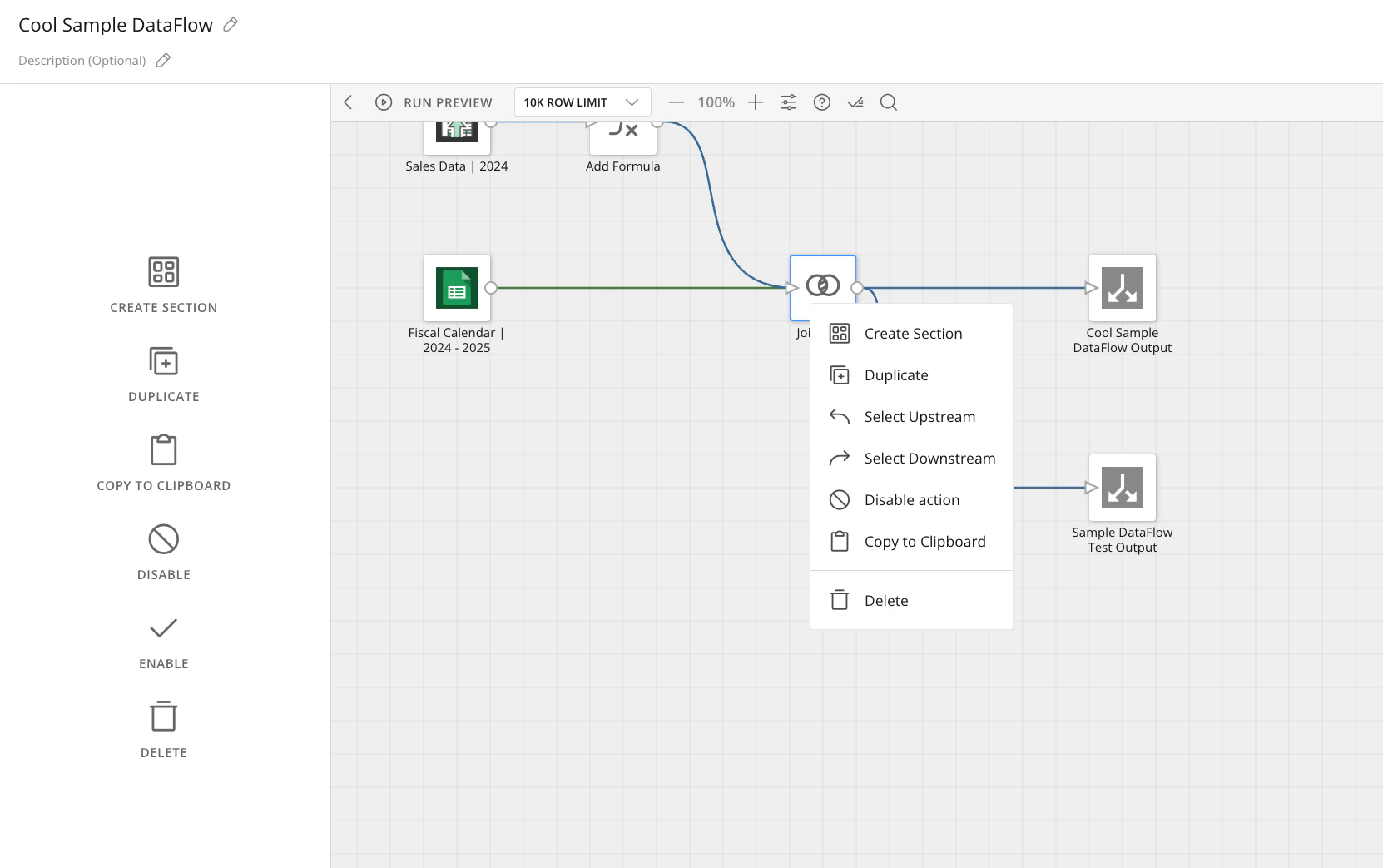
Fixed Input Tile
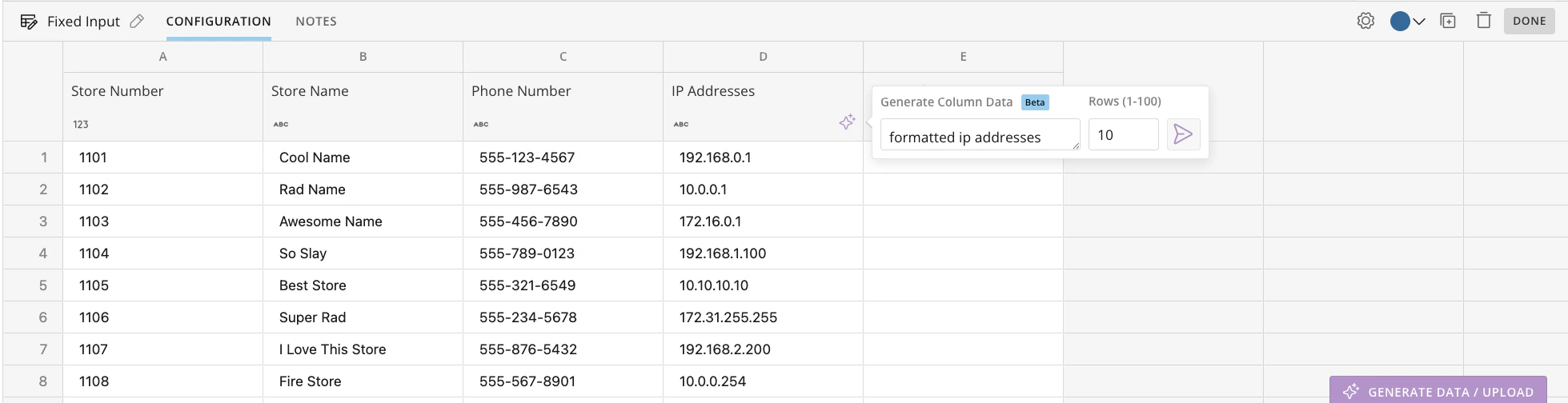
The Fixed Input tile lets you quickly add data directly on the Magic ETL canvas. You can add data manually, by copying and pasting from other sources, or by uploading Excel and CSV files. You can also use AI-powered generation to create individual columns or full DataSets with realistic sample data. All input data is stored within the DataFlow definition and can be used as input for downstream transformations in the same DataFlow. The Fixed Input tile allows for:- Faster prototyping and testing
- Improved flexibility in data input
- Empowerment of non-technical users
- Realistic sample data generation
JSON Expander Tile
The new JSON Expander allows you to expand JSON-formatted data from a single column to multiple columns without complex parsing. This feature allows you to access column data reliably using an easy-to-navigate, hierarchical expansion process.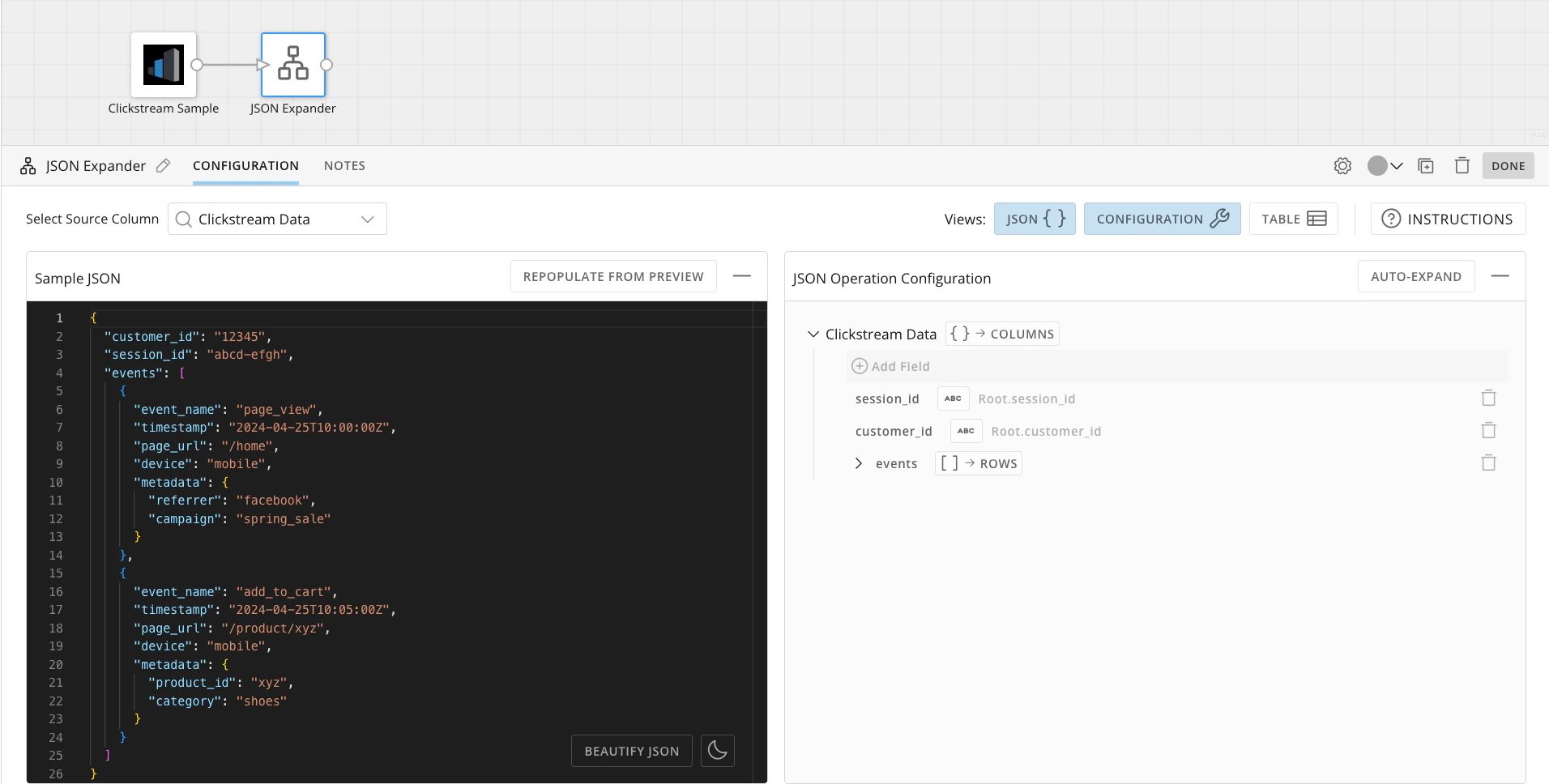
Worksheets
Worksheets allow you to transform raw data into quick insights without the learning curve overhead or the need to set up app structures. Worksheets include an accessible, drag-and-drop canvas for quick data analysis within Domo. It is closely integrated with Domo’s data environment and supports seamless escalation when you’re ready to move your worksheet to App Studio for sharing.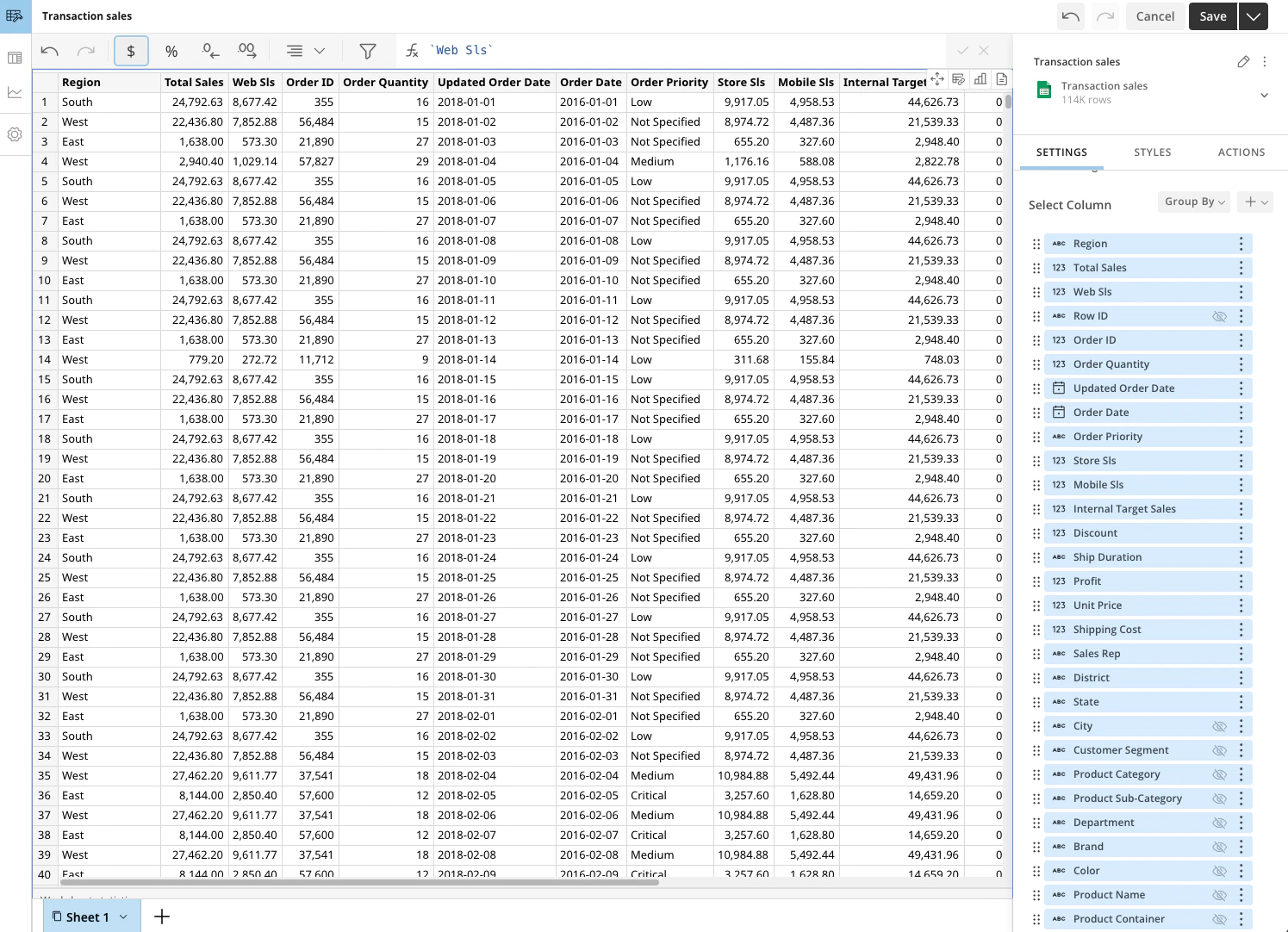
Support
Domo provides education, community answers, and technical support.- Search for a topic in the Help Center.
- Learn from Domo University.
- Search for training apps in the Appstore .
- Get answers in the Community Forums.
- Contact Technical Support by entering a help ticket in the Domo Support Portal.
- Reach out to your Domo account team.