

New Features and Enhancements
Advanced Scheduling Options for Connectors
The new advanced scheduling options for connectors enable you to better control your data pipeline orchestration by providing additional scheduling options for refreshing and updating your data. For example, if your source system pushes out data every 3 hours, you no longer have to wait every 4 hours for data to be refreshed in Domo—enabling you to have the freshest data in your instance when you need it.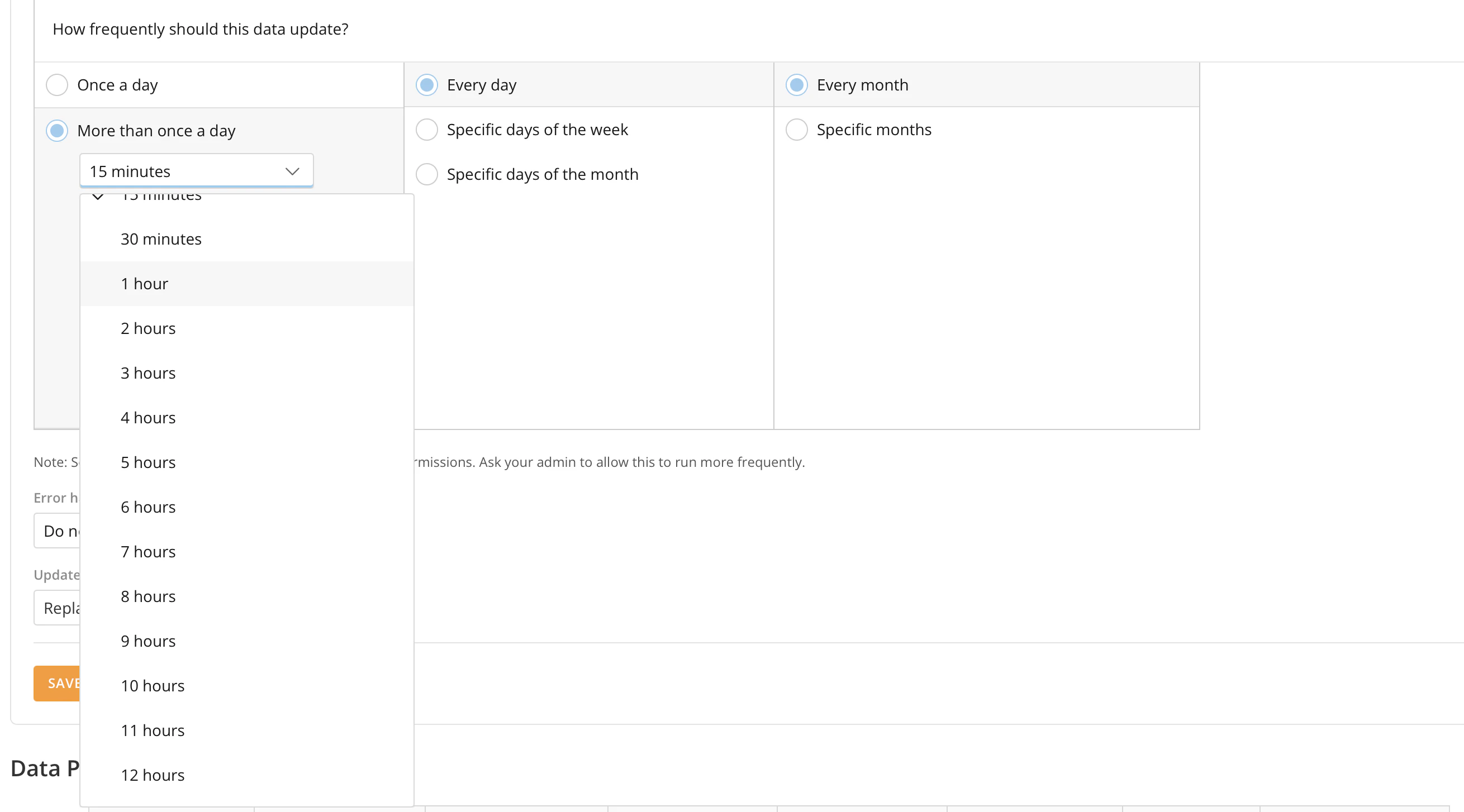
Domo AI Pro Branding
We have split our AI features into two tiers: Domo AI and Domo AI Pro. This ensures that you can leverage our advanced AI capabilities while maintaining control over cost and usage. Frequently used features remain free as part of your Domo contract:- Beast Mode Assistant
- SQL Editor in the DataSet Views Editor
- SQL tile in Magic ETL
- Magic ETL AI Assistants
- AI Agent Tasks within Workflows
- Magic ETL text generation tiles
- AI Services direct API calls
- AI-powered analysis in Jupyter
- AI Playground for experimenting and prototyping
- AI Services (text summarization, text-to-SQL, text generation, image-to-text)
Improved Boolean Filtering for Cloud Integrations
Boolean filters for Cloud Integrations are now automatically translated into the precise data types and syntax required by your connected cloud or database engine. This update increases reliability by eliminating errors caused by mismatched data types and provides more accurate results.Magic ETL
Disable Tiles
The ability to disable or “comment out” tiles in DataFlows is now available in Magic ETL. This feature allows you to select one or multiple tiles to disable, so that these tiles are not considered for execution during the DataFlow run. Along with disabling tiles, you can also highlight all upstream or downstream tiles from a selected tile and disable them individually from their configuration panels. Learn how to disable tiles in Magic ETL.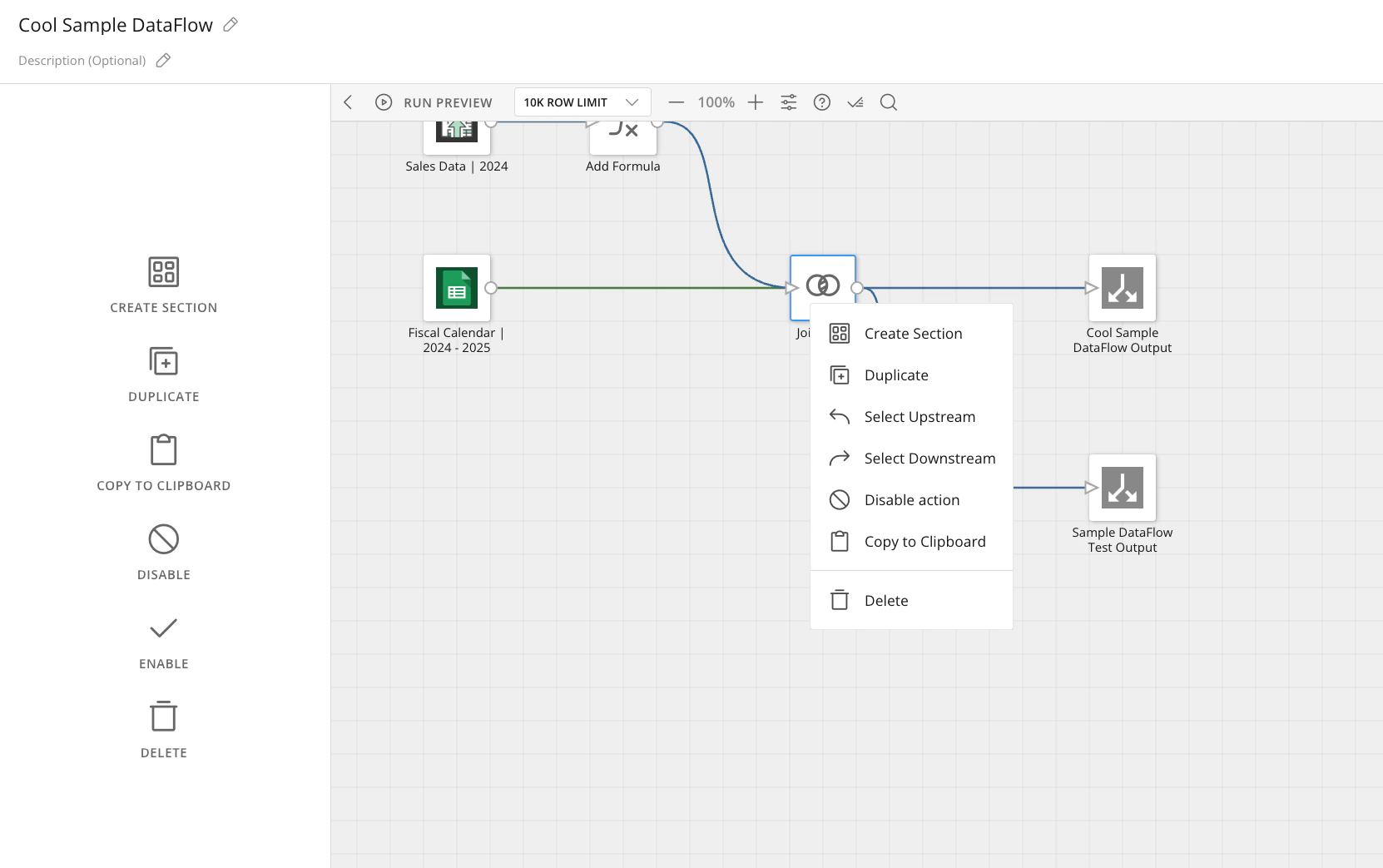
Fixed Input Tiles
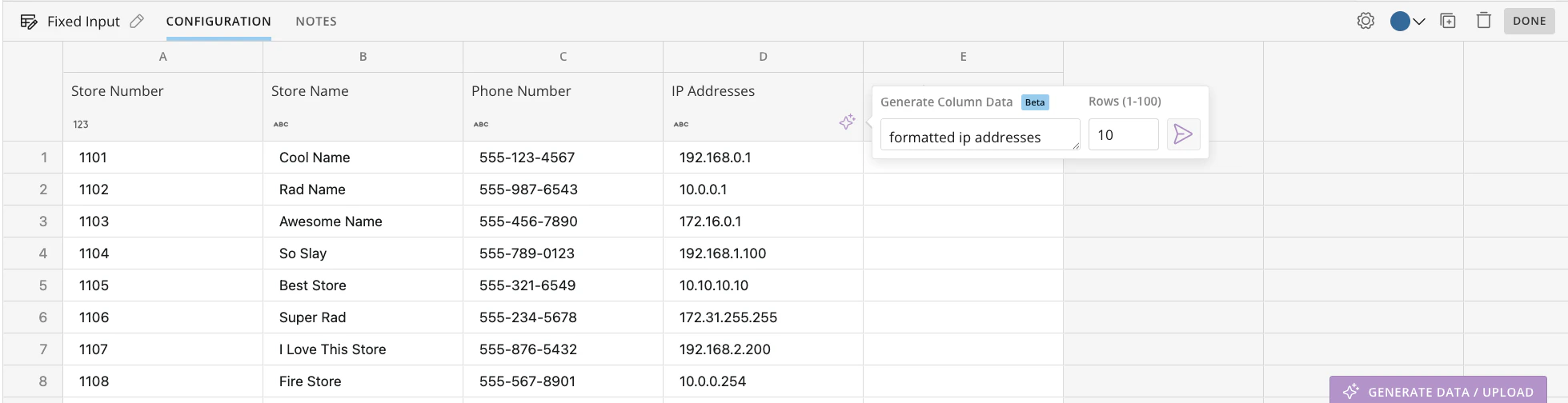
The Fixed Input tile lets you quickly add data directly on the Magic ETL canvas. You can add data manually, by copying and pasting from other sources, or by uploading Excel and CSV files. You can also use AI-powered generation to create individual columns or full DataSets with realistic sample data. All input data is stored within the DataFlow definition and can be used as input for downstream transformations in the same DataFlow. The Fixed Input tile allows for:- Faster prototyping and testing
- Improved flexibility in data input
- Empowerment of non-technical users
- Realistic sample data generation
JSON Expand Tile
The new JSON Expander allows you to expand JSON-formatted data from a single column to multiple columns without complex parsing. This feature allows you to access column data reliably using an easy-to-navigate, hierarchical expansion process. Learn how to use the JSON Expand Action tile.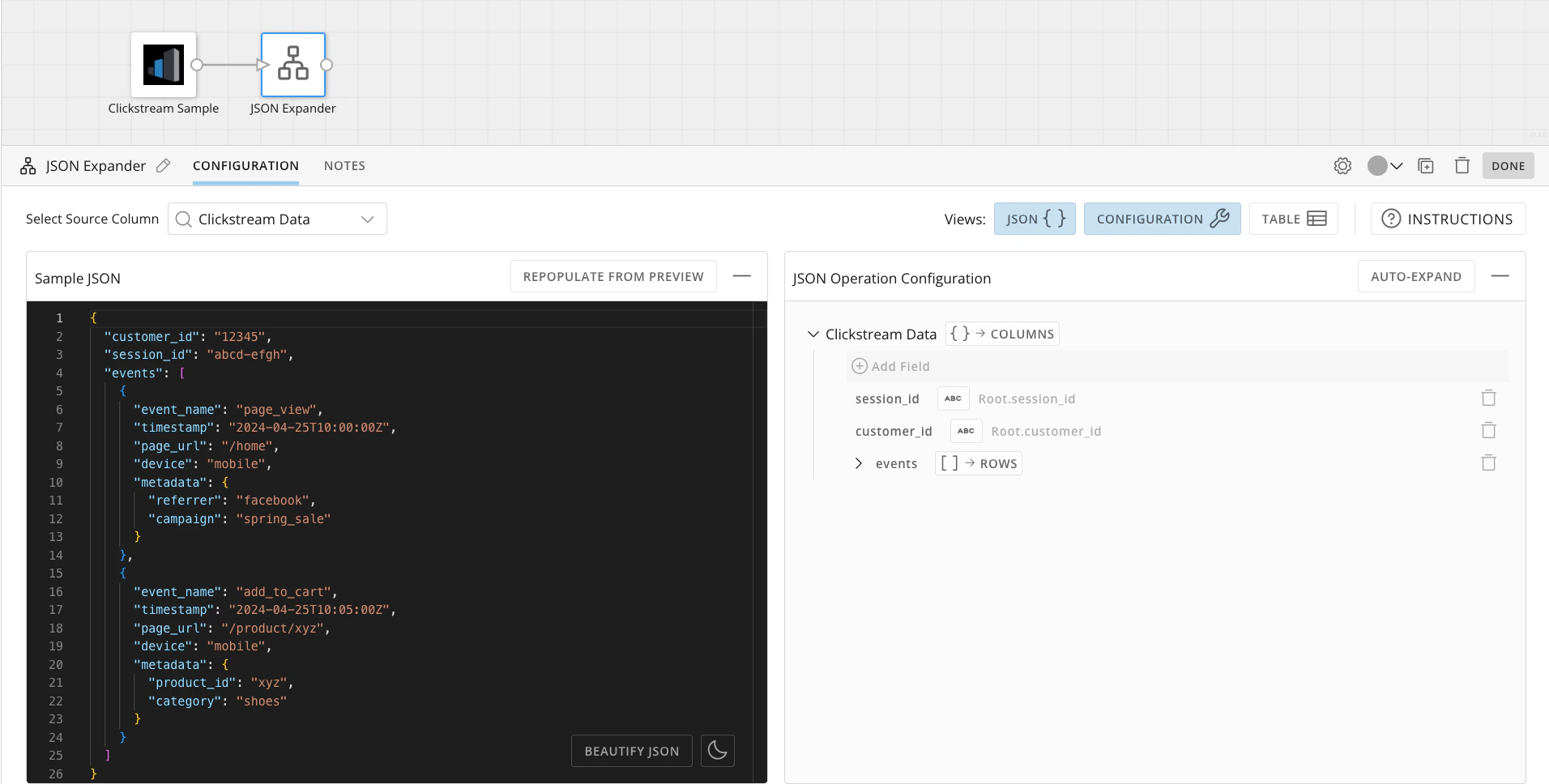
SSO - Direct Sign-on List Toggle
The new “Enforce Direct Sign-on List” toggle decouples the enforcement of the Direct Sign-On List from the SAML configuration and makes the configuration and behavior clear: when toggled on, the Direct Sign-On List is enforced. The Direct Sign-On List can only be enforced when at least one SSO protocol (OIDC or SAML) is enabled. If the Direct Sign-On List is toggled on, the “Use Direct Sign-On” link appears on the Domo login page. Learn more about the Direct Sign-On List toggle.Note: This enhancement to the method of Direct Sign-on List configuration
does not affect the net effective user authentication and sign-on flows. If
the Domo instance was previously configured to enforce the Direct Sign-on List
(based on the configuration of the SAML “User login experience” setting), then
the new “Enforce Direct Sign-On List” setting is toggled on; otherwise, the
setting is toggled off, and all users can log into Domo with their Domo
credentials.
Beta Features
App Catalyst
App Catalyst allows you to instantly create Domo Pro-Code applications using example prompts or by adding your own. Integrate generated apps with your Domo DataSets and add them to dashboards or App Studio apps. After creating your app, you can view and edit the generated app code, preview the UI, save, and publish your app for others to use.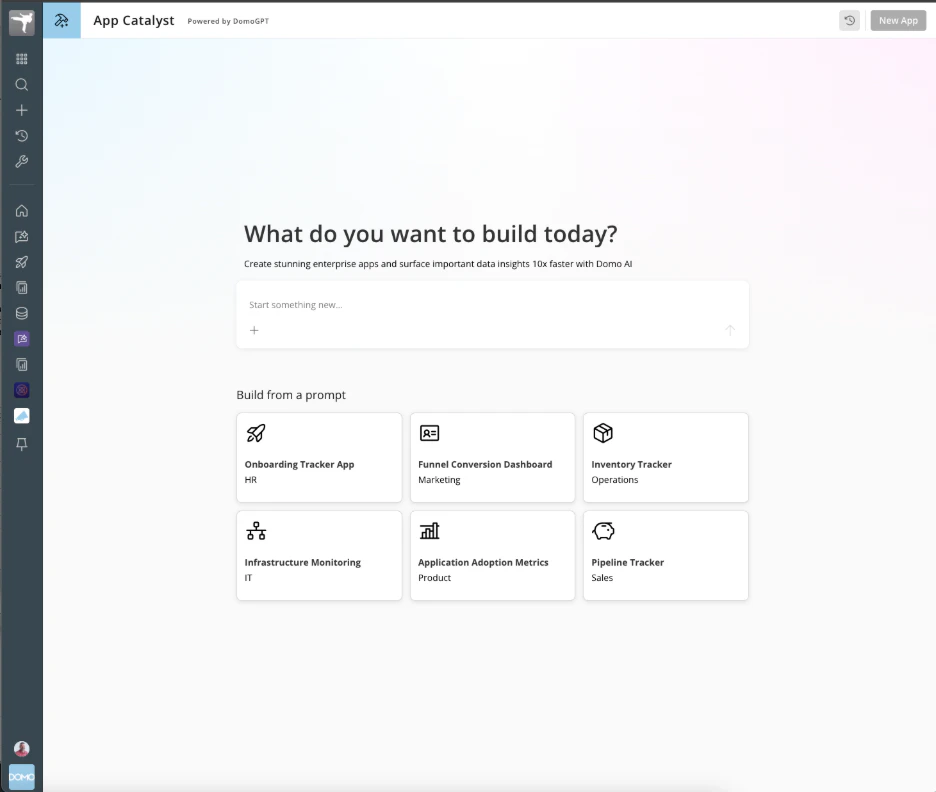
Editable Table and Linked Tables
Two new table features are available in App Studio and Worksheets. Editable Tables allow you to drop in a spreadsheet-like table where you can input data, add columns and rows, create calculations, copy and paste, and filter. Linked Tables enable you to combine existing Domo data with new columns for common use cases such as financial forecasting and budgeting.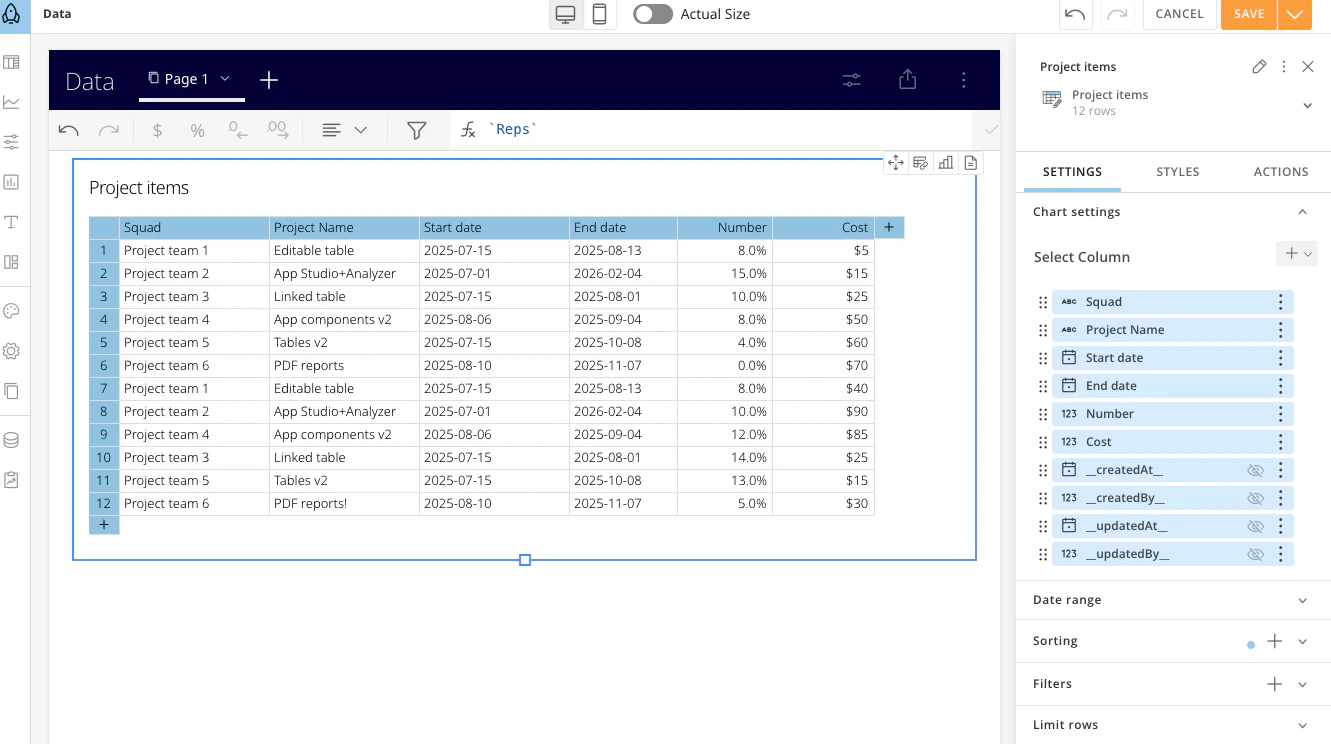
DomoStats for Row PDP
Magic ETL on BigQuery
Native SQL Syntax

Subset Processing Support
Subset processing support allows you to select the output methods (including Partition, Append, and Upsert) for your BigQuery DataSets in Magic ETL.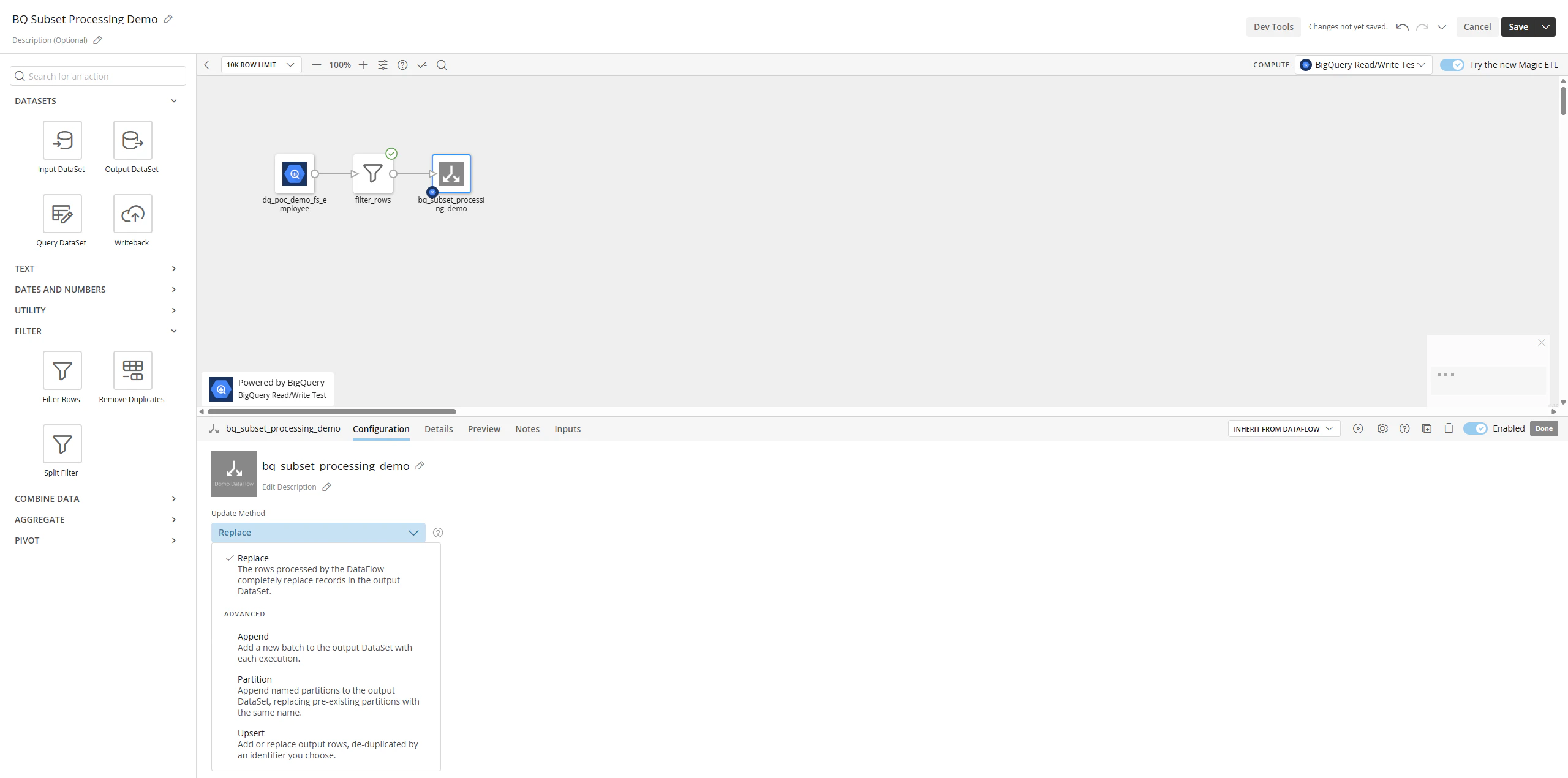
Nav Configs
Nav Configs allow admins to create a custom navigation experience for their instance by adding Domo objects, including apps, a workspace home or folder, and dashboards, all to users’ left navigation to access content. Admins can also create different configs for different groups or users and block which users can personalize their content.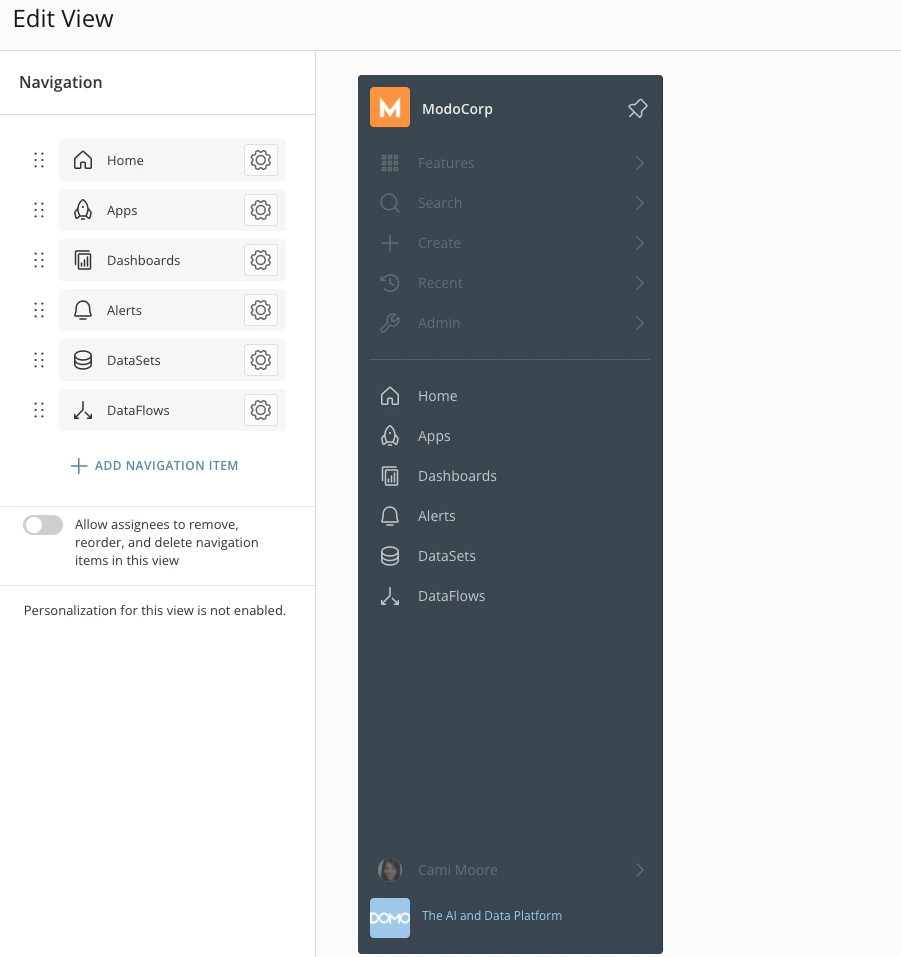
Schema Tab for DataSets and Data Models
The Schema tab for DataSets and Data Models lets you format and change field order and include field descriptions and tags for downstream users. You can also access and turn on AI fields and add context and synonyms in the Schema tab.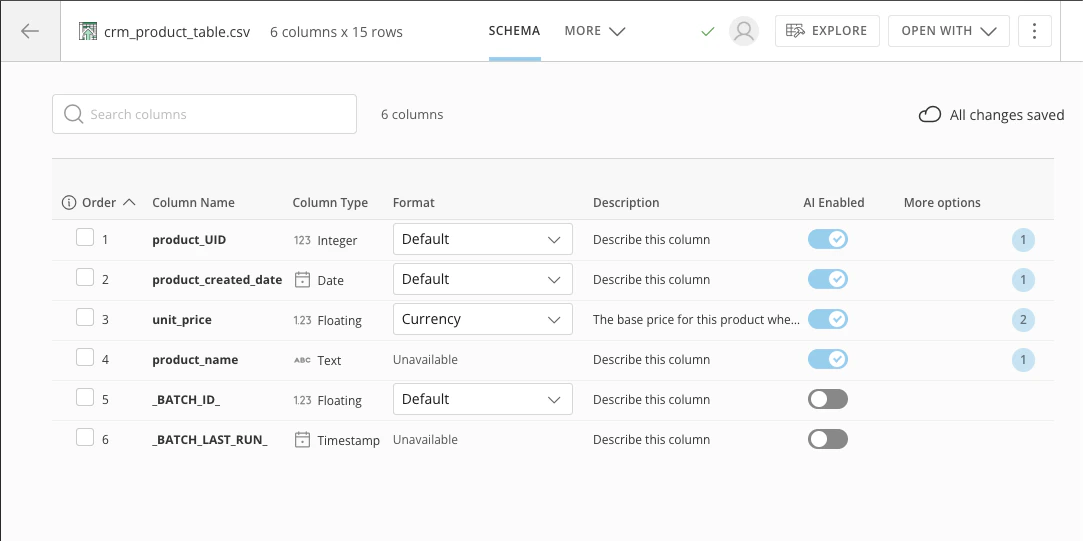
Support
Domo provides education, community answers, and technical support.- Search for a topic in the Help Center.
- Learn from Domo University.
- Search for training apps in the Appstore .
- Get answers in the Community Forums.
- Contact Technical Support by entering a help ticket in the Domo Support Portal.
- Reach out to your Domo account team.