> ## Documentation Index
> Fetch the complete documentation index at: https://www.domo.com/docs/llms.txt
> Use this file to discover all available pages before exploring further.
# Upgrade to Magic ETL v2
## Intro
Magic ETL is now more performant, consistent, and feature-rich. Magic ETL v2 is broadly compatible with Magic ETL v1; most existing transforms can be upgraded frictionlessly. You must upgrade Magic ETL for each DataFlow. Follow the instructions to upgrade below.
**Important:**
There are significant behavioral changes in Magic ETL which may affect your DataFlows. Learn about them in
[Behavior Changes and Feature Updates in Magic ETL](/docs/s/article/360047787514)
before upgrading.
## Upgrade Magic ETL
Follow these steps for each DataFlow you want to upgrade:
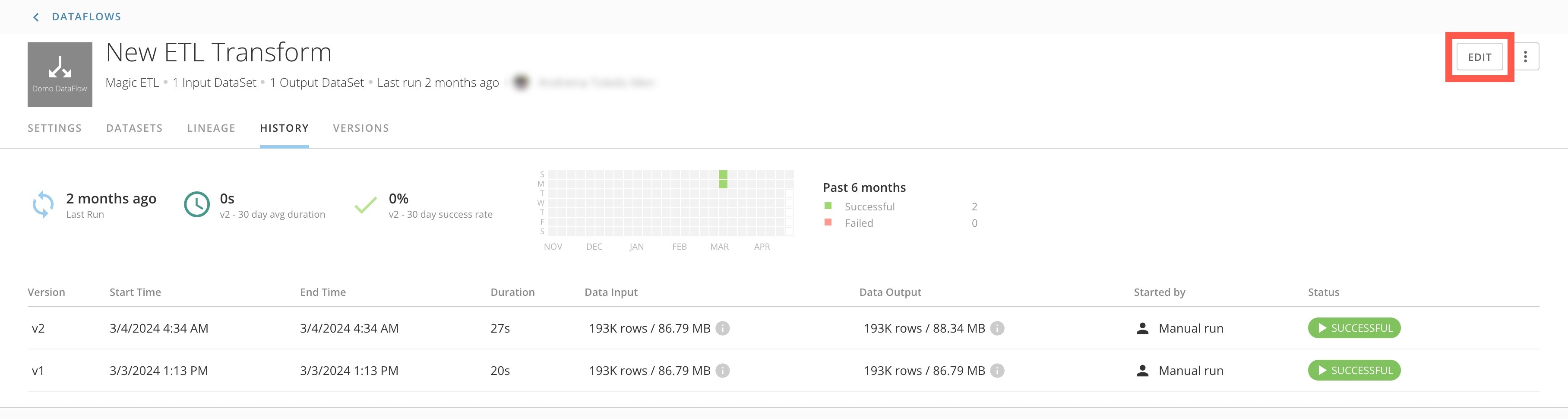
1. In the Data Center, go to the DataFlow you want to upgrade.
2. Select
**Edit** to open the DataFlow in Magic ETL.
 3. At the top right corner of the canvas, toggle the switch to
**Try the new Magic ETL**.
3. At the top right corner of the canvas, toggle the switch to
**Try the new Magic ETL**.
 **WARNING:**
After you upgrade a DataFlow, the toggle is no longer available and you cannot revert to Magic ETL v1.
This video demonstrates how to upgrade a DataFlow around the 4-minute mark.
## Upgrading to the New Magic ETL (video)
Still have questions? Contact your account team or [Domo Support](https://domo-support.domo.com/s/).
**WARNING:**
After you upgrade a DataFlow, the toggle is no longer available and you cannot revert to Magic ETL v1.
This video demonstrates how to upgrade a DataFlow around the 4-minute mark.
## Upgrading to the New Magic ETL (video)
Still have questions? Contact your account team or [Domo Support](https://domo-support.domo.com/s/).